The best CRMs for Facebook Lead Ads in 2026: (1) HubSpot, best all-round for mid-size teams, (2) Salesforce, best for enterprise, (3) Zoho CRM, best value for SMBs, (4) Pipedrive, best visual pipeline, (5) ActiveCampaign, best for email automation, (6) Freshsales, best AI-powered, (7) Keap, best for solopreneurs, (8) Follow Up Boss, best for real estate, (9) Close, best for inside sales, (10) GoHighLevel, best for agencies. All of them can receive Facebook leads via LeadSync in under 60 seconds.
For a broader look beyond Facebook-specific CRMs, see our roundup of the best CRMs for small businesses.
Running Facebook Lead Ads but struggling to manage the leads that come in? You’re not alone. Without a CRM connected to your lead forms, leads sit in Facebook for up to 90 days before being deleted, and nobody on your team knows they exist until someone remembers to check.
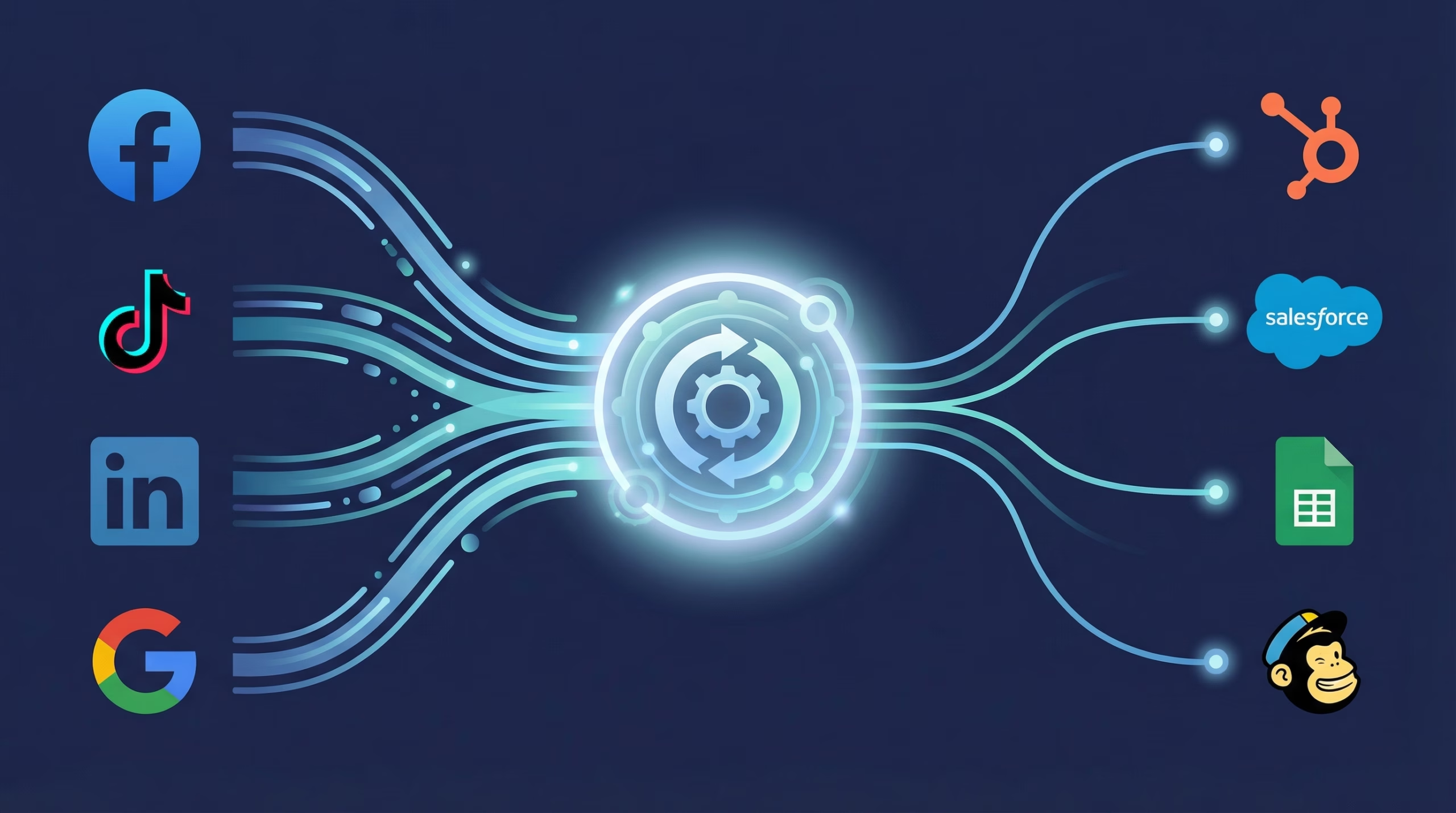
The fix is simple. Connect a CRM to your Facebook Lead Ads so leads flow in automatically, get assigned to the right rep, and trigger instant follow-up. In this guide, we review the 10 best CRMs for Facebook Lead Ads, compare pricing, and show you how to connect them.
Why Do You Need a CRM for Facebook Lead Ads?
Facebook Lead Ads collect leads via instant forms that open inside Facebook, no landing page required. The problem? Facebook stores those leads for only 90 days (per Meta’s own help documentation), and there’s no built-in way to get notified when a new lead comes in.
Without a CRM connection, here’s what typically happens:
- Leads go cold. The MIT/InsideSales.com lead response study found the odds of qualifying a lead drop 21-fold when response time stretches from 5 minutes to 30 minutes.
- Leads get lost. Manual CSV downloads are error-prone and easy to forget. After 90 days, Facebook deletes them permanently.
- No follow-up automation. Without a CRM, there’s no way to trigger automated email sequences, assign leads to reps, or score leads based on their responses.
- No reporting. You can’t track which ad, audience, or form is producing leads that actually become customers.
A CRM connected to your Facebook Lead Ads solves all of this. Leads flow in automatically, get organized, and trigger the follow-up workflows that turn form submissions into revenue.
How we picked: we scored each CRM on native Facebook integration quality, lead sync speed, free tier, starting price, and automation depth. Our vantage point is a useful one: LeadSync syncs Facebook leads into 30+ CRMs and email platforms every day, and we’ve processed over 10 million leads, so we see which CRMs businesses actually connect, which integrations break, and where support tickets come from. Pricing was re-checked against vendor pricing pages in July 2026.
How Do You Get Facebook Leads Into a CRM?
There are three ways to move leads from Facebook forms into your CRM:
- Native integration. Some CRMs (HubSpot, Zoho, Salesforce, Follow Up Boss) have built-in Facebook Lead Ads connectors. These are free but sometimes limited in features, and delivery can lag by several minutes.
- LeadSync. LeadSync connects Facebook Lead Ads to 30+ CRMs with leads delivered in under 60 seconds, and includes email notifications, autoresponders, custom field mapping, and SMS alerts. CRMs without a native connector, like Attio, can still receive leads through LeadSync’s Webhook destination. There’s a free 7-day trial, no credit card required.
- Zapier / Make. General automation platforms that can connect Facebook Lead Ads to almost any CRM. Powerful, but you pay per task and build the workflow yourself. Here’s how LeadSync compares to Zapier.
For most businesses, we recommend starting with LeadSync. It’s purpose-built for Facebook Lead Ads, so you can set up email notifications, CRM syncing, and autoresponders in under 5 minutes. For a full walkthrough of every method, see our guide to connecting Facebook Lead Ads with CRMs.
Quick Comparison: Best CRMs for Facebook Lead Ads
Here’s how the top CRMs stack up for managing Facebook Lead Ad leads. Pricing checked July 2026.
| CRM | Best For | Starting Price | Native FB Integration | LeadSync Support | Free Plan |
|---|---|---|---|---|---|
| HubSpot | Mid-size teams, marketing + sales | $20/seat/mo | Yes | Yes | Yes (1,000 contacts) |
| Salesforce | Enterprise, complex workflows | $25/user/mo | Via AppExchange | Yes | No |
| Zoho CRM | SMBs wanting value | $14/user/mo | Yes (via Zoho Social) | Yes | Yes (3 users) |
| Pipedrive | Visual pipeline management | $14/user/mo | No | Yes | No (trial only) |
| ActiveCampaign | Email automation + CRM | $19/mo | No | Yes | No (trial only) |
| Freshsales | AI lead scoring | $9/user/mo | No | Via webhook | Yes (3 users) |
| Keap | Solopreneurs, small teams | $299/mo | No | Yes | No (trial only) |
| Follow Up Boss | Real estate teams | $69/user/mo | Yes | Yes | No (trial only) |
| Close | Inside sales, cold calling | $9/user/mo | No | Via webhook | No (trial only) |
| GoHighLevel | Agencies, multi-client | $97/mo | Yes | Yes | No (trial only) |
Starting prices are the lowest advertised tier for each CRM. The Close and Freshsales rates require annual billing; the others are monthly-billing rates.
What Is the Best Free CRM for Facebook Leads?
HubSpot CRM is the best free CRM for Facebook leads. Its free plan includes a native Facebook Lead Ads integration, up to 1,000 contacts, and basic email tools. Zoho CRM and Freshsales both have solid free tiers for teams of up to 3, and Meta’s own Leads Center gives you a free inbox for lead ads without any CRM at all.
| Free Option | What You Get | Native FB Integration | The Catch |
|---|---|---|---|
| HubSpot Free | 1,000 contacts, 2 users, basic email | Yes | Automation and sequences need paid tiers |
| Zoho CRM Free | 3 users, workflow automation | Via Zoho Social | Light on integrations at the free level |
| Freshsales Free | Up to 3 users, contact management | No | No native FB connection, needs a sync tool |
| Meta Leads Center | Free lead inbox in Meta Business Suite | Built in | No automation, no CRM features, leads still expire |
If you’re not ready for a CRM at all, the Facebook Leads Center is the zero-cost starting point: it lets you view, label, and reply to leads inside Meta Business Suite.
The honest trade-off with every free option: none of them will ping your phone the moment a lead arrives. Free plans move data on their own schedule. If speed-to-lead matters to your close rate, that’s the gap LeadSync fills from $24/month, with instant email and SMS notifications on every plan.
The 10 Best CRMs for Facebook Lead Ads (2026)
1. HubSpot CRM - Best All-Round
HubSpot is the most popular CRM for Facebook Lead Ads, and for good reason. It offers a native integration that syncs leads directly from your Facebook forms into HubSpot contacts. You get real-time lead data, campaign performance tracking, and the ability to create automated workflows that trigger email sequences, assign leads to reps, and update deal stages.
Key features for Facebook Lead Ads:
- Native Facebook Lead Ads integration (no third-party tool needed)
- Auto-tracking of contacts who interact with your Facebook ads
- Workflow automation for lead assignment and follow-up sequences
- Built-in reporting on ad spend vs. lead quality
- Free plan available (up to 1,000 contacts)
Pricing: Free plan available. Starter from $20 per seat/month on monthly billing (cheaper on annual). Professional and Enterprise tiers scale up significantly from there.
Best for: Mid-size businesses that want marketing and sales in one platform. HubSpot’s free CRM is genuinely useful, but the real power (automation, sequences, reporting) requires paid plans.
LeadSync integration: Connect HubSpot to Facebook Lead Ads via LeadSync for faster delivery plus email notifications and autoresponders that HubSpot’s native integration doesn’t include.
2. Salesforce - Best for Enterprise
Salesforce is the world’s largest CRM and the go-to choice for enterprise teams running high-volume Facebook Lead Ad campaigns. It doesn’t have a native Facebook integration built in, so you connect via AppExchange apps or use LeadSync’s Salesforce integration for real-time lead delivery straight into Salesforce leads or contacts.
Key features for Facebook Lead Ads:
- Highly customizable lead routing and assignment rules
- Advanced lead scoring with Einstein AI
- Multi-touch attribution reporting
- Massive ecosystem of integrations and AppExchange apps
- Enterprise-grade security and compliance
Pricing: Starter Suite from $25/user/month. Professional and Enterprise editions step up from there.
Best for: Large sales teams with complex workflows, multiple ad accounts, and a need for advanced reporting. Overkill for small businesses.
3. Zoho CRM - Best Value for SMBs
Zoho CRM serves over 150,000 businesses and offers one of the best price-to-feature ratios in the CRM market. It integrates with Facebook Lead Ads via Zoho Social, providing lead capture with custom automation and social CRM features.
Key features for Facebook Lead Ads:
- Native Facebook integration via Zoho Social
- Lead capture from Facebook forms
- Zia AI assistant for lead predictions and suggestions
- Custom automation rules and workflow builder
- Free plan for up to 3 users
Pricing: Free for 3 users. Standard from $14/user/month. Professional from $23/user/month. Enterprise from $40/user/month.
Best for: Small to mid-size businesses that want powerful features without HubSpot or Salesforce pricing. The free plan is more generous than HubSpot’s on the user count.
4. Pipedrive - Best Visual Pipeline
Pipedrive is built around a visual sales pipeline that makes it easy to see where every Facebook lead stands in your sales process. Drag-and-drop deal management, activity reminders, and clean reporting make it a favorite among sales teams.
Key features for Facebook Lead Ads:
- Visual drag-and-drop pipeline for tracking lead progress
- Activity-based selling (never miss a follow-up)
- Smart contact data enrichment
- Customizable deal stages and lead fields
- Mobile app with real-time notifications
Pricing: Essential from $14/user/month. Higher tiers add automation, email sync, and reporting depth.
Best for: Sales-driven teams that want a simple, visual way to manage their pipeline. Pipedrive doesn’t have a native Facebook integration, so you’ll need LeadSync or Zapier to connect it.
5. ActiveCampaign - Best for Email Automation
ActiveCampaign combines CRM functionality with best-in-class email marketing automation. When a Facebook lead comes in, ActiveCampaign can automatically add them to a nurture sequence, tag them based on their form responses, and score them based on engagement. No manual intervention required.
Key features for Facebook Lead Ads:
- Advanced email automation with visual workflow builder
- Lead scoring based on engagement and form responses
- Dynamic content personalization in emails
- Built-in CRM with deal pipeline
- SMS marketing add-on
Pricing: Starter from $19/month (1,000 contacts). Plus and Pro tiers add deeper automation and reporting.
Best for: Businesses that prioritize email nurturing over phone sales. ActiveCampaign’s automation capabilities are unmatched at its price point. Connect it to Facebook Lead Ads via LeadSync for instant lead delivery.
6. Freshsales - Best AI-Powered CRM
Freshsales (by Freshworks) uses Freddy AI to score leads, predict deal outcomes, and recommend next steps. It’s lightweight enough for small teams but powerful enough for growing businesses that want AI assistance in prioritizing their Facebook leads.
Key features for Facebook Lead Ads:
- Freddy AI for lead scoring and deal predictions
- Built-in phone, email, and chat
- Visual sales pipeline with customizable stages
- Workflow automation for lead assignment
- Free plan for up to 3 users
Pricing: Free plan available. Growth from $9/user/month. Pro from $39/user/month. Enterprise from $59/user/month.
Best for: Teams that want AI-powered lead scoring without Salesforce complexity or pricing. The $9/user starting price makes it one of the most affordable options. There’s no native Facebook connection, so route leads in via a webhook.
7. Keap - Best for Solopreneurs
Keap (formerly Infusionsoft) is an all-in-one CRM, email marketing, and automation platform built for small business owners and solopreneurs. It includes invoicing, appointment scheduling, and landing pages alongside CRM features, which suits one-person operations running Facebook Lead Ads.
Key features for Facebook Lead Ads:
- All-in-one: CRM + email + invoicing + scheduling
- Easy automation builder (visual “when/then” triggers)
- Automated follow-up sequences for new leads
- Built-in appointment booking
- Phone and SMS communication tools
Pricing: From $299/month (includes 2 users; contact pricing is tiered, so cost scales with your list size).
Best for: Solopreneurs, coaches, and consultants who want CRM + marketing + invoicing in one tool. The higher price point reflects the all-in-one nature. You’re replacing 3-4 separate tools.
8. Follow Up Boss - Best for Real Estate
Follow Up Boss is the #1 CRM in real estate and has a native Facebook Lead Ads integration. It automatically imports leads, assigns them to agents using round-robin or area-based rules, and triggers instant speed-to-lead notifications via text and email. For the wider landscape, see our roundup of the best real estate CRMs.
Key features for Facebook Lead Ads:
- Native Facebook Lead Ads integration (one-click setup)
- Instant lead assignment with smart routing rules
- Built-in calling, texting, and email from one interface
- Speed-to-lead tracking (measures agent response time)
- Integrates with 250+ real estate tools (Zillow, Realtor.com, etc.)
Pricing: Grow from $69/user/month ($58 on annual). Pro from $499/month for 10 users. Platform from $1,000/month for 30 users.
Best for: Real estate agents and teams running Facebook Lead Ads for buyer and seller leads. If you’re in real estate, this is the CRM built specifically for your workflow.
9. Close - Best for Inside Sales
Close is designed for inside sales teams that work leads primarily via phone and email. It has built-in calling (with call recording), SMS, and email, all from within the CRM. When a Facebook lead comes in, your reps can call them back in one click.
Key features for Facebook Lead Ads:
- Built-in calling with automatic call recording
- Power dialer for high-volume outreach
- Email sequences with open and reply tracking
- Pipeline reporting and leaderboards
- Smart Views for filtering and prioritizing leads
Pricing: Solo from $9/user/month on annual billing. Essentials from $35/user/month. Growth from $99/user/month.
Best for: Sales teams that call leads as their primary conversion method. Close’s built-in calling means your reps never leave the CRM to dial. No native Facebook integration, so bring leads in via a webhook.
10. GoHighLevel - Best for Agencies
GoHighLevel is the CRM most marketing agencies standardize on. It’s built around sub-accounts: each client gets their own pipelines, automations, and phone numbers under one flat-priced agency account, so Facebook leads route cleanly into the right client instead of one shared mess. Read our full GoHighLevel review for the deeper dive.
Key features for Facebook Lead Ads:
- Client sub-accounts with separate pipelines and automations
- Built-in SMS, email, and voicemail-drop follow-up workflows
- Funnel and landing page builder included
- White-label options on higher tiers
- Flat pricing regardless of user count
Pricing: Starter from $97/month (3 sub-accounts). Unlimited from $297/month. Agency Pro from $497/month.
Best for: Agencies running lead gen for multiple clients. LeadSync has a native GoHighLevel integration, so here’s how to send Facebook leads to GoHighLevel in a few minutes per client.
How Do You Choose the Right CRM for Facebook Lead Ads?
With 10 strong options, how do you pick the right one? Here’s a simple framework:
Start with your team size and budget:
- Solo / tiny budget: Start with HubSpot Free or Zoho Free. Both offer enough functionality to manage Facebook leads without paying anything.
- Small team (2-10 people): Pipedrive ($14/user), Freshsales ($9/user), or Zoho ($14/user) offer the best value.
- Mid-size team (10-50 people): HubSpot Professional or ActiveCampaign Plus for marketing automation at scale.
- Agency: GoHighLevel. Flat pricing and client sub-accounts beat per-seat CRMs once you’re managing multiple clients.
- Enterprise (50+ people): Salesforce is the clear choice for complex workflows, multiple business units, and advanced reporting.
Then consider your primary use case:
- Email-first follow-up: ActiveCampaign (best automation) or HubSpot (best all-round)
- Phone-first follow-up: Close (built-in calling) or Follow Up Boss (real estate)
- Visual pipeline management: Pipedrive (cleanest interface)
- AI-powered lead scoring: Freshsales (Freddy AI) or Salesforce (Einstein AI)
- All-in-one (CRM + email + invoicing): Keap
- Multi-client agency work: GoHighLevel
- Industry-specific (real estate): Follow Up Boss
Why Does Speed-to-Lead Matter So Much?
Whichever CRM you choose, the most important factor in converting Facebook leads is response speed. Two well-known studies make the case:
- Harvard Business Review’s audit of lead response (Oldroyd, McElheran, and Elkington, 2011) found that firms trying to contact leads within an hour were nearly 7x more likely to qualify them than firms that waited even an hour longer.
- The MIT/InsideSales.com Lead Response Management study found the odds of qualifying a lead drop 21-fold when response time stretches from 5 minutes to 30 minutes.
Native CRM integrations move the data, but they don’t create urgency: delivery can take several minutes, and nobody gets tapped on the shoulder. LeadSync delivers Facebook leads to your CRM in under 60 seconds and can also send instant email notifications and SMS alerts so your team responds while the lead is still warm.
The businesses that win with Facebook Lead Ads aren’t the ones with the fanciest CRM. They’re the ones who respond fastest.
What Features Matter Most in a CRM for Facebook Lead Ads?
When evaluating CRMs for Facebook Lead Ads, prioritize these features:
- Real-time lead notifications: You need to know the moment a lead comes in. Push notifications, email alerts, and SMS notifications are essential for fast follow-up.
- Automated lead assignment: Leads should automatically route to the right rep based on rules (round-robin, geographic area, lead type, etc.).
- Workflow automation: The CRM should trigger actions when a new Facebook lead arrives: add to an email sequence, create a task, update a deal stage, send a text.
- Custom field mapping: Your Facebook lead form has custom questions. Your CRM needs to map these to custom fields so the data is actually useful.
- Reporting and attribution: Track which Facebook campaigns, audiences, and forms produce leads that convert to customers, not just leads that submit forms.
- Mobile app: Your sales team needs to respond from their phone. A good mobile CRM app is non-negotiable.
Common CRM Integration Challenges (and How to Fix Them)
Connecting your CRM to Facebook Lead Ads is usually straightforward, but here are the most common issues:
Leads not syncing:
- Check your Facebook Page permissions. You need admin access to the Page running the ads.
- Your Facebook access token may have expired. Reconnect your account in LeadSync or your CRM.
- Use the Facebook Lead Ads Testing Tool to send a test lead and verify your connection.
Duplicate leads in CRM:
- Enable duplicate detection in your CRM (most CRMs match on email address).
- Configure your integration to update existing contacts rather than creating new ones.
Custom fields not mapping correctly:
- Create matching custom fields in your CRM before connecting the integration.
- LeadSync’s field mapping lets you match each Facebook form field to the right CRM field from the dashboard, so custom questions land where they should.
Frequently Asked Questions
What is the best free CRM for Facebook Lead Ads?
HubSpot CRM offers the most feature-rich free plan, including a native Facebook Lead Ads integration and up to 1,000 contacts. Zoho CRM’s free plan supports up to 3 users, and Freshsales also has a free plan for small teams. If you just need somewhere to view and reply to leads, Meta’s built-in Leads Center is free inside Meta Business Suite. The catch: none of the free options send instant lead notifications.
Can I use Facebook Lead Ads without a CRM?
Technically yes, you can download leads manually from Facebook Ads Manager as a CSV file. But this means leads sit uncontacted for hours or days, and Facebook deletes them after 90 days. At minimum, use LeadSync to get instant email notifications when new leads come in, even if you don’t have a CRM yet.
Which CRM is best for real estate Facebook Lead Ads?
Follow Up Boss is the industry standard for real estate. It has a native Facebook Lead Ads integration, agent assignment rules, speed-to-lead tracking, and integrations with Zillow, Realtor.com, and other real estate platforms. For smaller real estate operations, HubSpot CRM’s free plan is a good starting point.
What is the best CRM for agencies running Facebook Lead Ads?
GoHighLevel is built for agencies: each client lives in its own sub-account with separate pipelines, automations, and lead routing, and pricing is flat rather than per user. HubSpot works well for agencies managing a small number of clients inside one portal. Pair either with a sync tool so client leads arrive in seconds rather than sitting in Facebook.
How quickly should I respond to Facebook leads?
Within 5 minutes, ideally. The MIT/InsideSales.com lead response study found the odds of qualifying a lead drop 21-fold when response time stretches from 5 minutes to 30 minutes. Use instant notifications to ensure your team knows the moment a lead comes in. Home services businesses can go a step further and sync Facebook leads into Hatch, a speed-to-lead platform that texts new leads back automatically within seconds.
Do I need LeadSync if my CRM has a native Facebook integration?
Native integrations move lead data, but delivery can take several minutes and they don’t include instant email notifications, SMS alerts, or autoresponders. LeadSync delivers leads in under 60 seconds and includes these features. Many businesses use both: the native CRM integration for data sync and LeadSync for speed-to-lead alerts.
What happens to my Facebook leads after 90 days?
Facebook automatically deletes lead data after 90 days. If you haven’t synced leads to a CRM or downloaded them before then, they’re gone permanently. This is why real-time CRM integration is critical: you need leads flowing into your CRM automatically so nothing is lost.
Can I connect multiple Facebook Pages to one CRM?
Yes, though limits depend on the tool and plan. LeadSync’s Business plan includes 2 lead sources, Marketer includes 10, and Agency is unlimited. This is how agencies and multi-location businesses route leads from many Pages into one or several CRMs. If you run GoHighLevel, here is how to send Meta leads to GoHighLevel, and if your website forms run on WordPress, here are 4 ways to connect Gravity Forms to GoHighLevel.
How much does CRM integration with Facebook Lead Ads cost?
The CRM itself ranges from free (HubSpot, Zoho, Freshsales) to $25-250+/month depending on features and team size. Native connectors are included with your CRM subscription. LeadSync starts at $24/month and includes email notifications, SMS alerts, CRM syncing, and autoresponders.