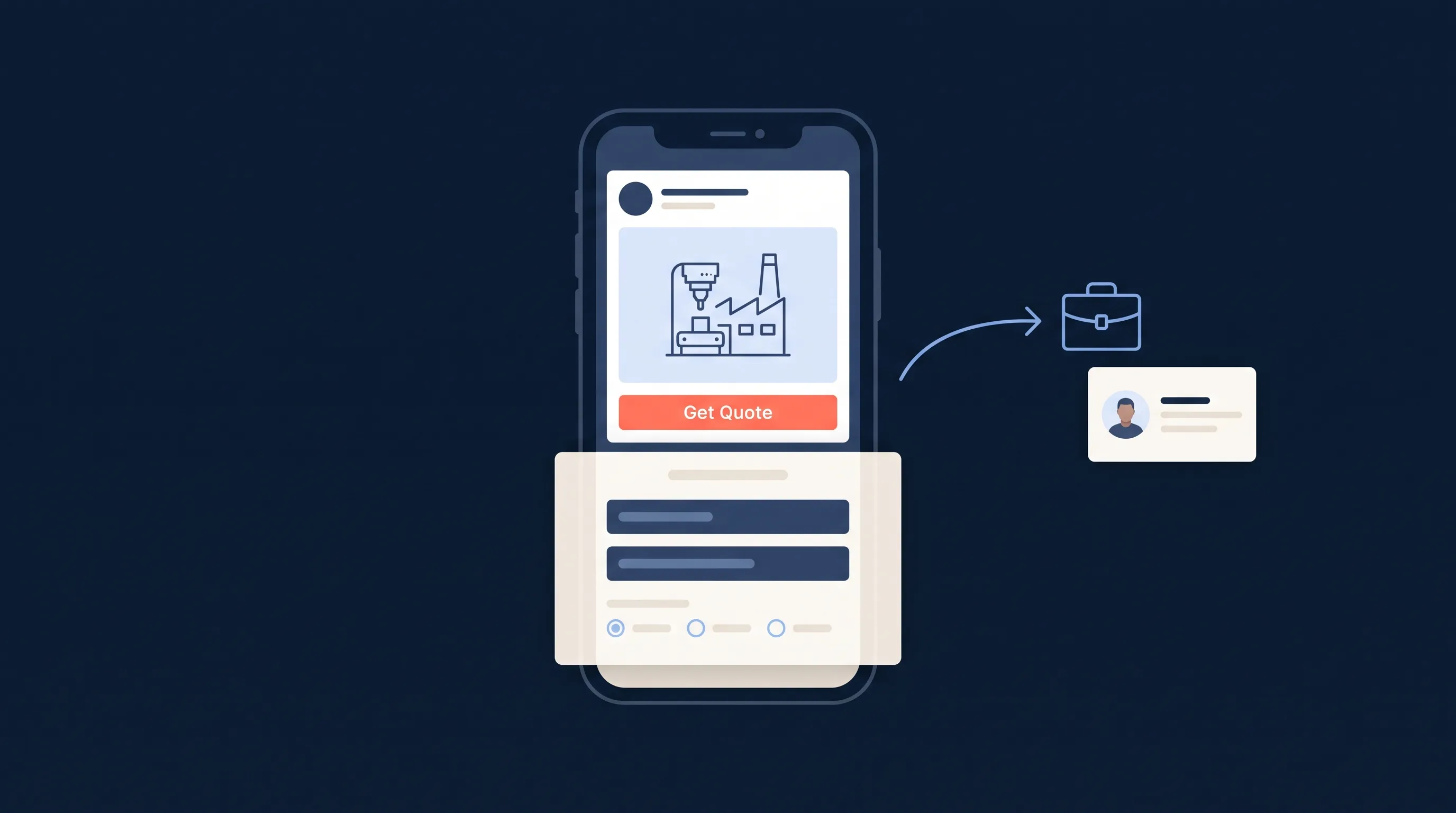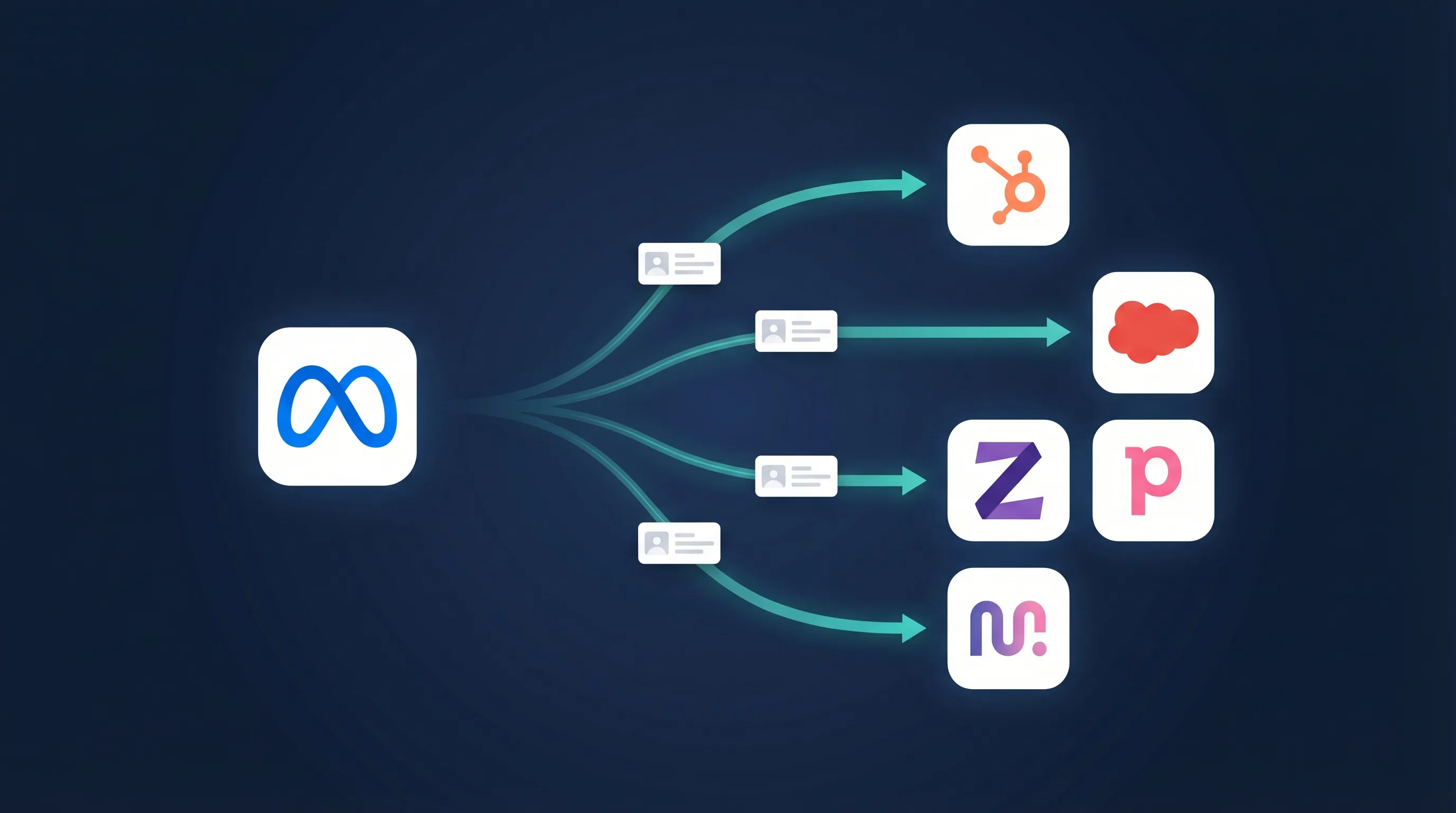
Facebook Lead Ads capture contact details fast, but by default those leads just sit in Meta’s Ads Manager waiting for someone to download a CSV. A proper Facebook lead ads integration fixes that: every new lead lands in your CRM, email platform, or webhook within seconds, automatically.
This guide covers every integration method available in 2026, from one-click CRM connections to custom webhooks, with setup steps, costs, and the trade-offs of each. We’ve been syncing Facebook leads since 2016 and have delivered over 10 million of them, so the recommendations below come from watching what actually breaks.
Key Takeaways
- Facebook stores leads in Ads Manager. They don’t automatically reach your CRM, so integration is on you
- Leads contacted within 5 minutes are 21x more likely to convert than leads contacted after 30 minutes
- There are 8 integration methods: manual CSV, Facebook partner integrations, native CRM connectors, DIY webhooks, API polling, Zapier, Make, and dedicated platforms like LeadSync
- LeadSync connects Facebook Lead Ads to 30+ CRMs and email tools in about 5 minutes, from $19/month
- You can sync leads from TikTok, LinkedIn, and Google Ads through the same dashboard
- Enabling Conversions API (CAPI) alongside CRM sync improves lead quality over time by feeding conversion data back to Meta
Why Does Facebook Lead Ads Integration Matter?
When someone fills out your Facebook Lead Ad form, Meta stores that lead in your Ads Manager. That’s it. No alert, no CRM entry. The lead sits there until someone remembers to export a CSV.
By then, your competitor has already called them.
The scale of the problem is bigger than most advertisers realise. Over 3 billion people use Facebook and Instagram every month, and lead ads convert 2-3x better than traditional landing pages because the forms are pre-filled inside the app. The leads come in fast, but most businesses take more than 5 minutes to respond and lose 71% of their leads as a result.
The Speed-to-Lead Problem
Response time is the single biggest factor in lead conversion. According to Harvard Business Review research, companies responding within 5 minutes are 100x more likely to make contact and 21x more likely to convert the lead.
| Response Time | Conversion Impact |
|---|---|
| Under 5 minutes | 21x more likely to convert (source) |
| 5-30 minutes | Conversion rate drops by 80% |
| Over 1 hour | Lead is effectively cold |
| Next day | Less than 5% chance of conversion |
The only way to consistently respond in under 5 minutes is to automate lead delivery to whatever system your team actually uses.
What Does Manual Lead Handling Actually Cost?
Say your campaign generates 50 leads per day. Without integration, someone has to log into Ads Manager several times daily, download CSVs, clean the data, import it into your CRM, check for duplicates, and trigger follow-up. At roughly 3 minutes per lead, that’s 2.5 hours a day, or about 650 hours a year. Over 16 weeks of full-time work spent moving data between systems.
| Without Integration | With Integration |
|---|---|
| Manual CSV downloads from Ads Manager | Leads arrive in your CRM automatically |
| Hours or days before first contact | Team alerted in under 60 seconds |
| Leads fall through the cracks | Every lead tracked and assigned |
| No automated follow-up | Nurture sequences trigger instantly |
| Can’t measure lead-to-sale | Full pipeline visibility from ad to close |
| Meta can’t optimise for quality | CAPI feeds conversion data back to Meta |
What Are the 8 Facebook Lead Ads Integration Methods?
Not all integration methods deliver equal results. Here’s how the eight options compare on setup time, cost, and limits.
| Method | Setup time | Cost / 1,000 leads | Main limits |
|---|---|---|---|
| Manual CSV download | 5 min per export | Free (your time) | No real-time, no automation, manual labour |
| Facebook Partner Integration | 10-30 min | Bundled with CRM | ~10 enterprise CRMs only, basic field mapping |
| Native CRM connector | 10 min | Usually free | Single destination, no filtering or routing |
| DIY webhook | 2-8 dev hours + hosting | Server costs | You own SSL, retries, security, API changes |
| DIY API polling | 4-12 dev hours | Server costs | Delayed delivery, token refresh, rate limits |
| Zapier | 15 min | $49+ | 5-15 minute delivery, per-task billing |
| Make (Integromat) | 30 min | $9-29 | Visual-builder learning curve, per-operation billing |
| Dedicated platform (LeadSync) | 5 min | $19 flat | Specialised in lead ads rather than general automation |
Method 1: Manual CSV Downloads
Facebook’s default. Go to Ads Manager, open the Lead Center, select your form and date range, download the CSV, clean it in Excel or Google Sheets, then import it into your CRM.
It works for testing or ultra-low volume (under 5 leads a day). Beyond that it’s a liability: no real-time delivery, no duplicate detection, and leads get lost the day someone forgets to run the export. If you’re stuck managing leads this way, our guide to the Facebook Lead Ads Center at least makes it faster.
Method 2: Facebook Partner Integrations
Meta partners directly with a handful of enterprise CRM providers, including Salesforce, HubSpot, and Marketo. These connections are Facebook-maintained and reliable, but the partner list covers a small fraction of the tools businesses actually use, field mapping is basic, and there’s no conditional logic, filtering, or multi-destination routing.
Worth using if you happen to run one of the supported platforms and only need simple sync.
Method 3: Native CRM Connectors
Some CRMs ship their own Facebook Lead Ads connector. HubSpot’s is free with its CRM and works well for basic lead creation. Salesforce’s is powerful but requires more configuration and enterprise pricing.
The catch is lock-in. Native connectors handle one destination only, so there’s no backup delivery, no SMS alerts, and no support for TikTok, LinkedIn, or Google Ads leads. Switch CRMs and you rebuild everything.
Method 4: DIY Webhook Integration
Webhooks give you real-time delivery to any endpoint you control. When someone submits your form, Facebook POSTs the lead data to your HTTPS URL within seconds. Maximum control, unlimited customisation, and the fastest possible delivery.
The cost is engineering time. You own the SSL certificate, the verification handshake, retry logic, security, and keeping up with Meta’s API changes. Full technical details in the webhook setup section below.
Method 5: DIY API Polling
The Facebook Marketing API also lets you poll for new leads on a schedule. Polling avoids running a public webhook endpoint, and it supports historical lead retrieval and batch processing. The trade-offs: delivery is delayed by your polling interval, you manage OAuth token refresh, and Facebook’s rate limits apply.
This is roughly how integration platforms work under the hood. They handle the API complexity and hand you a configuration screen.
Method 6: Zapier
Zapier connects Facebook Lead Ads to 5,000+ apps and shines when you need multi-step workflows beyond simple lead sync. But Facebook Lead Ads triggers require a premium plan ($49+/month), delivery runs 5-15 minutes behind on lower tiers, and per-task billing gets expensive at volume.
We’ve written a detailed LeadSync vs Zapier comparison if you’re weighing the two.
Method 7: Make (Integromat)
Make offers visual workflow building with strong data transformation at competitive prices ($9-29/month for typical lead volumes). It suits technical teams building complex automations. For a simple form-to-CRM sync, the learning curve is overkill.
Method 8: Dedicated Lead Sync Platform (LeadSync)
LeadSync is purpose-built for lead ads. It has focused on Facebook and Instagram lead delivery since 2016 (with LinkedIn, TikTok, and Google Ads added since), delivering leads by real-time webhook in under 60 seconds.
- 30+ integrations with deep field mapping
- Flat pricing from $19/month, no per-task billing
- Built-in lead alerts and autoresponders
- CAPI support to feed conversion data back to Meta
- Agency-friendly: manage multiple client accounts from one dashboard
The trade-off is scope. LeadSync syncs leads; it’s not a general automation platform. If that’s the job you need done, it’s the fastest and cheapest way to do it.
How Do You Connect Facebook Lead Ads to Your CRM?
Here’s the general process. It takes about 5 minutes regardless of which CRM you’re connecting.
Step 1: Connect Your Facebook Page
After signing up for LeadSync, click “Add Connection” and authenticate with Facebook. This grants LeadSync permission to receive leads from your Page’s lead ad forms.
If you manage leads for clients, you can connect their Pages through their Business Manager without needing their login credentials.
Step 2: Select Your Lead Ad Form
Choose which lead ad form(s) you want to sync. You can connect all forms from a Page or select specific ones.
Step 3: Choose Your Destination
Select your CRM or email platform from the list. You’ll authenticate with that platform (OAuth for most, API key for others).
Step 4: Map Your Fields
Match your Facebook lead form fields (name, email, phone, custom questions) to the corresponding fields in your CRM. LeadSync auto-maps common fields, so you only need to manually map custom questions.
Step 5: Test the Integration
Use the Meta Lead Ads Testing Tool to submit a test lead (or our free testing tool if Meta’s is showing “Something went wrong”). Within 60 seconds it should appear in your CRM. If it doesn’t, check your field mapping and connection permissions.
Step 6: Turn On Lead Alerts (Optional)
Add an email connection alongside your CRM so your team hears about every lead the moment it arrives. Our pillar guide covers how to send Facebook leads to email step by step, including branding and field customisation.
Which CRMs Work With Facebook Lead Ads?
If your CRM has an API or webhook capability, it can receive Facebook leads. We’ve written detailed setup guides for every platform LeadSync integrates with. Find yours below.
Popular CRMs
| CRM | Guide | Best For |
|---|---|---|
| HubSpot | Facebook leads to HubSpot | Mid-size teams, inbound marketing |
| Salesforce | Facebook leads to Salesforce | Enterprise sales teams |
| Zoho CRM | Facebook leads to Zoho CRM | SMBs, value-conscious teams |
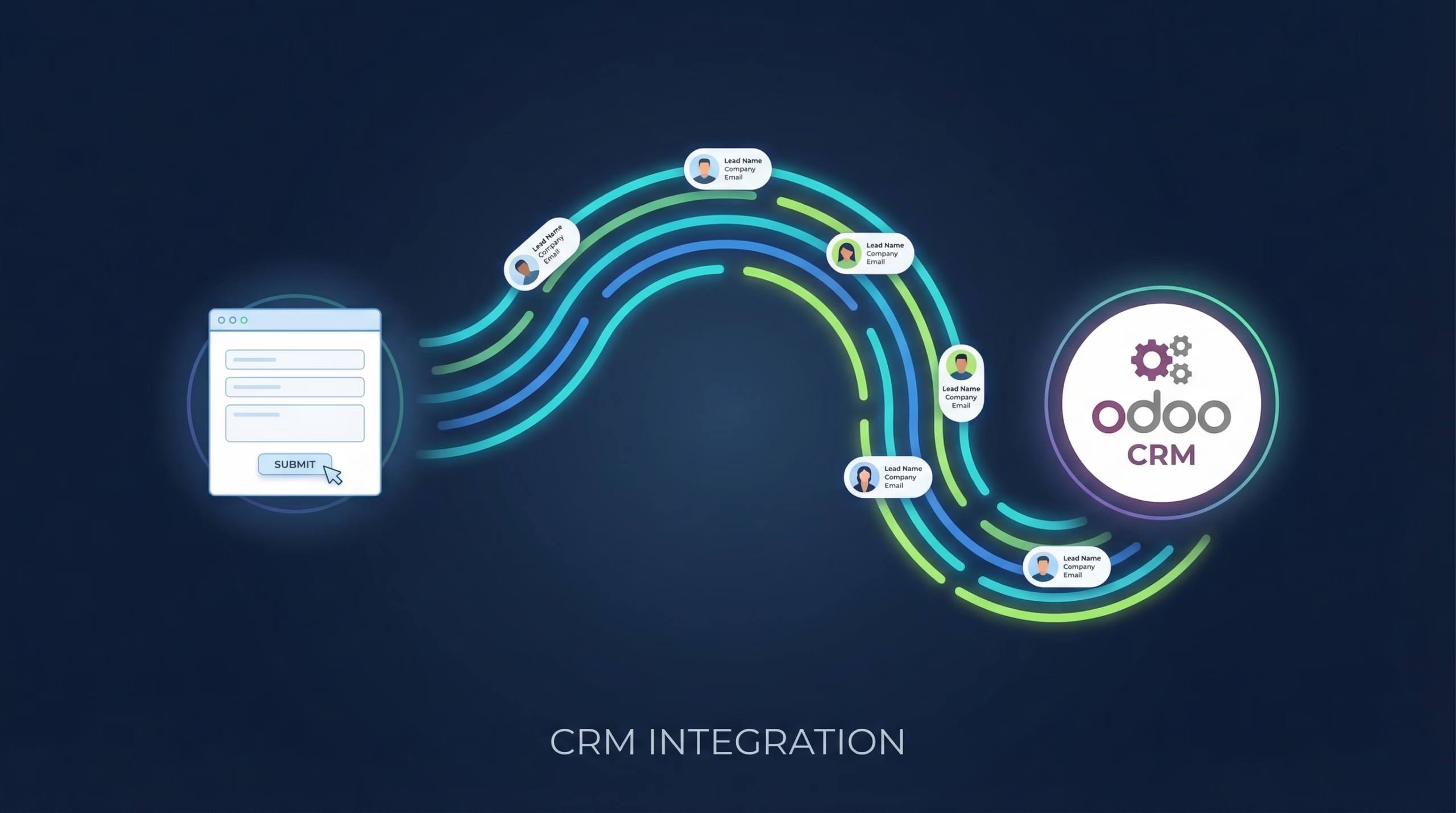
| Odoo CRM | Facebook leads to Odoo | Businesses on the Odoo suite |
| Pipedrive | Facebook leads to Pipedrive | Sales-focused teams, visual pipeline |
| GoHighLevel / LeadConnector | Facebook leads to GoHighLevel | Agencies with client sub-accounts |
| Attio | Facebook leads to Attio | Startups, modern data-driven teams |
| Copper | Facebook leads to Copper | Google Workspace users |
| Follow Up Boss | Facebook leads to Follow Up Boss | Real estate agents and teams |
| Keap (Infusionsoft) | Facebook leads to Keap | Solopreneurs, small businesses |
| Agile CRM | Facebook leads to Agile CRM | Startups, small teams |
| Ontraport | Facebook leads to Ontraport | Online businesses, course creators |
| Odoo | Facebook leads to Odoo | Open-source CRM users |
| Jobber | Facebook leads to Jobber | Home services (HVAC, plumbing, roofing) |
| ServiceM8 | Facebook leads to ServiceM8 | Field service trades |
| Dealer CRM (ADF/XML) | Facebook leads to Dealer CRM | Automotive dealerships |
Not sure which CRM to choose? See our best CRM for Facebook leads comparison.
Email Marketing Platforms
| Platform | Guide | Best For |
|---|---|---|
| Mailchimp | Facebook leads to Mailchimp | Email marketing, newsletters |
| ActiveCampaign | Facebook leads to ActiveCampaign | Marketing automation |
| GetResponse | Facebook leads to GetResponse | Email marketing + webinars |
| Constant Contact | Facebook leads to Constant Contact | Small business email |
| AWeber | Facebook leads to AWeber | Creators, simple email |
| Campaign Monitor | Facebook leads to Campaign Monitor | Design-focused email |
| Kit (ConvertKit) | Facebook leads to Kit | Creators, bloggers |
| Brevo (Sendinblue) | Facebook leads to Brevo | All-in-one marketing |
| Moosend | Facebook leads to Moosend | Affordable automation |
| Customer.io | Facebook leads to Customer.io | Product-led growth |
| SendGrid | Facebook leads to SendGrid | Transactional + marketing email |
| iContact | Facebook leads to iContact | Simple email marketing |
Other Destinations
| Destination | Guide | Best For |
|---|---|---|
| Google Sheets | Facebook leads to Google Sheets | Backup, tracking, small teams |
| Webhook (custom) | Facebook leads to Webhook | Custom integrations, developers |
| Slack | Facebook leads to Slack | Team alerts in a shared channel |
| Email inbox | Send Facebook leads to email | Any business, fastest alert |
| SMS alerts | SMS lead alerts | Field teams, mobile-first |
| Autoresponder | Email autoresponder setup | Instant lead acknowledgement |
Multi-Platform Lead Sources
LeadSync doesn’t just handle Facebook. You can sync leads from all major ad platforms through one dashboard:
- TikTok Lead Ads → TikTok CRM integration guides
- LinkedIn Lead Gen Forms → LinkedIn to HubSpot
- Google Ads Lead Form Extensions → Google Ads CRM guides
How Do You Set Up a Facebook Lead Ads Webhook Integration?
If you have development resources, a custom webhook gives you the fastest, most flexible delivery. Here’s what’s involved.
Prerequisites:
- Facebook Business Manager admin or developer access
- Admin role on the Facebook Page where forms live
- Lead Access Manager configured (Business Settings → Integrations → Lead Access)
- An HTTPS endpoint with a valid SSL certificate that responds within 5 seconds
Verification: during setup, Facebook sends a GET request with hub.mode, hub.challenge, and hub.verify_token parameters. Your endpoint must echo back the challenge value as plain text. Returning JSON or wrapping the value in extra text is the most common cause of failed verification.
The payload: once verified, Facebook POSTs lead data to your endpoint in this shape:
{
  "object": "page",
  "entry": [{
    "id": "153125381509891",
    "time": 1709654321,
    "changes": [{
      "value": {
        "form_id": "381885909503096",
        "leadgen_id": "753197268551350",
        "created_time": 1709654320,
        "page_id": "153125381509891",
        "field_data": [
          {"name": "email", "values": ["john@example.com"]},
          {"name": "full_name", "values": ["John Smith"]},
          {"name": "phone_number", "values": ["+14155552671"]}
        ]
      },
      "field": "leadgen"
    }]
  }]
}
One thing to plan for up front: the form_id in the payload is not stable across lead form variants. Meta’s Form testing feature creates up to 5 new forms with new form_id values when you set up a test, and integrations that route by form_id alone will silently miss the variants. Either map every new variant before the test goes live, or use a Page-level catch-all rule that routes any unmapped form’s leads to a default destination.
Production checklist:
- Return 200 immediately and process leads asynchronously (Facebook times out at 5 seconds)
- Verify the
x-hub-signature-256header on every request using your app secret - Implement retry logic with exponential backoff, plus a dead-letter queue for permanent failures
- Validate and sanitise all incoming fields before they touch your database
- Watch rate limits: Facebook allows roughly 200 webhook deliveries per hour per form
Budget 2-8 developer hours for a production-ready endpoint, plus ongoing maintenance when Meta changes its API. Our webhook integration guide covers the no-code alternative: LeadSync receives the Facebook webhook and forwards clean JSON to any URL you give it.
How Do You Map Facebook Lead Fields to Your CRM?
Field mapping mistakes cause more integration failures than any other issue. Facebook’s standard fields rarely align perfectly with your CRM’s schema.
| Facebook Field | Common CRM Field | Notes |
|---|---|---|
| full_name | First Name + Last Name | Requires splitting |
| Direct mapping | ||
| phone_number | Phone / Mobile | May need formatting |
| city | City | Part of address |
| state | State/Province | Part of address |
| zip_code | Postal Code | Part of address |
| company_name | Company | B2B forms |
| job_title | Job Title / Position | B2B forms |
Custom questions need matching custom fields created in your CRM first. Use the CRM’s field API names rather than display labels, match data types (a multiple-choice budget question should map to a picklist, not free text), and set defaults for fields a lead might skip.
Duplicate prevention matters more as volume grows. Deduplicate on email for B2C, on phone number (last 10 digits, formatting stripped) for local services, or on a composite key like email + phone for the highest accuracy. Most integration platforms handle this automatically; DIY builds need to check before creating contacts.
Routing rules get the right lead to the right person: round-robin across a sales team, geographic assignment by state or timezone, or quality-based routing where high-budget answers go straight to senior reps and research-stage leads enter a nurture sequence.
Can You Send Facebook Leads to Google Sheets or Excel?
Yes, and even if your CRM is the primary destination, a spreadsheet backup is worth having. Google Sheets gives you a free, real-time copy of every lead, quick ad-hoc reporting, and a safety net if your CRM connection ever fails. Sheets also exports cleanly to Excel or CSV for any platform without a direct integration.
Setup takes a couple of minutes: authenticate with Google, pick a spreadsheet and worksheet, and LeadSync auto-maps your form fields to column headers. Full walkthrough in our Facebook Lead Ads to Google Sheets guide.
For very small teams, a spreadsheet can even stand in for a CRM entirely. We’ve covered how to use Google Sheets as a simple CRM if you’re not ready for the real thing.
What About Email Marketing and Autoresponders?
Email remains the highest-ROI follow-up channel, returning around $42 for every $1 spent when properly integrated with lead generation. Real-time sync makes the difference: a welcome email that arrives within 60 seconds of form submission, referencing the exact offer the lead responded to, sets the tone for the whole relationship. That’s what an email autoresponder does automatically.
A few practices that separate good email integrations from list-dumping:
- Segment on arrival. Route leads to different lists or tags based on their form answers: pricing requests into a sales sequence, guide downloads into education, webinar signups into event reminders.
- Personalise from form data. Merge fields like first name, product interest, and budget range make the first email feel individual, not automated.
- Stay compliant. Capture explicit opt-in on the form, store the consent timestamp, use double opt-in for EU residents, and honour unsubscribes immediately.
If you just want your own team alerted (not the lead emailed), that’s a different setup: see how to send Facebook leads to email for instant internal alerts.
Which Advanced Integration Features Are Worth Using?
Once basic form-to-CRM sync is working, these features start improving lead quality instead of just moving data around.
SMS Verification
Requiring phone verification filters out fake submissions before they waste sales time. The lead receives a 6-digit code by SMS; verified leads proceed to your CRM while unverified ones drop into a nurture sequence. From real campaigns we’ve seen 94% reductions in fake and spam leads, and verified leads converting at 3.2x the rate of unverified ones.
AI Voice Agent Follow-Up
Instant voice follow-up takes speed-to-lead to its logical conclusion: an AI agent calls the lead within about 30 seconds of form submission, qualifies them with a customised script, books appointments, and saves notes back to your CRM. See our Vapi integration guide for the full workflow.
Multi-Destination Routing
One lead, several systems in parallel: CRM for sales, email platform for nurture, SMS or Slack for instant alerts, and Google Sheets for backup. Parallel delivery means a failure in one destination never blocks the others.
Lead Filters
Not every lead deserves the same treatment. Filters let you require business email domains on B2B campaigns, block disposable email addresses, enforce geographic restrictions, and route enterprise-budget answers straight to senior sales.
How Do You Improve Lead Quality With CAPI?
Connecting leads to your CRM is step one. The next level is feeding conversion data back to Meta so its algorithm learns which types of leads actually become customers.
This is what Meta Conversions API (CAPI) does. When a lead converts to a sale in your CRM, CAPI tells Meta “this person became a customer, find more people like them.”
Over time, this creates a feedback loop that progressively improves lead quality:
- Lead fills out your form → delivered to CRM via LeadSync
- Your team works the lead → marks it won or lost in the CRM
- CAPI sends the conversion event back to Meta
- Meta’s algorithm optimises for leads that look like your winners
LeadSync includes CAPI integration with no developer setup required. It’s the single highest-impact thing you can do to improve lead quality from Facebook Lead Ads.
How Do You Troubleshoot Facebook Lead Ads Integration Issues?
Even well-configured integrations hit problems. Most trace back to permissions.
Permission and Access Errors
- “No Page access”: your user account needs an Admin or Advertiser role on the Facebook Page. Check Page Settings → Page Roles, and allow 10 minutes for changes to propagate.
- “Lead access not granted”: the Page hasn’t granted lead access to your integration. Go to Business Settings → Integrations → Lead Access, find your platform, and confirm it shows “Access Granted.”
- Conflicting CRM assignments: assigning multiple CRMs to the same form in Lead Access Manager causes delivery conflicts. Assign one platform per form, and make sure the Terms of Service step is accepted.
Missing or Delayed Leads
Check Facebook’s own delivery status first: Ads Manager → Lead Generation → Forms → your form → View Leads, then look at the integration column.
| Status | Meaning | Solution |
|---|---|---|
| Pending | Not sent yet | Wait 5 minutes, check your integration |
| Failed | Delivery failed | Check endpoint or platform logs |
| No CRM | Not configured | Set up Lead Access Manager |
| Success | Delivered | Check destination filters and mapping |
If Facebook says Success but the lead isn’t in your CRM, the problem is downstream: a filter blocking the lead, a field mapping mismatch, or expired CRM credentials. Our leads not syncing guide walks through each fix.
Field Mapping Failures
Create a test lead with every field populated, then compare the raw data received against what your CRM expects. Watch for naming mismatches (full_name vs contact_name, zip_code vs postal_code) and data type conflicts, like text arriving in a number field.
Testing Before You Go Live
- Open Facebook’s Lead Ads Testing Tool
- Select your Page and form, then create a test lead
- Confirm the lead reaches your CRM with all fields intact
- Verify any automations (welcome email, alerts, tags) actually trigger
- Submit a second test to confirm duplicate handling
For production confidence, run a $1/day campaign targeted at yourself and submit the form for real. Full methodology in our lead ads testing guide.
LeadSync vs Zapier vs LeadsBridge: Which Should You Choose?
An honest comparison of the major platforms in the Facebook lead ads integration space.
| Feature | LeadSync | LeadsBridge | Zapier | Make | Native |
|---|---|---|---|---|---|
| Setup time | 5 min | 20 min | 15 min | 30 min | 10 min |
| Real-time delivery | Under 60 sec | ~1 min | 5-15 min | ~1 min | ~1 min |
| SMS verification | Built-in | No | Via Twilio | Via Twilio | No |
| Multi-destination | Yes | Limited | Yes | Yes | No |
| Price (1,000 leads/mo) | $19 | $29-49 | $49+ | $9-29 | Free with CRM |
| Free trial | 7 days | 14 days | 14 days | 30 days | Varies |
| TikTok / LinkedIn / Google | Yes | Yes | Partial | Partial | No |
| CAPI feedback | Yes | Partial | No | No | No |
On cost: LeadSync’s Business plan is $19/month, Marketer is $49/month for high-volume senders, and Agency is $99/month with unlimited leads. LeadsBridge starts at $29/month for a smaller lead allowance, with extra platforms costing more. Zapier requires a premium plan for Facebook Lead Ads triggers, and per-task billing climbs quickly at volume.
Choose LeadSync if lead ads are your primary lead source, delivery speed matters, and you want alerts, autoresponders, and CAPI without stitching tools together.
Choose Zapier or Make if lead sync is one step in a larger multi-app workflow you’re already building. Our Zapier vs IFTTT comparison covers the automation-platform landscape.
Choose LeadsBridge if you need its specific audience-sync features and the budget allows. See LeadsBridge alternatives for a deeper comparison.
Choose a native connector if you’re committed to one CRM long-term and only need basic, single-destination sync.
Frequently Asked Questions
How do I connect Facebook Lead Ads to my CRM?
Use a lead sync platform like LeadSync. Connect your Facebook Page, choose your CRM, map your form fields, and send a test lead. Setup takes about 5 minutes and leads arrive in your CRM in under 60 seconds. No coding, no manual CSV downloads.
Which CRMs work with Facebook Lead Ads?
If your CRM has an API or webhook capability, it can receive Facebook leads. The most popular choices are HubSpot, Salesforce, Zoho CRM, Pipedrive, ActiveCampaign, and Mailchimp, all supported natively or through platforms like LeadSync alongside 30+ other tools. See our full CRM comparison for recommendations by business size and industry.
How much does Facebook Lead Ads integration cost?
Costs range from free (native CRM integrations) to anywhere from $9 to $299 per month for third-party platforms. LeadSync plans start at $19/month with a free 7-day trial. Custom webhook development typically runs $500-5,000 depending on complexity.
What’s the difference between webhook and API integration?
Webhooks push lead data instantly when someone submits a form, usually in under 3 seconds. API polling checks for new leads on a schedule, which adds a 1-15 minute delay. Webhooks are faster but require server setup if you build them yourself.
Why aren’t my Facebook leads showing up in my CRM?
Check Lead Access Manager permissions, confirm the right lead form is selected in your integration, verify field mapping, and make sure your CRM credentials haven’t expired. Then send a test lead with Meta’s testing tool. Most failures come down to permissions. See our troubleshooting guide for detailed fixes.
What happens to leads if my integration fails?
Facebook stores leads for 90 days, accessible via CSV download from Ads Manager. Best practice is to add Google Sheets as a backup destination and set up failure alerts so you catch delivery problems immediately.
Can I send the same lead to multiple destinations?
Yes. Modern integration platforms support multi-destination routing, so one form submission can go to your CRM, your email platform, an SMS alert, and a Google Sheets backup at the same time.
Can I connect multiple ad platforms to one CRM?
Yes. LeadSync supports Facebook, Instagram, TikTok, LinkedIn, and Google Ads lead forms. Leads from every platform flow into your CRM through a single dashboard, which is especially useful for agencies managing multiple clients. Agencies on GoHighLevel can route each Facebook page to its own sub-account, and client websites on WordPress can feed the same sub-accounts via Gravity Forms.
How fast should I respond to Facebook leads?
Within 5 minutes. Leads contacted in under 5 minutes are 21x more likely to convert than those contacted after 30 minutes. Real-time CRM sync is the only reliable way to hit that window consistently.
How do I test my Facebook Lead Ads integration?
Use Facebook’s Lead Ads Testing Tool to create test leads, or run a $1/day campaign targeted at yourself. Watch your integration logs, confirm the lead lands in your CRM, and check that any automations trigger. Full walkthrough in our Meta Lead Ads Testing Tool guide.
What is Conversions API (CAPI) and do I need it?
CAPI sends conversion data from your CRM back to Meta, telling the algorithm which leads became customers. Over time Meta optimises delivery toward higher-quality leads. It’s included with LeadSync and is the most effective lever for improving lead quality.
Can I filter or segment leads before they reach my CRM?
Yes. Integration platforms offer filtering by field values, geography, and custom rules. You can route high-value leads to senior sales, block disposable email domains, and send everything else to a nurture sequence.
Start Syncing Facebook Leads in Under 60 Seconds
Every minute a lead sits uncontacted in Ads Manager is a minute your competitor could be calling them. Build a custom webhook if you have the engineering time, or use a dedicated platform if you don’t. Either way, close the gap between form submission and first contact.
Try LeadSync free for 7 days. No credit card required, setup takes 5 minutes, and it supports Facebook, Instagram, TikTok, LinkedIn, and Google Ads.
Still weighing up which sync tool to use? Our Meta leads to CRM sync tools comparison puts the 7 realistic options side by side with current pricing.