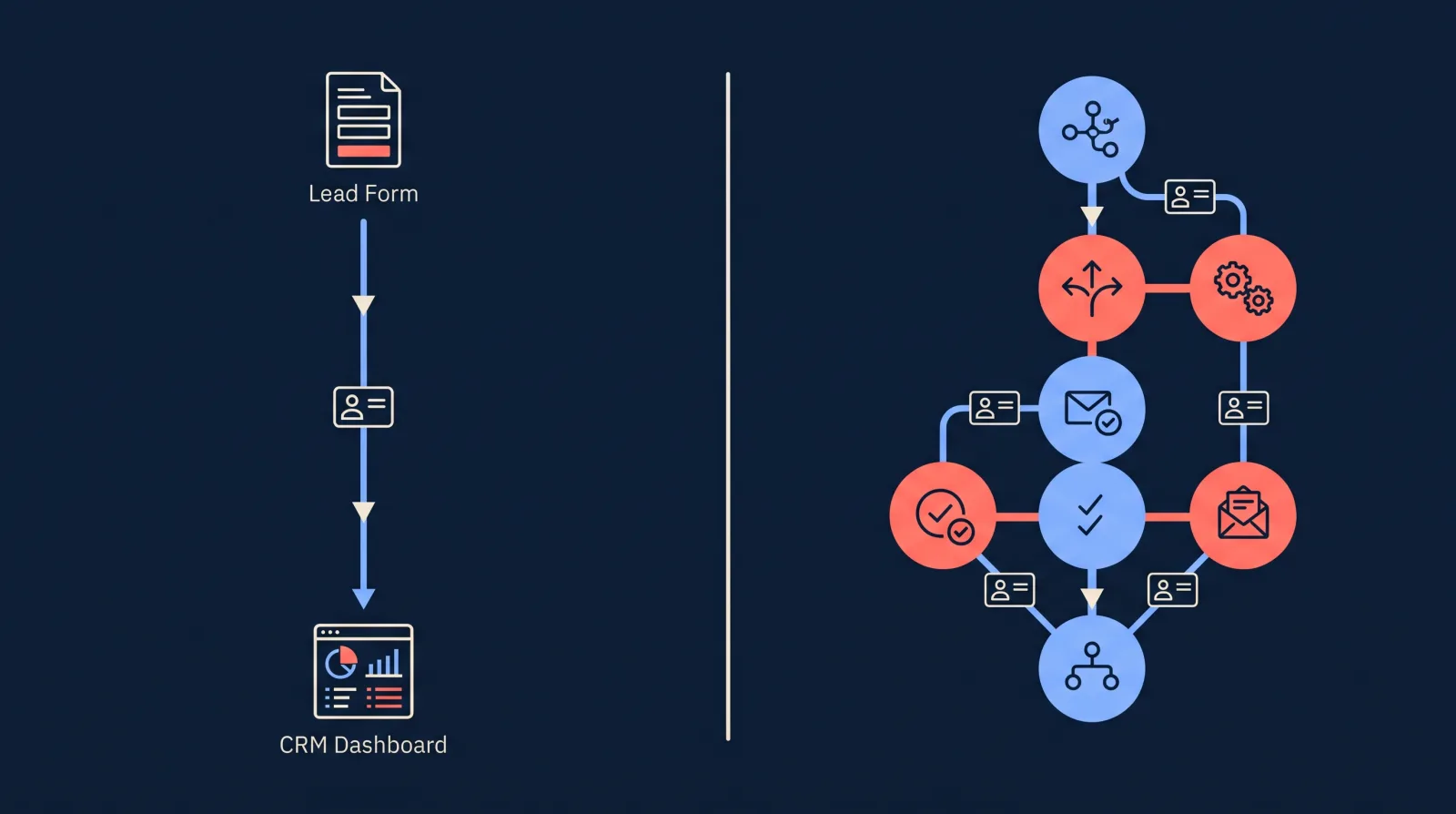
Marketing agencies deliver Facebook leads to clients in one of three ways. Some use an agency CRM such as GoHighLevel, where every client gets a sub-account and their leads land inside it. Some use a purpose-built lead delivery tool (LeadSync, LeadsBridge or LeadSender) that sends each lead straight to the client’s inbox, phone or existing CRM. The rest build a workflow for each client in a general automation platform such as Zapier or Make. This comparison is for agency owners and media buyers choosing between them.
All six connect to the client’s Facebook Page and collect new leads automatically. Five of them describe delivery as instant or real time. Make’s setup guide refers to instant triggers but does not publish a delivery time. Where they differ is in how they keep one client’s leads apart from another’s, what the client receives, and what the bill looks like at 10, 30 and 100 clients.
We build LeadSync, so we have a side. Every figure for another product comes from that vendor’s own pricing page or help centre, checked on 17 and 18 November 2026 and linked so you can check it yourself. This is a comparison of what each vendor publishes. We have not run client campaigns through the other five tools, so we make no claims about how reliable or fast they are in practice.
What Do Agencies Use to Deliver Facebook Leads to Clients?
| Tool | What it is | How clients are kept separate | What the client receives | Entry price for an agency |
|---|---|---|---|---|
| GoHighLevel | Agency CRM | One sub-account per client | A CRM login, with the lead inside it | $97/mo for 3 sub-accounts or $297/mo for unlimited, month to month, plus usage fees |
| LeadSync | Purpose-built lead delivery | One account. Each client’s lead forms have their own destinations | Email and SMS alerts, and the lead in their own CRM or Google Sheet | $49/mo for 10 lead sources or $99/mo for unlimited, month to month |
| LeadsBridge | Purpose-built integrations | One account. Each form connected to a destination is a “bridge” | The lead in their CRM, email tool or Google Sheet, or an email alert | From $22/mo billed annually for 3 bridges |
| Zapier | General automation | One Zap (workflow) per client | Whatever you build | $19.99/mo billed annually for 750 tasks |
| Make | General automation | One scenario (workflow) per client | Whatever you build | Free plan, then $9/mo billed annually |
| LeadSender | Purpose-built lead delivery, Facebook and Instagram only | One account. Each form connected to a destination is an “integration” | Email and SMS alerts, and the lead in their CRM or Google Sheet | $9.99/mo for 2 integrations or $39.99/mo for unlimited, month to month |
The entry prices mix month-to-month and annual billing because vendors lead with different ones. The cost table further down puts them on one basis.
A seventh route is to build your own connection to Meta. Meta’s guide to connecting a CRM to lead ads says of a custom integration: “This method requires developer resources.” It suits agencies that are building their own software, and almost nobody else.
How Does Lead Delivery Work Across Many Clients?
The mechanics are the same in every tool. Meta holds the lead. According to Meta’s lead ads documentation, “All leads generated via a lead ad belong to the Facebook Page”, and that includes leads from ads that ran on Instagram. A delivery tool subscribes to the Page, Meta notifies it when a new lead arrives, and the tool fetches the lead and sends it wherever you have told it to.
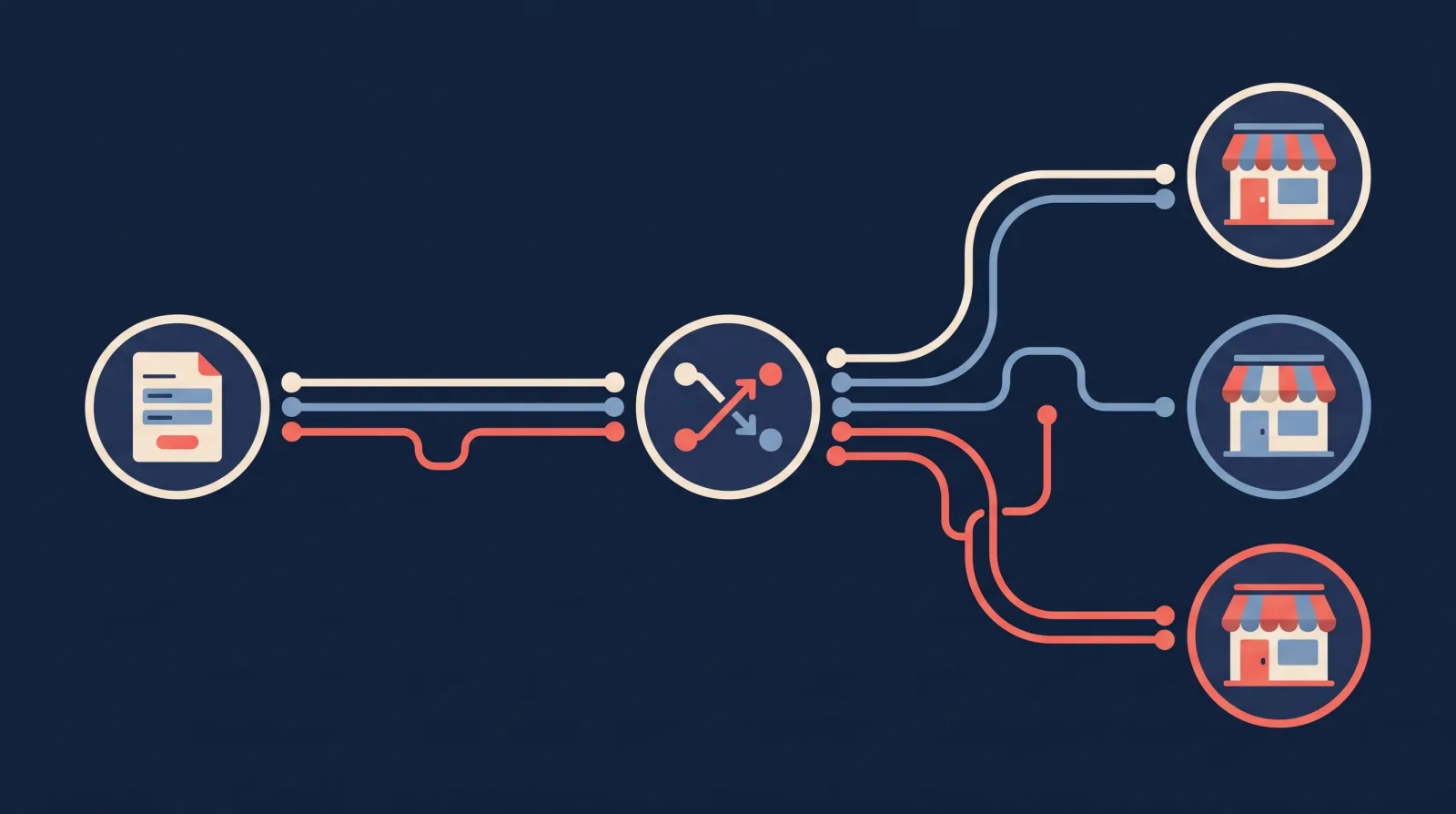
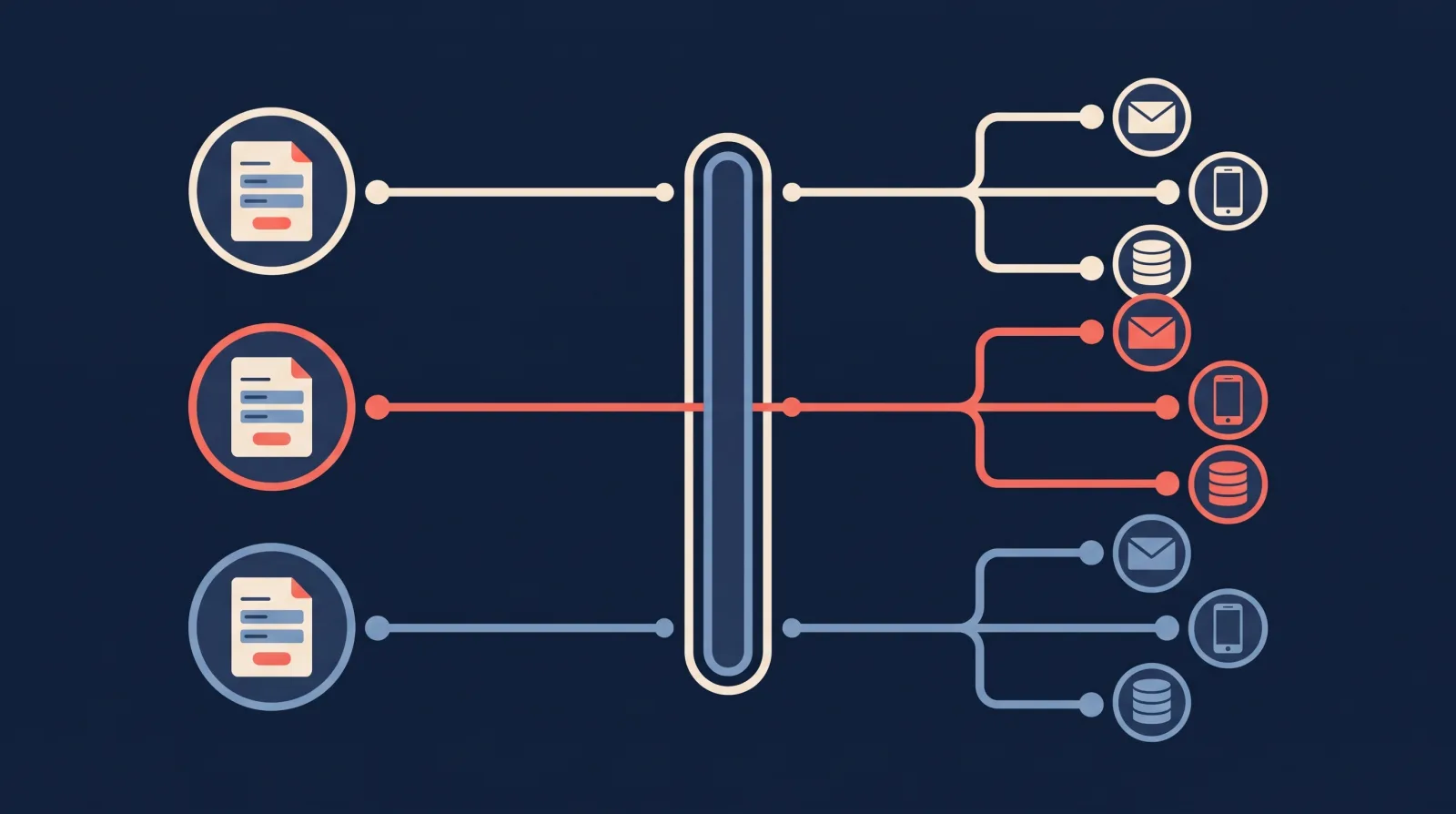
The routing is set per lead form. A roofing client’s quote form goes to that roofer’s CRM and the owner’s phone. A real estate client’s buyer form goes to the agent’s inbox and a Google Sheet. A lead never has to be sorted after the fact, because the form it came from already says whose it is. That is how one agency account can hold dozens of clients without their leads mixing.
Be careful what you promise a client about speed. Meta’s page on retrieving leads describes its notifications this way: “real-time pings occur on events with a delay of up to a few minutes.” No tool can deliver a lead before Meta sends it. LeadSync’s own figure is under 60 seconds, but the upper bound is Meta’s, so the safe promise to a client is delivery within minutes. Why the speed matters at all is covered in our speed to lead guide.
What Access Do You Need to a Client’s Facebook Page?
Whichever tool you choose, the first job with a new client is the same. It goes wrong often enough that Zapier and GoHighLevel both keep a troubleshooting article for it.
You need access to the Page and to its leads. Meta’s lead ads documentation puts it like this: “To read lead data, you need Page Admin access or flexible permissions.” Flexible permissions let a person or a tool read leads without being a Page admin. Meta’s page on retrieving leads explains the default: if nobody has customised leads access, “all Page admins will have leads access permission.” Once a business admin has customised it, access depends on what they set up.
If leads access has been customised, the tool has to be added too. The setting lives in the client’s business portfolio (Meta’s name for what used to be Business Manager), under Integrations, then Leads Access. Zapier’s troubleshooting article describes the usual symptom: test leads work and live leads do not, because the tool “does not have CRM access to your Facebook Page.” The same check applies to every tool in this comparison.
Partner access is the standard route for agencies. The client shares the Page with the agency’s business portfolio. That is the first half. The Facebook profile you connect to the tool also has to be assigned to that Page, and our support article calls this the step most people miss. Sharing the ad account without the Page will not work, because leads belong to the Page. The article on Business Manager lead access has the click path we give LeadSync customers, along with a simpler option where the client adds you to their portfolio directly.
Remember whose Facebook profile holds the connection. GoHighLevel’s troubleshooting guide lists the common reasons a Facebook connection breaks, including a user changing their password, the connection expiring, and someone changing Page permissions. The same causes apply to any tool that connects through a person’s Facebook profile, and LeadSync is one of them. If the connection runs through a staff member’s profile and they leave the agency, every client connected through it can stop delivering.
Then send a test lead before the campaign goes live. Meta’s lead ads testing tool creates a test lead on the form itself, so it exercises whichever tool is connected to the Page.
The Six Tools, One by One
GoHighLevel: a CRM for every client
GoHighLevel (also called HighLevel) is the only tool here that gives the client somewhere to work the lead. Each client gets a sub-account with a contact list, a pipeline and messaging.
- Price: HighLevel’s pricing page lists Starter at $97 a month with 3 sub-accounts, and Unlimited at $297 a month with unlimited sub-accounts. A third plan, Founder, is $497 a month and adds reselling. All have a 14-day free trial.
- Usage fees on top: the pricing page says the subscription covers the platform, “but there are usage-based costs for telecommunications and AI services”. HighLevel’s pricing guide puts email at $0.675 per 1,000, and its phone pricing guide puts US and Canada SMS at $0.00747 per segment (a segment is one standard-length text message), plus carrier fees.
- How Facebook connects: inside each sub-account, under Settings, then Integrations. HighLevel’s setup guide says: “You must have Admin access to both the Facebook Page and the Business Manager it’s connected to.” You then map each form’s fields to CRM fields.
- What the client gets: their own login. HighLevel’s user roles article says clients “can be created as Account-type users and assigned only to the applicable sub-account.” The pricing page lists a white-label desktop app on the Unlimited plan and a white-label mobile app as a $497 a month add-on.
- Other platforms: HighLevel’s help centre has native integrations for Google Ads lead forms, TikTok and LinkedIn.
Best for: agencies whose clients have no CRM, or agencies that want to sell one as part of the retainer. Watch: clients who already have a CRM they like. Asking a roofing company to leave Jobber, or a dealership to leave VinSolutions, is a much bigger project than delivering their leads.
LeadSync: each lead sent to the client’s own tools
LeadSync does one job. It takes leads from Facebook, Instagram, Google, TikTok and LinkedIn lead forms and delivers them to an inbox, a phone, a CRM or a spreadsheet. The client keeps whatever system they already use.
- Price: three plans. Business is $24 a month for 2 lead sources and 1,500 leads a month. Marketer is $49 for 10 lead sources, 5 team seats and 50,000 leads. Agency is $99 for unlimited lead sources and team seats and 100,000 leads. Paid yearly, they are $249, $399 and $899. A lead source is one Facebook Page, Google Ads account, LinkedIn Page or TikTok ad account, so a client who only runs Facebook and Instagram ads is one lead source.
- How clients are kept separate: every client’s Page sits under one login. Each lead form has its own destinations and its own list of alert recipients, and you can connect more than one Facebook profile to the account.
- What the client receives: an email alert, an SMS alert (SMS uses credits bought separately), and the lead in their own CRM, Google Sheet or Slack channel. There are 30+ destinations including HubSpot, Salesforce, GoHighLevel, Jobber, Housecall Pro, ServiceM8 and dealer CRMs. Anything else can receive leads by webhook, which is a web address that LeadSync sends each lead to.
- Your brand on the alerts: the sender name, subject, introduction, signature and logo on alert emails are yours to set. On the Agency plan, email alerts can be sent from your agency’s own address. Our support team switches that on once you have added three DNS records, which are settings on your domain that prove LeadSync may send email for it. The detail is in our guide to white-label lead notifications.
- Also included: an autoresponder to the lead, and Conversions API feedback to Meta on lead quality. LeadSync also has an MCP server, a connector that lets an AI assistant such as Claude attach a form, map fields and send a test lead for you, which helps when there are many clients to set up.
Best for: agencies whose clients already have a CRM, or who only want the lead on their phone, and agencies that run lead forms on more than one ad platform. Watch:
- It is not a CRM. A client with no system for working leads will get alerts and a spreadsheet from LeadSync, and nothing to track follow-up in.
- Clients do not get their own login. Team seats are for agency staff, and a teammate can see every client in the account.
- Branding is set once for the whole account, so every client sees your agency’s name. You cannot give each client a different brand.
- Plans have a monthly lead allowance. On accounts where it is enforced, leads beyond the allowance are not delivered, so choose a plan with headroom.
- LeadSync only moves leads. It will not run a multi-step workflow.
LeadsBridge: bridges, with a client role
LeadsBridge is the closest product to LeadSync in purpose, with a longer list of destinations. Its agencies page puts the figure at “380+ CRMs and email marketing software”.
- Price: you pay by lead volume and by bridges. Its pricing page defines a bridge simply: “Each form is a bridge.” Starter covers 3 to 6 bridges. Pro starts at 15 bridges, and its Pro price table lists 15 bridges at $44 a month billed annually for 800 leads and $59 for 2,000, rising to $200 for 100 bridges and 5,000 leads. The managed Business plan starts at $999 a month billed annually.
- How clients are kept separate: one account, any number of ad accounts. The pricing page says “There is no limit to the number of Facebook, Google, TikTok, and LinkedIn Ad accounts you can connect”. LeadsBridge’s roles article describes a Client role that is limited to managing its own bridges and integrations. Starter includes 2 users and Pro up to 25.
- Failed deliveries: the Pro plan lists “Auto failure and resync”.
- Other platforms: Facebook, Instagram, Google, TikTok, LinkedIn and Snapchat lead forms.
Best for: agencies whose clients use a CRM that is on LeadsBridge’s list and nobody else’s, or who want clients to manage their own connections. Watch: the bridge count. At one form per client, 30 clients is 30 bridges, which puts you on the 40-bridge tier. We could not find white-label features on its site. More on how the two products differ is in our LeadsBridge alternatives comparison.
Zapier: a Zap for every client
Zapier connects Facebook Lead Ads to thousands of apps, which makes it the fallback when a client’s system is obscure.
- Price: Facebook Lead Ads is a premium app. Zapier’s app page says it “requires a paid Zapier plan (Professional or higher)”. Professional starts at $19.99 a month billed annually for 750 tasks. Team starts at $69 for 2,000 tasks and 25 users. Each action step in a Zap uses a task, so a lead that goes to a CRM with an email alert uses two.
- How clients are kept separate: you build a Zap for each client. Zapier’s Team plan adds shared folders and shared app connections so colleagues can work on them.
- Permissions: Zapier’s permissions article lists Manage Pages, Manage Ad Account and Leads Access for every Page you connect.
- Handing a workflow to a client: Zapier’s article on copying assets between accounts notes that after a copy, “App connections must be re-authenticated” and Zaps are turned off until you switch them back on.
Best for: a handful of clients with unusual systems, or agencies that already run on Zapier. Watch: the task count and the number of Zaps you are maintaining. Our LeadSync vs Zapier comparison prices this out in more detail.
Make: lowest fees, most building
Make is the cheapest way to move leads if someone on your team is comfortable building scenarios.
- Price: Make’s pricing page shows a Free plan with 1,000 credits a month and a paid plan sold in credit tiers. On annual billing it is $9 a month for 5,000 credits, $16 for 10,000 and $29 for 20,000. Make typically charges one credit for each module a lead passes through. A scenario with a New Lead trigger, a Get Lead Details module, a CRM module and an email module uses about 4 credits a lead. We work through the numbers in LeadSync vs Make.
- How clients are kept separate: one scenario per client. For stricter separation Make offers teams. Its teams article says “Members of a team have access only to scenarios and data that belong to their team”. Make’s pricing page lists teams and team roles as included in the Make Plan and Enterprise, and not in the Free plan. The teams article still says that below a “Teams pricing plan” you can have only one team, and the pricing page no longer lists a plan by that name, so check with Make how many teams your plan allows before you plan one team per client. The alternative is a separate Make organisation for each client, each with its own plan and billing.
- Setup: Make’s Facebook Lead Ads guide has you assign Make as a CRM under Integrations, then Leads Access, then build the scenario module by module.
Best for: technical agencies and anything with branching logic, such as sending leads to different reps by postcode. Watch: build and maintenance time. Thirty clients is thirty scenarios to keep working.
LeadSender: low price, Facebook and Instagram only
LeadSender is a purpose-built tool for businesses running Facebook and Instagram lead ads. Its homepage lists real estate agents, mortgage loan officers, insurance agents, contractors and home service companies, “and the agencies that run ads for them.”
- Price: three plans. Starter is $9.99 a month for 500 leads and 2 integrations, Growth is $19.99 for 2,000 leads and 10 integrations, and Business is $39.99 for 5,000 leads and unlimited integrations. Paying yearly gets 2 months free.
- What counts as an integration: its pricing page spells it out: “1 integration = 1 Facebook form sending leads to 1 place”. A client who wants the lead in their CRM and by email uses two.
- Destinations: email, SMS, Google Sheets, a list of CRMs, and ADF/XML, the standard lead format for dealer CRMs.
- If you go over your limit: new leads pause and LeadSender emails you. You can add 500 leads for $10 or upgrade. Its pricing page is clear that leads submitted while an account is paused are “not queued and cannot be recovered afterwards”, so keep headroom.
- Failed deliveries: its homepage says you get an email naming the lead that did not arrive and why.
Best for: agencies that only run Meta lead ads and want the lowest flat price. Watch: it lists no Google, TikTok or LinkedIn lead sources, and we could not find team seats, client logins or white-label features on its site.
Should Each Client Have a Separate Workspace or Share One Dashboard?
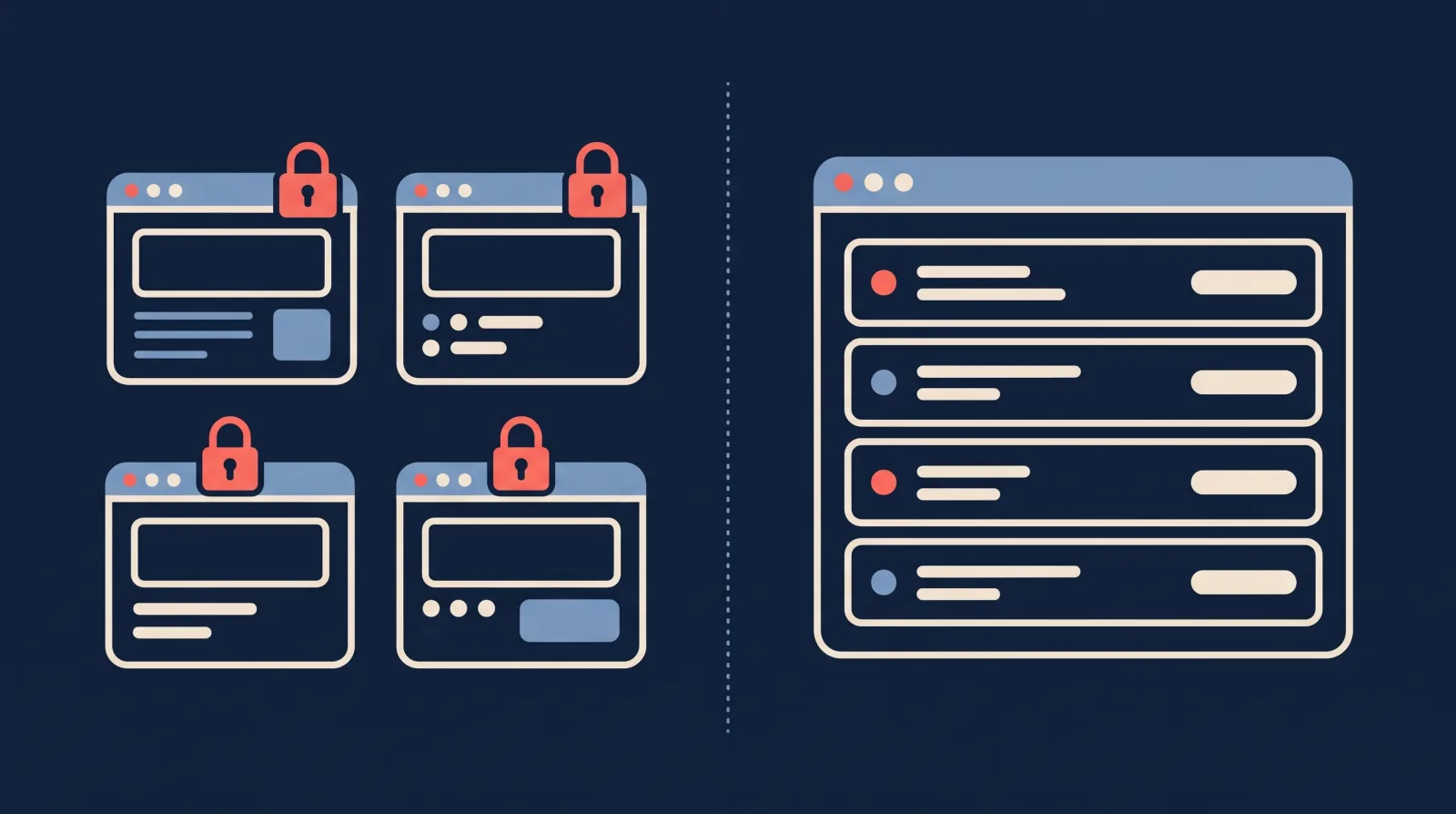
A separate workspace for each client (GoHighLevel sub-accounts, Make teams or organisations) gives the cleanest separation and lets the client log in. The cost is repetition: you connect Facebook and map fields once per workspace.
One dashboard for every client (LeadSync, LeadsBridge, LeadSender, or a single Zapier account) is quicker to run. A new client is a new lead source and a few destinations, and every client’s delivery is visible in one place. In most of these tools the client does not log in at all. They receive their leads and leave the connection to you. LeadsBridge’s Client role is the exception.
Neither is better in general. If part of what you sell is a system the client logs in to, you want workspaces. If you sell leads and results, the dashboard is less to manage.
What Does Each Tool Cost at 10, 30 and 100 Clients?
To compare fees we used one scenario: each client has one Facebook Page and one lead form, gets 30 leads a month, and wants each lead in their CRM with an email alert. Prices are per month on annual billing, checked on 17 and 18 November 2026. GoHighLevel is the exception: its pricing page displays only month-to-month prices to visitors. Rows are ordered by the 30-client column.
| Tool | 10 clients, 300 leads | 30 clients, 900 leads | 100 clients, 3,000 leads |
|---|---|---|---|
| Make | $9 | $9 | $29 |
| LeadSender | $33.33 (Business) | $33.33 | $33.33 |
| Zapier | $19.99 (Professional, 750 tasks) or $69 (Team) | $49 (Professional, 2,000 tasks) or $69 (Team) | $129 (Professional) or $169 (Team), 10,000 tasks |
| LeadSync | $33.25 (Marketer) | $74.92 (Agency) | $74.92 (Agency) |
| LeadsBridge | $44 to $59 (Pro, 15 bridges) | $103 (Pro, 40 bridges) | $200 (Pro, 100 bridges) |
| GoHighLevel | $297 month to month, plus usage | $297 month to month, plus usage | $297 month to month, plus usage |
How we got there:
- Make: 4 credits a lead is 1,200, 3,600 and 12,000 credits a month. The first two fit the 5,000-credit tier at $9. The third is over the 10,000-credit tier ($16), so the next tier up is 20,000 credits at $29. Make also sells extra credits in bundles of 1,000 at a price its pricing page does not list, which may come in lower.
- LeadSender: two destinations per client is 20 integrations at 10 clients, which is over the Growth plan’s 10, so all three sizes need Business. It is $39.99 month to month. Two months free on yearly billing works out to $33.33.
- Zapier: two tasks a lead is 600, 1,800 and 6,000 tasks a month. Professional is a single-user plan, so an agency with several staff building Zaps would be on Team, which starts at $69 for 2,000 tasks.
- LeadSync: 10 clients exactly fill the Marketer plan’s 10 lead sources ($49 month to month). An eleventh Page moves you to the Agency plan ($99 month to month).
- LeadsBridge: one bridge per client, on the Pro tier that covers the bridge count and the lead volume. At 10 clients its Pro price table lists 15 bridges at $44 for 800 leads and $59 for 2,000, while the plan selector on its main pricing page starts Pro at 2,000 leads. We have assumed the “Email Receipt” feature on its plans covers the email alert. If the alert needs a bridge of its own, the figures become $88, $133 and $276, or more if LeadsBridge counts a lead once for each bridge it crosses.
- GoHighLevel: the Starter plan’s 3 sub-accounts do not cover 10 clients, so it is Unlimited at $297 a month. HighLevel’s pricing page displays monthly prices only when you open it in a browser.
Two things the table cannot show. The first is time: Make and Zapier are the cheapest and third-cheapest at 30 clients, and they are also the two where you build and maintain a workflow for every client. The second is scope. GoHighLevel’s $297 buys a CRM, pipeline and messaging for every client, which none of the others include.
LeadSync is not the cheapest option at any of these sizes. Against LeadSender, its plan adds Google, TikTok and LinkedIn lead forms and a much larger lead allowance. Zapier and Make reach those platforms too, through a separate app for each. With them the difference is the work: a workflow for every client and every platform, where LeadSync has none to build.
What If the Client Has No CRM?
Some clients have an inbox and a phone and nothing else. There are two ways to handle that.
Give them a CRM. That is GoHighLevel’s approach, and it suits clients who will log in and work a pipeline.
Send the lead to where they already look. For a client who lives on their phone, we would send three things at once:
- An email alert to everyone who should see the lead.
- An SMS alert to whoever makes the first call.
- A row in a Google Sheet the client and the agency can both open, so there is a running record.
In LeadSync, alerts can also link to a lead page. Email alerts carry the link when you switch on action buttons, and SMS alerts carry it when it fits in the message. The page opens without a login, shows the lead’s answers, and has buttons to call, text or email the lead and to mark it contacted, no answer, booked or not interested. The link works for 30 days.
The sheet matters for a second reason. Leads do not stay in Meta forever. Zapier’s help centre says “Facebook automatically expires leads after 90 days”, so a client relying on manual downloads can lose older leads for good.
Is Lead Distribution Software the Same Thing?
No. When we searched Google for “lead delivery software for agencies” on 18 November 2026, five of the first ten results were about lead distribution software, which is a different product. It is built for companies that sell leads to buyers. It handles pricing, buyer caps and “ping post”, where a lead is offered to several buyers before it is sold. If you run ads for a client and the leads are theirs, you do not need it.
| Product | What it does, per its own site | Published entry price |
|---|---|---|
| Lead Prosper | Automated lead distribution, with direct post and ping post delivery | Starts at $500/mo, includes 5,000 leads |
| boberdoo | Lead buying and distribution, call routing and ping post | $1,075/mo on its lowest standard tier, plus $250 setup. A $500/mo offer for the first three months was showing when we checked |
| LeadExec | Lead distribution for lead sellers | Free for up to 250 leads/mo, then $660/mo billed annually |
| LeadByte | Lead management for lead generators, brands and agencies | Not published |
LeadByte’s homepage lists Facebook Lead Ads among the sources it captures from. Lead Prosper and LeadExec both document Facebook leads arriving through Zapier.
How Do You Onboard a New Client for Lead Delivery?
This checklist works with any of the six tools.
- Get Page access. Ask the client to share their Facebook Page with your business portfolio as a partner, then make sure the Facebook profile you will connect is assigned to that Page. Ad account access on its own will not expose the leads.
- Check leads access. In the client’s business portfolio, open Integrations, then Leads Access. If it has been customised, have them add your profile and your delivery tool.
- Decide whose profile holds the connection. Use one that will outlast staff changes, and write down which it is.
- Connect the Page in your tool and choose the lead forms to deliver.
- Add the client’s destinations. Collect their CRM login or API key, the email addresses for alerts and the mobile number for SMS.
- Map the fields, including any custom questions on the form, so answers land in the right CRM fields.
- Send a test lead with Meta’s testing tool and confirm it arrives at every destination.
- Agree what happens when delivery fails. Decide who gets told and who resends the lead, and check how your tool handles a failure before you need it. LeadSync logs every lead, retries failed deliveries and lets you resend one by hand.
Our longer guide to lead automation for agencies covers the workflows that sit on top of this.
Which Should You Choose?
- Your clients need a CRM, or you want to sell one: GoHighLevel.
- Your clients have their own CRM or just want the lead on their phone, and you run more than Meta: LeadSync, or LeadsBridge if the client’s CRM is only on LeadsBridge’s list.
- You only run Facebook and Instagram lead ads and want the lowest flat price: LeadSender.
- You have someone technical and want the lowest fees or custom logic: Make.
- A few clients, each with an unusual system, and you already use it: Zapier.
- You sell leads to buyers: lead distribution software, which is a different category.
All six can be tried before you pay. GoHighLevel, LeadsBridge and Zapier have 14-day trials, LeadSender and LeadSync have 7-day trials with no card, and Make and LeadsBridge also have free plans.
If you are weighing more tools than these, our comparison of ten Meta lead sync tools covers the wider field.
Frequently Asked Questions
What do marketing agencies use to deliver Facebook leads to clients in real time?
Most use one of three kinds of tool. GoHighLevel is an agency CRM that gives each client a sub-account where their leads arrive. LeadSync, LeadsBridge and LeadSender are purpose-built lead delivery tools that send each lead to the client’s inbox, phone or existing CRM. Zapier and Make are general automation platforms where the agency builds one workflow per client. All of them connect to the client’s Facebook Page and collect new leads automatically. Five of the six describe delivery as instant or real time, and Make’s setup guide refers to instant triggers without publishing a delivery time.
What is the best lead delivery tool for a marketing agency?
It depends on what the client needs to receive. If clients need a CRM as well as the lead, GoHighLevel gives each one a sub-account for $297 a month across unlimited clients, plus usage fees. If clients only need the lead in their inbox, phone or existing CRM, a purpose-built tool is simpler: LeadSync covers Facebook, Instagram, Google, TikTok and LinkedIn lead forms for $99 a month, and LeadSender covers Facebook and Instagram for $39.99. Make has the lowest fees if someone on your team builds and maintains the workflows.
How do agencies send Facebook leads to each client’s CRM or email automatically?
The agency gets access to the client’s Facebook Page and its leads, connects that Page to a delivery tool, then sets a destination for each lead form: the client’s CRM, one or more email addresses, a mobile number for SMS, or a Google Sheet. When someone submits the form, Meta notifies the tool, the tool fetches the lead and sends it to the destinations set for that form. Because routing is set per form, each client receives only their own leads.
Do I need admin access to my client’s Facebook Page to deliver their leads?
You need access to the Page and to its leads. Meta’s developer documentation says that reading lead data needs Page admin access or flexible permissions, and that all Page admins have leads access unless the business has customised it. If it has been customised, the client has to add your profile and your delivery tool under Integrations, then Leads Access, in their business portfolio settings. The standard route for an agency is for the client to share the Page with the agency’s business portfolio as a partner.
How much does lead delivery cost for an agency with 30 clients?
For 30 clients sending 900 leads a month in total, each lead going to a CRM with an email alert, the monthly fees on annual billing are $9 on Make, $33.33 on LeadSender, $49 on Zapier Professional, $74.92 on LeadSync Agency and $103 on LeadsBridge Pro. GoHighLevel Unlimited is $297 month to month plus usage fees. Prices were checked on 17 and 18 November 2026. Make and Zapier also cost the time it takes to build and maintain 30 workflows.
Can clients get their leads without a CRM?
Yes. Every tool in this comparison can send a new lead to an email address, and most can send an SMS and add a row to a Google Sheet. In LeadSync an alert can also link to a lead page that opens without a login, where the client can call, text or email the lead and mark how it went. GoHighLevel takes the other approach and gives the client a CRM login and a mobile app.
Can I white-label lead notifications to clients?
In LeadSync, yes. You can set the sender name, subject line, introduction, signature and logo on lead alert emails, and on the Agency plan the email alerts can be sent from your agency’s own email address once three DNS records are added to your domain. GoHighLevel’s pricing page lists a white-label desktop app on its Unlimited plan and a white-label mobile app as a $497 a month add-on. We could not find white-label features on LeadsBridge’s or LeadSender’s sites.
Try It With One Client First
The low-risk way to choose is to onboard a single client and send a test lead through. LeadSync has a 7-day free trial with no credit card, which is long enough to connect one client’s Page, route a form to their inbox and CRM, and see what they receive before you move the rest.