If your Facebook retargeting feels like it stopped working a few years ago, you’re not wrong. The mechanics that made it printable money in 2018 – drop a pixel, retarget warm visitors, watch the ROAS climb – quietly broke in April 2021. Most marketers never got the memo, and most agencies are still running pixel-only retargeting campaigns built for a tracking world that no longer exists.
This guide is the rebuild. We’ll cover what Facebook retargeting ads actually are in 2026, why the Pixel alone leaks most of your iOS audience, and how to combine the Facebook website Pixel with the Meta Conversions API to get back to the audience sizes, and the conversion rates – you used to take for granted.
If you’re running paid ads on Meta and you haven’t audited your retargeting stack since iOS 14.5, this is your audit.
Key Takeaways
- Pixel-only retargeting in 2026 is broken. Apple’s App Tracking Transparency (ATT) framework opts roughly 75% of iOS users out of pixel tracking, which shrinks your website-visitor audiences and starves your retargeting campaigns of signal.
- The fix is two tracking layers. Keep the Facebook Pixel for browser-side events, then add the Meta Conversions API (CAPI) to send the same events server-side. Meta has published lift data showing CAPI recovers a meaningful share of conversions the Pixel misses.
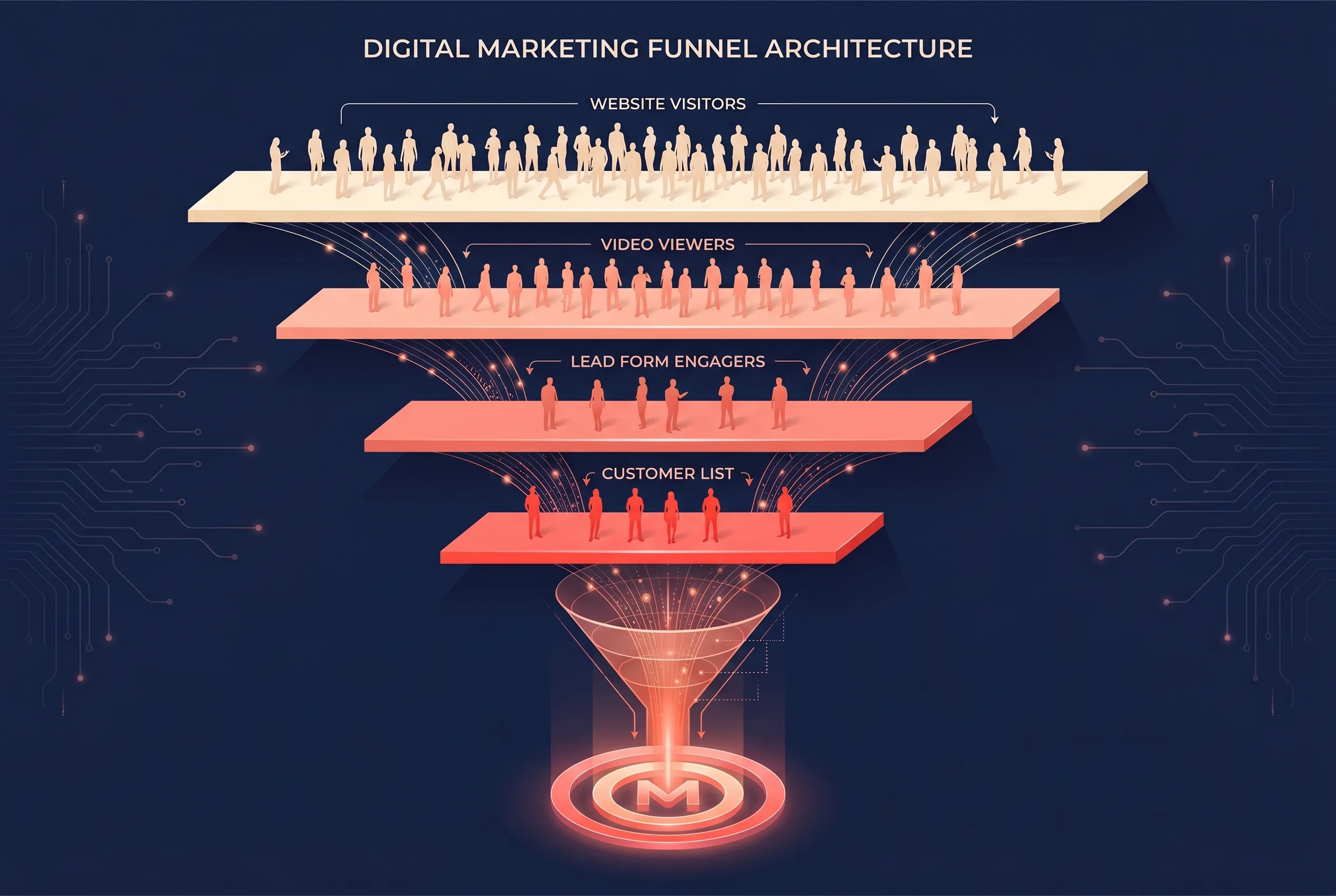
- Build audiences in layers, not one bucket. Website Custom Audiences, video engagement audiences, lead form engagement, and uploaded customer lists each serve a different funnel stage and shouldn’t share creative.
- Exclusions matter as much as inclusions. Retargeting people who already converted is the fastest way to torch budget and brand trust. Every retargeting set needs an exclusion audience.
- Creative is the lever. Once your tracking and audience structure are right, retargeting performance comes down to whether your ads acknowledge that the viewer has already met you.
What Are Facebook Retargeting Ads?
Facebook retargeting ads, sometimes called Facebook remarketing – are paid ads on Facebook and Instagram that are shown only to people who have already interacted with your business. That interaction could be a website visit, a video view, a Lead Ad form opened-but-not-submitted, a follow on your Page, or appearing on a customer list you’ve uploaded.
The defining feature is that your audience isn’t cold. They’ve raised their hand in some small way, and you’re following up. That’s why warm retargeting consistently outperforms cold prospecting on both click-through rate and cost per acquisition – when the underlying audience data is intact.
Retargeting vs. Prospecting
It’s worth being precise about the language, because the distinction drives how you structure your account:
- Prospecting campaigns target people who don’t yet know you. Audience is built from interests, lookalikes, or Meta’s Advantage+ Audiences. The job is awareness and first-touch conversion.
- Retargeting campaigns target people who already know you. Audience is built from your own data – website visitors, video viewers, customer lists, engagement. The job is to convert interest into action.
Different jobs, different audiences, different creative. If you’re running retargeting and prospecting in the same ad set, your reporting is lying to you.
Why Pixel-Only Retargeting Is Broken in 2026
Here’s the inconvenient truth no one wants to put in a sales deck.
When Apple shipped iOS 14.5 in April 2021, it introduced App Tracking Transparency – a prompt that asks every iOS user whether each app is allowed to track them across other apps and websites. Across the industry, opt-in rates have settled in the low-to-mid-20% range, meaning roughly three out of four iOS users are now invisible to the Facebook Pixel.
If your retargeting audience includes “people who visited my pricing page in the last 30 days,” and 60% of your traffic comes from iPhones, you’ve just lost roughly 45% of that audience overnight, and you can’t see them, so you don’t know they’re missing.
The downstream effects compound:
- Audience sizes shrink, which forces Meta’s algorithm to over-deliver to the same people, which drives ad fatigue.
- Lookalike seeds get noisier, because the underlying conversion data is incomplete and biased toward Android users.
- Optimisation events fire less reliably, so the algorithm is making decisions on partial information.
- Frequency creeps up, because you’re chasing a smaller pool with the same budget.
This isn’t an opinion. It’s the structural reality of running Meta ads in a privacy-by-default world. The fix isn’t a clever audience trick, it’s a second tracking layer.
The Two Tracking Layers: Facebook Pixel + Conversions API
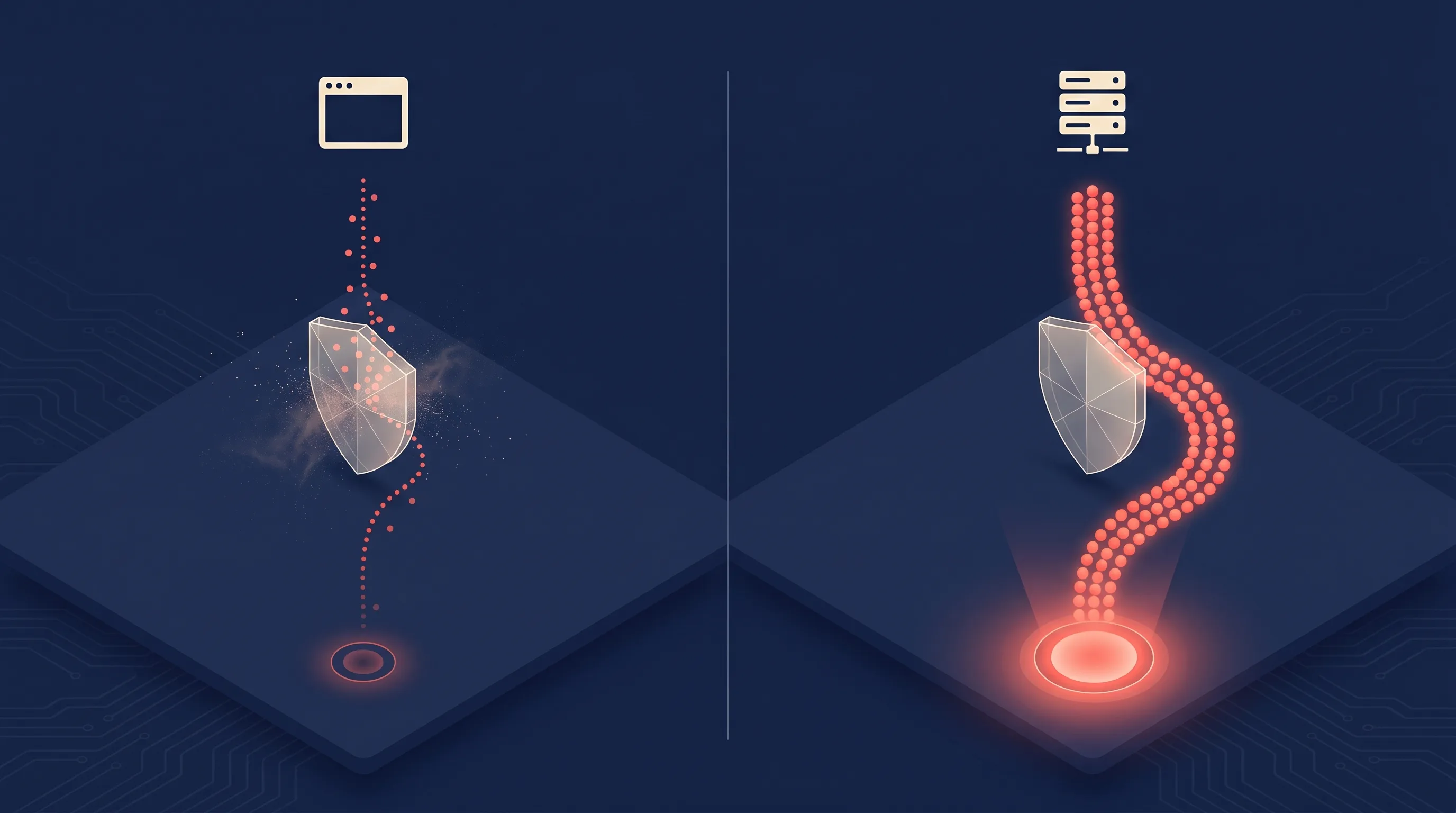
Modern Facebook retargeting in 2026 runs on two parallel data streams: the Facebook Pixel (browser-side) and the Meta Conversions API (server-side). One has been around for a decade. The other is the most important Meta marketing tool of the post-ATT era, and most advertisers still don’t have it set up properly.
Setting Up the Facebook Website Pixel
The Facebook Pixel is a JavaScript snippet you install on every page of your website. When a user with tracking enabled lands on a page, the snippet fires events back to Meta – PageView, ViewContent, AddToCart, Lead, Purchase, and any custom events you’ve defined (the full list is in our Facebook standard events guide). These events build your Website Custom Audiences and feed the algorithm.
A few install rules that still get missed:
- One Pixel per domain. Multiple Pixels split your audience and confuse attribution.
- Fire the base code on every page, then add event-specific code only where the event happens.
- Use Event Match Quality fields: email, phone, name, external ID – wherever you collect them. Hashed PII is what lets Meta match events to a person even when cookies don’t.
- Verify with Meta’s Pixel Helper Chrome extension before you trust anything in Events Manager.
For a deeper answer to the question we get most often from Lead Ads customers – “do I need the Pixel if I’m running Lead Ads?” – see our dedicated post on the Facebook Pixel and Meta Lead Ads.
Adding the Meta Conversions API
The Conversions API (CAPI) is the server-side counterpart to the Pixel. Instead of relying on the browser to fire events, CAPI sends them from your server directly to Meta – bypassing iOS tracking prompts, ad blockers, and ITP entirely.
You can implement CAPI three ways:
- Direct integration: a developer writes server code that POSTs events to Meta’s Graph API. Maximum control, maximum work.
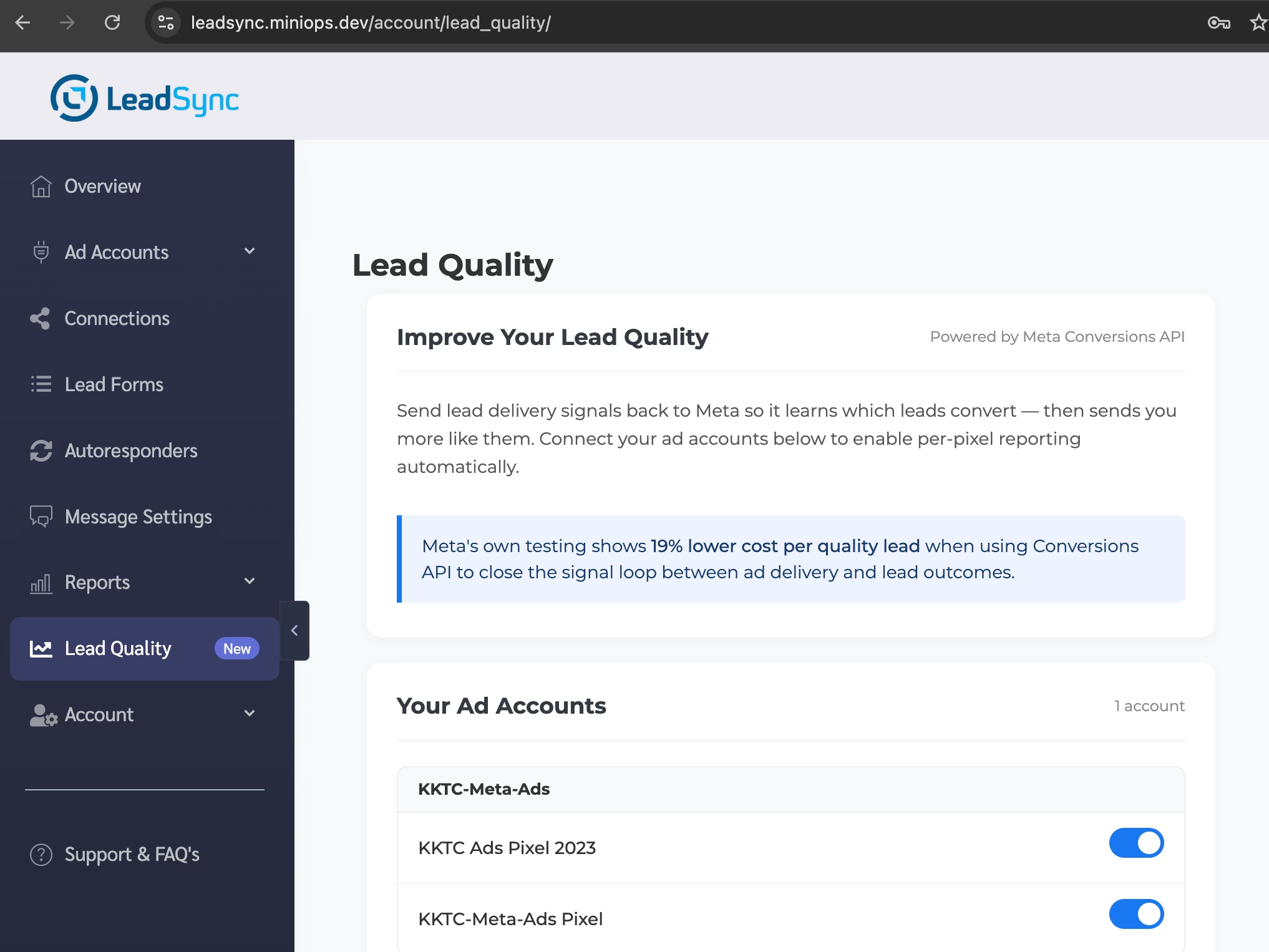
- Partner integrations: tools like LeadSync send the right events server-side without code, typically takes a few minutes to set up.
- Conversions API Gateway: Meta’s own self-hosted middleware. Powerful, but operationally heavy.
The point of CAPI isn’t novelty, it’s redundancy. You’re sending the same events through two channels (Pixel + Server) and letting Meta deduplicate them on the back end. The events the Pixel misses, the server picks up. Meta’s own published data shows CAPI typically recovers a double-digit percentage of attributed conversions, and our breakdown of CAPI for Lead Ads walks through the lift we see across the LeadSync customer base.
Without CAPI, your retargeting campaigns are working off a partial map. With it, you’re back to something close to the pre-2021 baseline.
Building Retargeting Audiences That Actually Convert
Once your tracking is right, audience structure is where most accounts leave money on the table. The temptation is to build one giant “Website Visitors – 180 days” audience and call it done. Don’t.
Website Visitor Audiences
Your Pixel + CAPI stack feeds Website Custom Audiences (WCAs). Layer them by recency and intent:
- High intent, fresh: visitors to your pricing or contact page in the last 7 days
- Medium intent: blog readers or feature page visitors in the last 30 days
- Top-of-funnel: all site visitors in the last 90 days
- Re-engagement: all site visitors in the last 180 days who haven’t returned in 30+
Each window deserves its own creative angle. The 7-day pricing-page visitor doesn’t need an explainer ad – they need a reason to buy now.
Video Engagement Audiences
If you run video creative, you’re building audiences whether you’re using them or not. Meta lets you segment by 3-second views all the way up to 95% completion. The deeper the view, the warmer the audience. We’ve written a full guide on Facebook video retargeting for lead generation – start there if video is a meaningful slice of your prospecting spend.
Lead Form Engagement Audiences
This is the underrated one. For Meta Lead Ads, Meta lets you build audiences from:
- People who opened your form but didn’t submit
- People who submitted your form
The opened-but-didn’t-submit audience is gold. These are people who were one tap away from converting and got distracted. A simple “you started filling out our form – want to finish?” ad converts disproportionately well, because the friction is already mostly burned off.
Customer List Audiences
Upload your existing customer list – hashed emails and phone numbers – to build a Customer List Custom Audience. Two ways to use it:
- Exclusion: never show acquisition ads to existing customers.
- Lookalike seed: build a Lookalike Audience off your best customers, not all customers. (For deeper guidance on how to structure these, see our Custom Audiences for Lead Gen guide.)
Retargeting Creative That Doesn’t Waste Spend
You can have perfect tracking and a beautifully layered audience structure and still burn money if your creative ignores what the viewer already knows.
Match the Creative to the Funnel Stage
A first-touch prospecting ad explains who you are. A retargeting ad to someone who’s read three of your blog posts and visited your pricing page shouldn’t. The single most common mistake we see in retargeting creative is running the same brand explainer ad to cold and warm audiences, which signals to the warm audience that you’re not paying attention.
Useful retargeting creative angles:
- Objection handling: address the specific reason most prospects bail at this stage.
- Social proof at scale: testimonials, customer counts, case studies with specific numbers.
- Urgency without theatre: a real reason to act now, not “limited time only” wallpaper.
- Specific offers: a discount, a trial extension, a free consult – tied to the action you want.
Frequency Capping
A warm audience is small. Without frequency capping, Meta will happily show the same person your ad 20 times in a week. That’s how you turn a high-intent prospect into someone who’s now actively annoyed by your brand.
Set a frequency cap of 1–2 impressions per person per week for retargeting campaigns, and tighter (1 per 3 days) for the hottest audiences. Watch the frequency metric in Ads Manager weekly.
Exclusion Audiences
Every retargeting ad set should have an exclusion list. At minimum:
- People who already converted on this offer
- Existing customers
- People who unsubscribed from email
- People who’ve seen the ad more than [your cap] times
Without exclusions, you’ll keep paying to chase people who can’t or won’t convert again. With them, every impression goes to someone who might.
Pixel vs Conversions API for Retargeting: At a Glance
| Capability | Facebook Pixel | Meta Conversions API |
|---|---|---|
| Where events fire | Browser (client-side) | Server (server-side) |
| Affected by iOS ATT | Yes – major impact | No – bypasses ATT |
| Affected by ad blockers | Yes | No |
| Affected by Safari ITP | Yes | No |
| Captures hashed PII | Yes (if you pass it in) | Yes – more reliably |
| Event Match Quality (EMQ) | Lower on average | Higher on average |
| Implementation effort | Snippet install | Server integration or partner tool |
| Audience size impact | Shrinks audiences post-2021 | Restores most of the lost size |
| Required in 2026 | Necessary but not sufficient | Necessary |
The short version: the Pixel alone is half the picture. The Conversions API is the other half.
Common Retargeting Mistakes to Avoid
A few patterns that show up in nearly every account audit we run:
- No CAPI installed. Pixel-only setups are the single most common cause of underperforming retargeting in 2026. If you’ve only got one tracking layer, this is the highest-leverage fix in your account.
- One giant audience, one creative. A 180-day site-visitor audience with one ad is not a retargeting strategy, it’s a banner ad.
- No exclusion of converters. If you don’t exclude people who already bought, your CPA looks higher than it is and your customers feel stalked.
- Retargeting people who never came close. “Visited the homepage once” is not a meaningful retargeting signal. Use intent-weighted windows.
- Same creative across audience stages. Cold, warm, and red-hot audiences need different messages. Each.
- Ignoring frequency. Cap it. Then watch it weekly.
- Forgetting offline conversions. If your sales happen on the phone or in person, those conversions need to flow back to Meta via CAPI’s Offline Events. Otherwise the algorithm is optimising for form fills instead of revenue.
Frequently Asked Questions
Do I still need the Facebook Pixel in 2026?
Yes. The Pixel is still necessary, it’s how you collect browser-side signals like PageView and ViewContent that the Conversions API doesn’t see from the server. The Pixel just isn’t sufficient on its own anymore. The modern setup is Pixel and Conversions API, deduplicated by Meta.
What’s the difference between retargeting and remarketing on Facebook?
In practice, none. “Retargeting” and “remarketing” describe the same thing – running ads to people who’ve already interacted with your business. Meta’s documentation tends to use “retargeting,” and the industry has mostly converged on that term too.
How do I retarget people who opened my Lead Ad form but didn’t submit?
Inside Meta Ads Manager, create a Custom Audience based on Lead Ad form engagement, choose “People who opened the form but didn’t submit,” and select the specific form. This audience is often your highest-converting retargeting pool because the prospects were one tap from conversion when they dropped off.
Does the Conversions API replace the Facebook Pixel?
No. CAPI is a parallel data channel, not a replacement. You install both. Meta deduplicates events that fire through both channels using the event_id parameter, so the same conversion doesn’t get counted twice.
How small can a Facebook retargeting audience be before it stops working?
Meta requires a minimum of about 100 people per Custom Audience to start serving ads, but performance generally falls off below 1,000 active users in the audience. If your audiences are tiny, the fix usually isn’t “lower the threshold”, it’s “fix the tracking” so you can see the audience that’s actually there.
How long should my retargeting lookback window be?
It depends on your purchase cycle. For impulse-buy ecommerce, 7–30 days is usually right. For considered B2B purchases, 90–180 days makes more sense. Build multiple audiences with different windows and let the data decide – don’t pick one based on intuition.
Putting Your Retargeting Stack Together
If you read this guide and walk away with one thing, make it this: a 2026 Facebook retargeting strategy is a tracking strategy first and a creative strategy second. The advertisers who quietly outperform everyone else aren’t running smarter ad creative. They’re running on two tracking layers – Pixel and Conversions API – while their competition is still running on one.
Start by auditing what’s actually firing. Open Events Manager, check your Event Match Quality scores, and look at the share of your conversions coming through the Pixel vs. CAPI. If CAPI is missing or showing near-zero events, that’s where your next gain is.
If you’re running Meta Lead Ads and want CAPI working without writing code, LeadSync sets it up in about two minutes – every lead you collect gets sent server-side to Meta with the right Event Match Quality fields, so your retargeting audiences and your Lead Ads algorithm both stop flying blind.
Get the tracking right and the rest of the retargeting playbook – audience layering, exclusions, frequency, creative – starts working the way it used to.