Google Ads lead forms let a searcher hand over their details right on the results page, no landing page required. What Google does not do is put those leads anywhere useful. They accumulate in your Google Ads account, and unless you download them or wire up an integration, your CRM never hears about them.
That gap is expensive. A search lead is a hand raised at the exact moment of intent, and the follow-up window is measured in minutes, not days. Here is how to close it by sending every Google Ads lead into GoHighLevel automatically with LeadSync.
Why GoHighLevel Makes Sense as the Destination
GoHighLevel earns its keep on what happens after the lead arrives. Contacts can carry tags, and a Contact Tag is a native workflow trigger. That means a lead tagged google-lead on the way in can automatically receive an SMS, become a pipeline opportunity, get assigned to a rep, or drop into a nurture sequence, all before anyone opens a spreadsheet.
If you manage several clients, the routing model helps too: one LeadSync account can deliver different Google lead forms into different GoHighLevel sub-accounts, keeping every client’s leads in their own location.
Not sure GoHighLevel is the right CRM for you yet? Our GoHighLevel review walks through its strengths and rough edges.
Prerequisites
- A LeadSync account (7-day free trial, no credit card required)
- A GoHighLevel account with at least one sub-account (location)
- A Google Ads campaign running a lead form asset
Steps to Integrate Google Ads Lead Forms with GoHighLevel via LeadSync
Connect your Google Ads account. Log in to LeadSync and navigate to the Ad Accounts section in the left menu. Click Google, then the Add Google Account button. You will be redirected to sign in with your Google account; follow the prompts and grant LeadSync permission to access your Google Ads account information. Once authorized, the account appears in the Ad Accounts table.
Set up your GoHighLevel connection. Go to Connections, click Add Connection, and choose GoHighLevel from the dropdown. Give the connection a name you will recognise later.
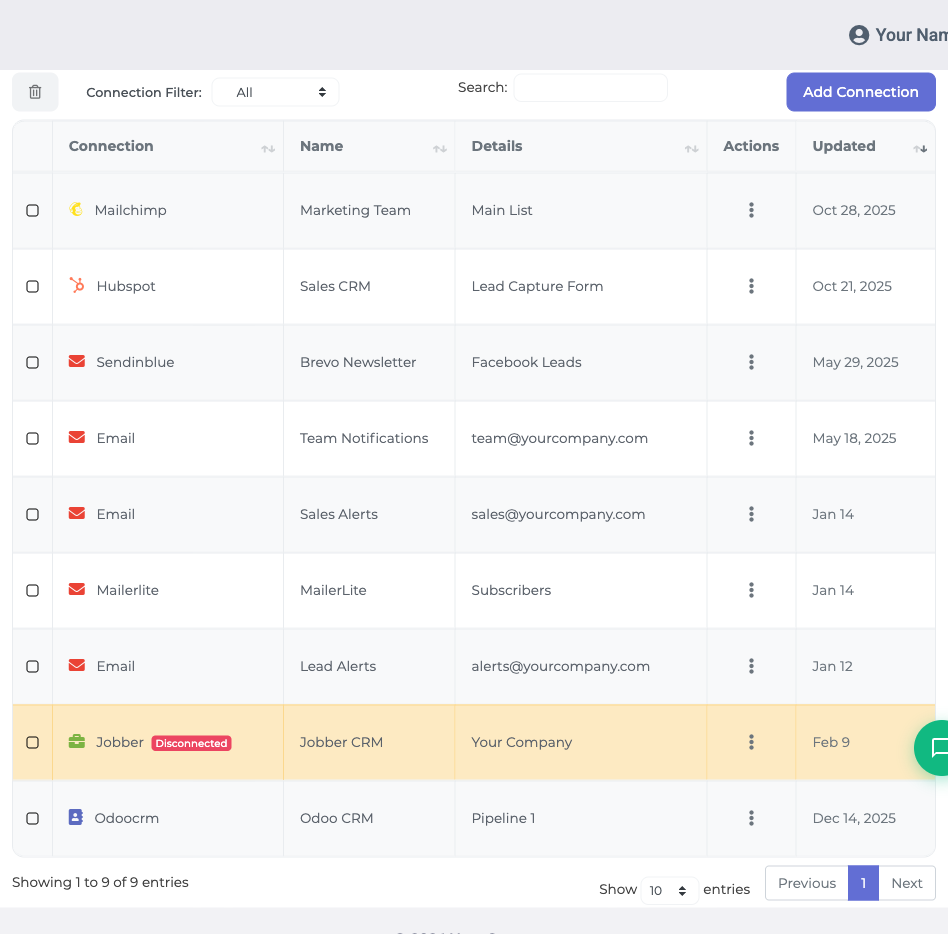
Unlike destinations that make you dig for an API key, GoHighLevel connects with one click. An install screen opens showing what LeadSync can access (read and write contacts, read locations and custom fields). Confirm it, pick the sub-account (location) that should receive your Google Ads leads, and GoHighLevel returns you to LeadSync with the connection complete. No sub-account listed? Create one in GoHighLevel first (Sub-Accounts, then Create Sub-Account), then reconnect.
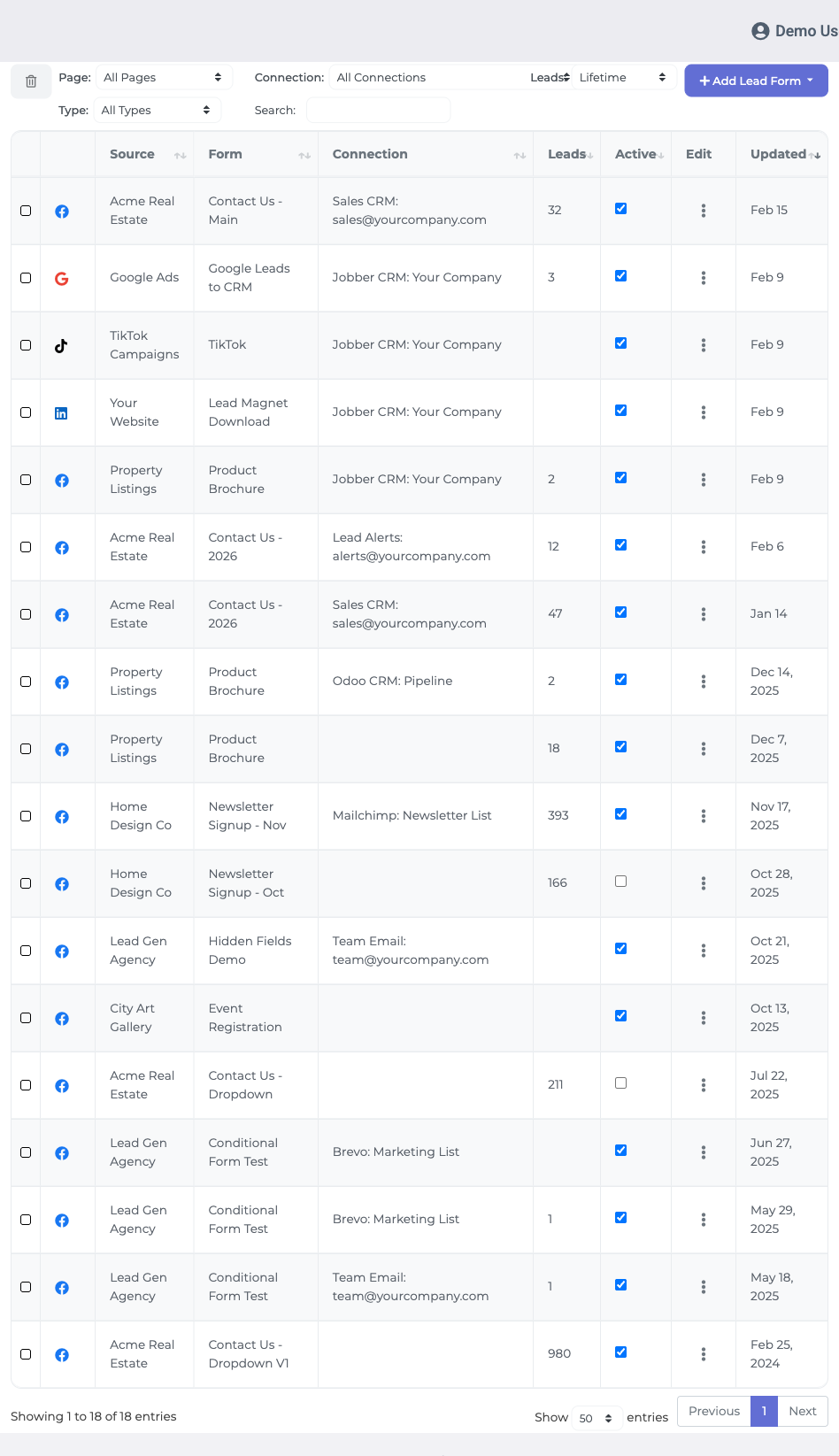
Connect your Google lead form. Click the Lead Forms menu, then Add Google Lead Form. From the dropdowns, select your Google Ad Account, your lead form, and the GoHighLevel connection you just created.
Map the fields. Match each Google form field to the corresponding GoHighLevel contact field. Map email at minimum, because GoHighLevel needs an email or phone to create a contact. First name, last name, and phone map straight across, and LeadSync also lists your sub-account’s custom fields so qualifying questions from your lead form have somewhere sensible to land.
Add tags for automation. In the Insert Tags field above the mapping table, enter a tag like google-lead, pressing enter after each one. Tags do not need to exist in GoHighLevel beforehand; the first tagged lead creates them. Then set up a GoHighLevel workflow with the Contact Tag trigger and your Google Ads follow-up runs itself.
Finish and test. Click Update Notification to save the setup, then submit a test lead through your Google Ads campaign. Check Contacts in your GoHighLevel sub-account: the lead should appear within one to two minutes, mapped and tagged.
If you currently rely on Google’s lead notification emails to know when someone converts, keep them as a backup by all means, but our guide to Google lead form emails explains why they should not be your delivery mechanism.
What to Automate Once Leads Are Flowing
- Instant first touch. A workflow on your
google-leadtag that sends an SMS within minutes is the single highest-leverage automation to build. - Pipeline visibility. Create an opportunity for every new lead so nothing depends on someone remembering to check a list.
- Per-form sequences. Give each lead form its own tag, and a quote request can enter a fast sales cadence while a guide download enters a slower nurture.
Troubleshooting
- No contact created? GoHighLevel needs email or phone. Check the mapping covers at least one.
- Lead form not in the dropdown? Confirm the form belongs to an active or paused campaign and that the right Google Ads account is connected.
- Wrong destination? Each form is assigned to one connection, and each connection is bound to one sub-account. Reassign the form if leads are landing in the wrong location.
- Sync stopped working? Reauthorize the Google account under Ad Accounts.
Frequently Asked Questions
Do I need a paid GoHighLevel plan to receive Google Ads leads?
No. Any GoHighLevel account that has at least one sub-account (location) can be connected, trial accounts included. You pick the destination sub-account while authorising the connection.
Do tags have to exist in GoHighLevel before I add them in LeadSync?
No. The first time a lead arrives with a new tag, GoHighLevel creates it automatically and applies it to the contact. From then on the tag also appears in your sub-account tag list.
Will LeadSync duplicate contacts if someone submits twice?
No. LeadSync uses GoHighLevel upsert behaviour, which honours the Allow Duplicate Contact setting on each sub-account. A second submission from the same person updates their existing contact record.
Why are my Google Ads leads not appearing in GoHighLevel?
First check that your Google Ads account is connected under Ad Accounts. Then confirm you mapped an email or phone field, since GoHighLevel rejects contacts with neither. Finally, make sure your lead form belongs to an active or paused campaign and that you selected the right GoHighLevel connection.
How quickly do Google Ads leads sync to GoHighLevel?
Leads generally arrive within one to two minutes of the form being submitted, ready for any tag-triggered workflow you have waiting in GoHighLevel.
Can an agency deliver different Google lead forms to different sub-accounts?
Yes. Create a GoHighLevel connection for each client sub-account, then assign each Google lead form to the matching connection. All of it is managed from one LeadSync account.
Start Sending Google Ads Leads to GoHighLevel Today
Search intent does not keep. Wire your Google Ads lead forms into GoHighLevel once, and every future lead arrives as a tagged contact with follow-up already underway. Collecting leads on your website too? The same tool handles Gravity Forms to GoHighLevel.
Start your 7-day free trial and see your first Google Ads lead land in GoHighLevel today. No credit card required.
Running GoHighLevel with other ad platforms? Here is how to send TikTok leads and LinkedIn Lead Gen leads to GoHighLevel.