Gravity Forms runs the contact and quote forms on a huge share of WordPress sites, and GoHighLevel (GHL) is where more and more agencies and local businesses run their CRM and follow-up automation. The catch: GoHighLevel has no native Gravity Forms integration. Submissions sit in your WordPress database while your GHL workflows wait for contacts that never arrive.
The good news is there are four solid ways to bridge the gap, from a free plugin to a full middleware platform. This guide compares them on cost, field mapping, and effort, then walks through the setup for each so you can pick the one that fits.
What is the best way to send Gravity Forms leads to GoHighLevel?
Here is the short version:
| Method | Cost | Field mapping | Best for |
|---|---|---|---|
| GHL Gravity Bridge plugin | Free (Pro version paid) | Name, email, phone only on free | Quick start on a single site |
| Webhooks (Gravity Forms + GHL workflow) | Gravity Forms Elite $259/yr | Any field, mapped in the workflow | Full control, no extra monthly tool |
| WP Fusion | From $297/yr (free Lite version) | Unlimited fields, tags, conditional logic | Agencies and complex WordPress stacks |
| Zapier / Make | Usage-based monthly pricing | Any field, mapped in the Zap | Non-technical setup across many tools |
If you just need name, email, and phone in GoHighLevel, install the free plugin and you are done in ten minutes. If you already pay for a Gravity Forms Elite licence, the webhook route costs nothing extra and handles every field. If WordPress is the centre of your marketing stack, WP Fusion is the most capable option. Zapier and Make work fine but add a per-task cost that grows with your lead volume.
How does the free GHL Gravity Bridge plugin work?
GHL Gravity Bridge is a third-party WordPress plugin (600+ active installs) that pushes Gravity Forms submissions into GoHighLevel as contacts.
- In your WordPress dashboard, go to Plugins, then Add New and search for “GHL Gravity Bridge”. Install and activate it.
- In GoHighLevel, create or copy an API key for the sub-account you want leads delivered into, and paste it into the plugin’s settings.
- Open the form you want to connect and map the name, email, and phone fields.
- Submit a test entry and confirm the contact appears in your GoHighLevel sub-account.
The trade-off is in the free tier’s mapping: name, email, and phone only. If your form asks qualifying questions (budget, service type, suburb) those answers stay behind in WordPress unless you upgrade to the plugin’s Pro version. Reviews are mixed (3.4 stars at the time of writing), so test it on a staging site first if your lead flow is business-critical.
How do you connect Gravity Forms to GoHighLevel with webhooks?
The webhook route is the most robust DIY option because both ends are first-party: Gravity Forms sends, GoHighLevel receives, and nothing sits in between.
You need two things: the Gravity Forms Webhooks Add-On, which is included with the Elite licence ($259/yr), and GoHighLevel’s Inbound Webhook workflow trigger, one of GHL’s premium workflow features.
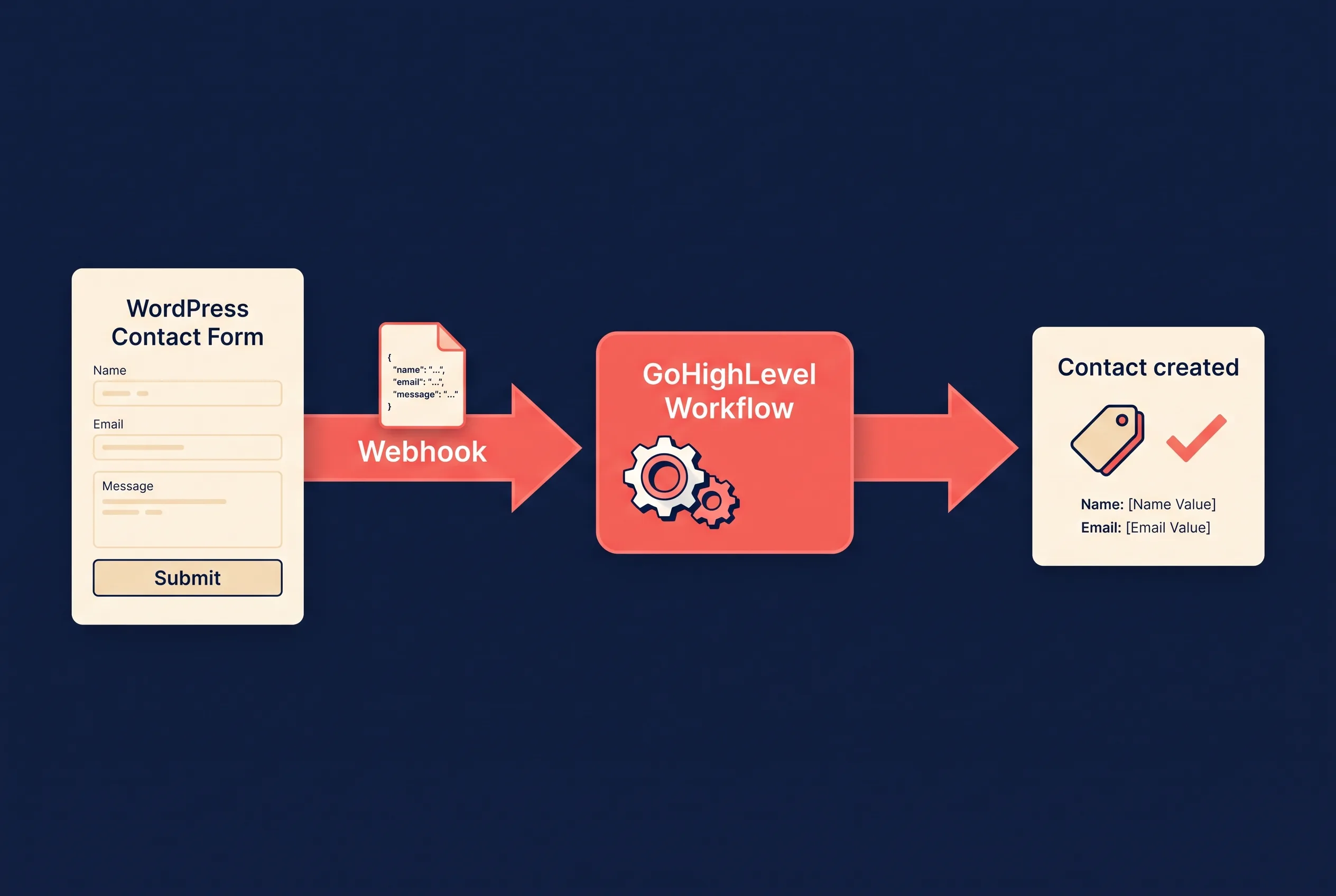
- In GoHighLevel, open the sub-account, go to Automation, then create a new Workflow, and choose Inbound Webhook as the trigger. GHL generates a unique URL. Copy it.
- In WordPress, open your form and go to Settings, then Webhooks, then Add New. Paste the GHL URL as the request URL, set the method to POST and the format to JSON, and choose All Fields (or select the fields you want).
- Submit a test entry so GoHighLevel receives a sample payload, then map the incoming fields inside the workflow and add a Create or Update Contact action.
- Add whatever follow-up steps you want in the same workflow: apply a tag, send an SMS, create a pipeline opportunity, or assign an owner.
Because the mapping lives in a GoHighLevel workflow, every field in your form is available, including custom questions, and the follow-up automation starts in the same place the lead lands. The main caveats: the Webhooks Add-On requires the top Gravity Forms licence tier, and Inbound Webhook is a premium GHL workflow feature, so confirm what your plan includes before building on it.
When is WP Fusion worth the money?
WP Fusion is a WordPress plugin that syncs your whole site with your CRM, and HighLevel is one of its 60+ supported platforms. For Gravity Forms it creates or updates a GoHighLevel contact on submission with unlimited custom field mapping, applies tags based on the values submitted, and can even pre-fill forms from existing contact data.
Pricing starts at $297/yr for a single site, and there is a free Lite version with the basics. That is real money next to a free plugin, but WP Fusion earns it when Gravity Forms is only one of several things you want synced: it also connects WooCommerce, membership plugins, LearnDash, and 100+ other WordPress tools to the same GoHighLevel account. Agencies managing content-heavy or ecommerce WordPress sites for GHL clients are the natural fit.
Should you use Zapier or Make instead?
Zapier and Make both offer Gravity Forms and GoHighLevel connectors, and the setup is genuinely easy: trigger on a new form entry, action to create a GHL contact, map the fields in the editor. No licence tiers, no webhook payloads.
The catch is the meter. Every submission burns a task, and per-task pricing means your integration bill scales with your lead volume, which is exactly the direction you want your leads to grow. For a low-volume site that already pays for Zapier, it is a fine answer. As volume grows, the webhook route or WP Fusion works out cheaper and keeps one less dashboard in the loop.
Which method should you choose?
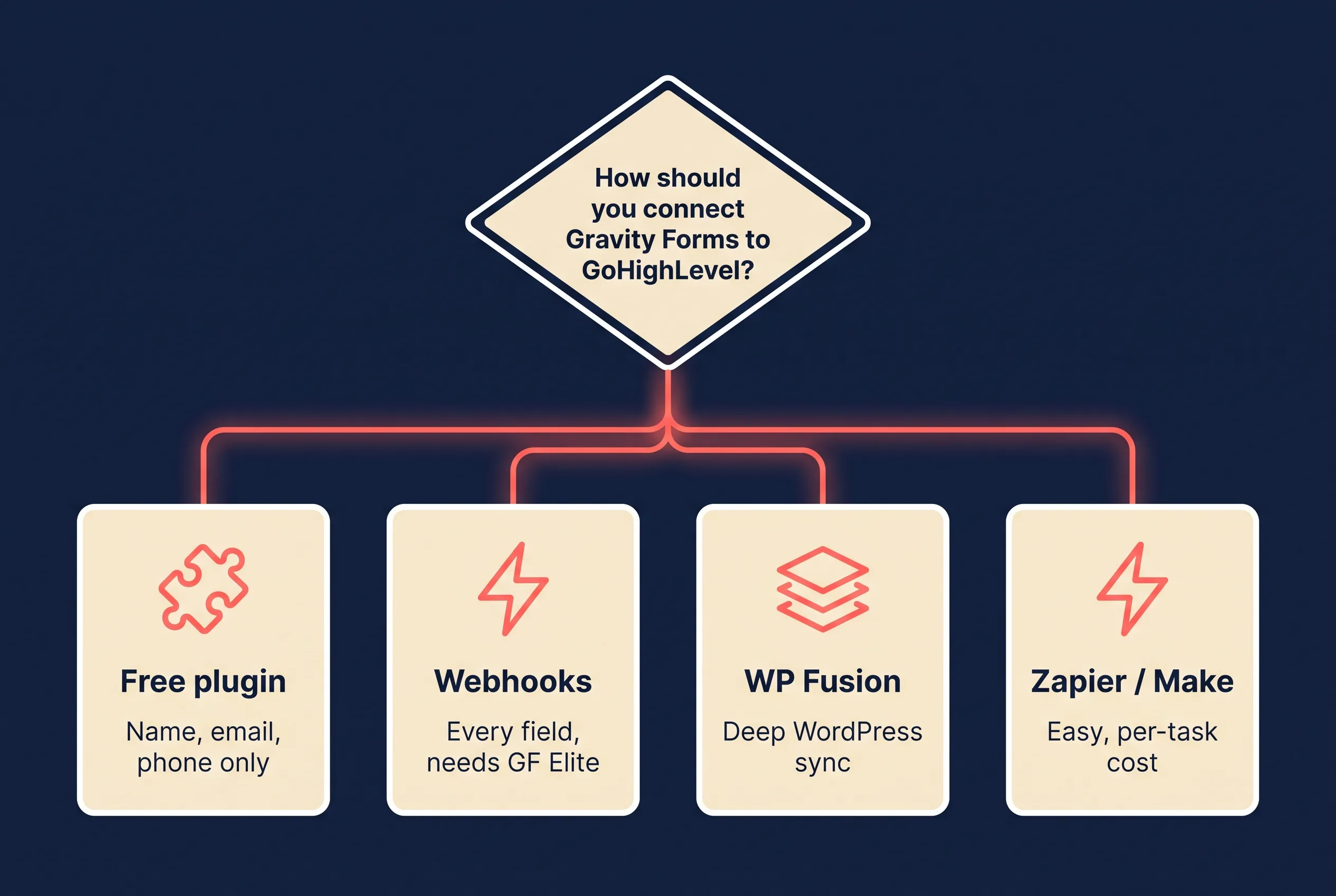
- Only need name, email, phone? The free GHL Gravity Bridge plugin. Ten minutes, zero dollars.
- Already on Gravity Forms Elite? Webhooks into a GHL workflow. Every field, no new subscription, automation starts on arrival.
- WordPress is your marketing hub? WP Fusion. Deepest mapping and it carries the rest of your stack along.
- Low volume, already paying for Zapier? Use the connector you have and revisit when the task bill grows.
Whichever bridge you pick, send a test submission and check the contact record before you trust it with paid traffic. WordPress powers over 43% of all websites, which means form-to-CRM plumbing like this is usually the first automation a business ever sets up, and the first one to fail silently after a plugin update. A monthly test entry is cheap insurance.
What about your Facebook and Instagram leads?
Your website form is only half the pipeline. If you run Meta lead ads, Google, LinkedIn, or TikTok lead forms, those submissions never touch your WordPress site, so none of the bridges above will catch them.
That is the half LeadSync handles. It connects to GoHighLevel with one click (no API keys), delivers lead ad submissions into the sub-account you choose in real time, maps every form question to standard or custom contact fields, and applies tags that trigger your GHL workflows the moment the lead arrives. The full setup is in our step-by-step guide to sending Meta leads to GoHighLevel, and you can test it on a 7-day free trial.
Between a form bridge for your website and LeadSync for your ad platforms, every lead you generate ends up in the same GoHighLevel sub-account, tagged and inside a workflow within seconds.
Frequently asked questions
Does GoHighLevel integrate natively with Gravity Forms?
No. GoHighLevel has its own form builder but no built-in Gravity Forms connection. To keep using Gravity Forms on your WordPress site you need a bridge: a plugin like GHL Gravity Bridge, a webhook feed into a GoHighLevel workflow, WP Fusion, or an automation platform like Zapier or Make.
Is there a free way to send Gravity Forms leads to GoHighLevel?
Yes, with limits. The free GHL Gravity Bridge plugin on WordPress.org sends name, email, and phone from any Gravity Form into GoHighLevel. If you need custom fields, tags, or conditional logic you will need the plugin’s paid version, a webhook setup, or WP Fusion.
What is GoHighLevel’s Inbound Webhook trigger?
It is a workflow trigger that gives you a unique URL which accepts POSTed form data from any external tool. Gravity Forms’ Webhooks Add-On can send each submission to that URL, and the workflow then creates or updates the contact. Inbound Webhook is one of GoHighLevel’s premium workflow features, so check what your plan includes.
Can I send different Gravity Forms to different GoHighLevel sub-accounts?
Yes. Each GoHighLevel sub-account (location) has its own API access and its own workflows, so point each form’s feed, webhook, or Zap at the right sub-account. Agencies typically set up one bridge per client site, feeding that client’s sub-account.
Do these methods work for WPForms or Contact Form 7 too?
The webhook approach and WP Fusion both support other form plugins, including WPForms, Contact Form 7, Elementor Forms, and Formidable. The GHL Gravity Bridge plugin is Gravity Forms specific, but similar bridge plugins exist for other form builders. Weighing up form builders themselves? See our form building tools comparison.
How do I get my Facebook lead ads into GoHighLevel as well?
Use LeadSync. It connects to GoHighLevel with one click, then delivers Meta (Facebook and Instagram), Google, LinkedIn, and TikTok lead form submissions into the sub-account you choose in real time, with field mapping and tags that trigger your workflows. Start with the Meta leads to GoHighLevel guide.
Still comparing platforms? Our GoHighLevel CRM review covers where GHL shines and where it frustrates, and if you are rethinking your on-site capture too, see our guide to the best WordPress lead generation plugins.