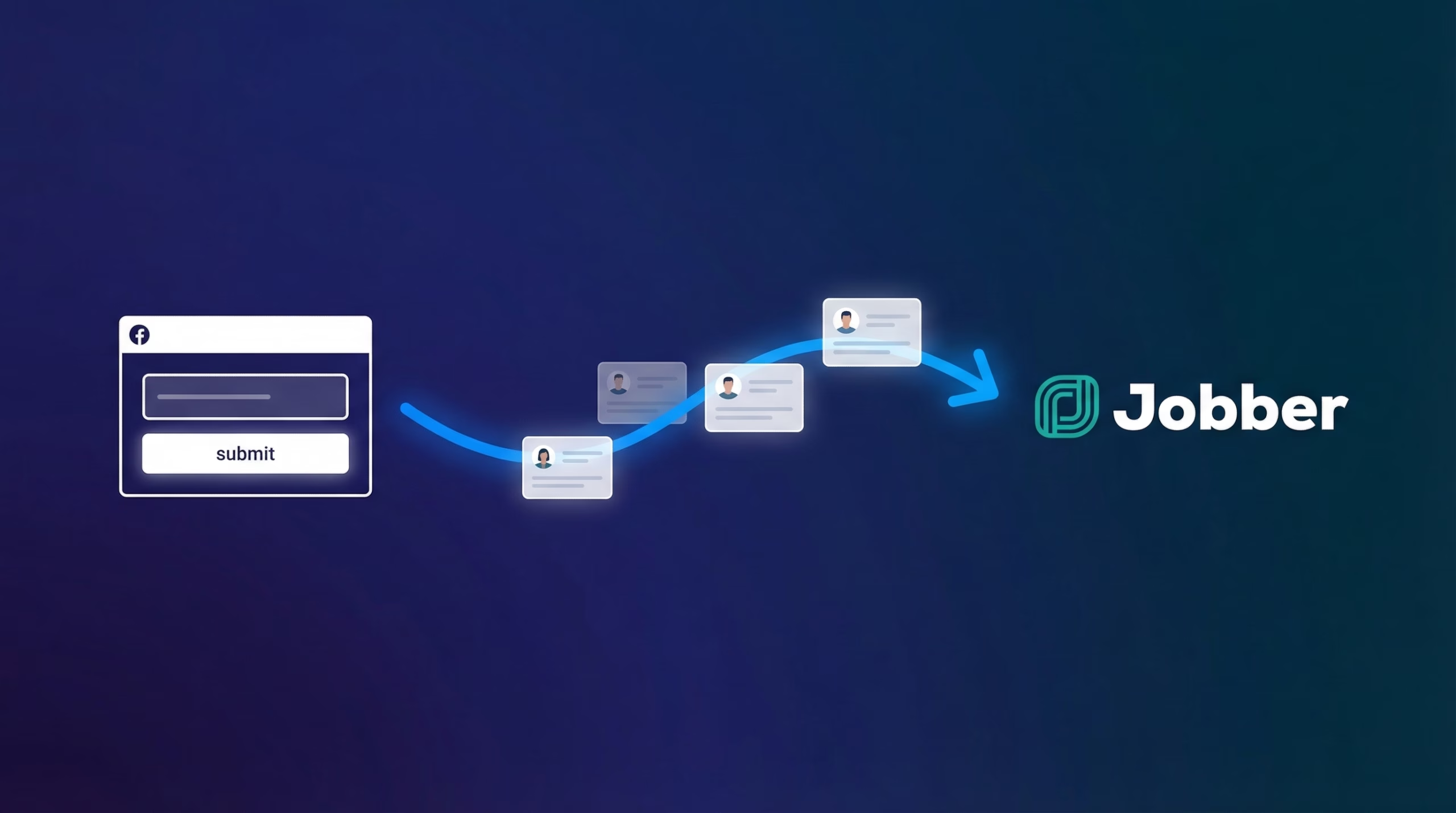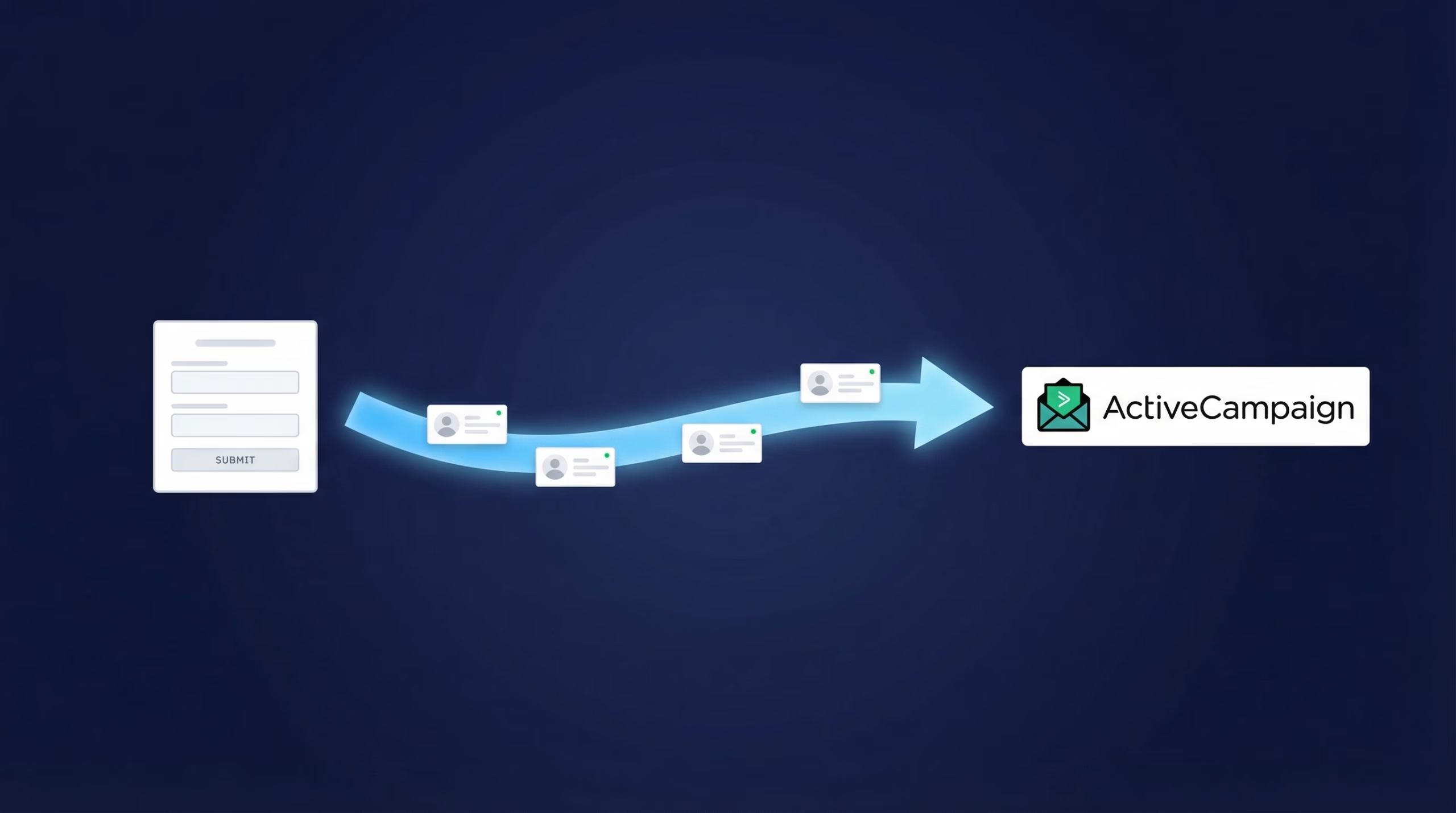
This guide shows you how to connect Facebook Lead Ads to ActiveCampaign so every new lead lands in your list in real time, ready for your automations. Setup takes about 5 minutes with LeadSync, and you will not need Zapier, code or a developer.
Why Send Facebook Leads to ActiveCampaign Automatically?
By default, Facebook stores lead ad submissions inside Meta’s Ads Manager, and you have to download them manually as a CSV. That delay kills conversions: research published by Harvard Business Review found companies that contacted leads within an hour were nearly 7 times more likely to qualify them than those that waited even an hour longer (HBR, 2011).
Connecting your lead ads directly to ActiveCampaign fixes this:
Real-time sync: leads arrive in your ActiveCampaign list seconds after the form is submitted, so your speed to lead is measured in minutes, not days.
Automations fire instantly: a new contact entering your list can trigger a welcome sequence, sales notification or deal creation straight away.
Custom field mapping: every question in your Facebook lead ad form, including custom ones, maps to the right ActiveCampaign field.
No manual work or data loss: LeadSync has processed over 10 million leads for customers, so nothing depends on someone remembering to export a CSV.
Access Meta leads faster. Start a free 7-day LeadSync trial, no credit card required.
What Do You Need Before You Start?
- A Facebook Page with a published lead form (and admin access to the Page)
- An ActiveCampaign account with at least one list set up
- A LeadSync account (the 7-day free trial works fine for setup and testing)
How Do You Connect Facebook Lead Ads to ActiveCampaign?
The setup has two halves: first you add ActiveCampaign as a connection in LeadSync, then you pair a Facebook lead form with that connection.
Step 1: Add ActiveCampaign as a Connection in LeadSync
Log in to LeadSync, go to Connections, then click the Add Connections button.
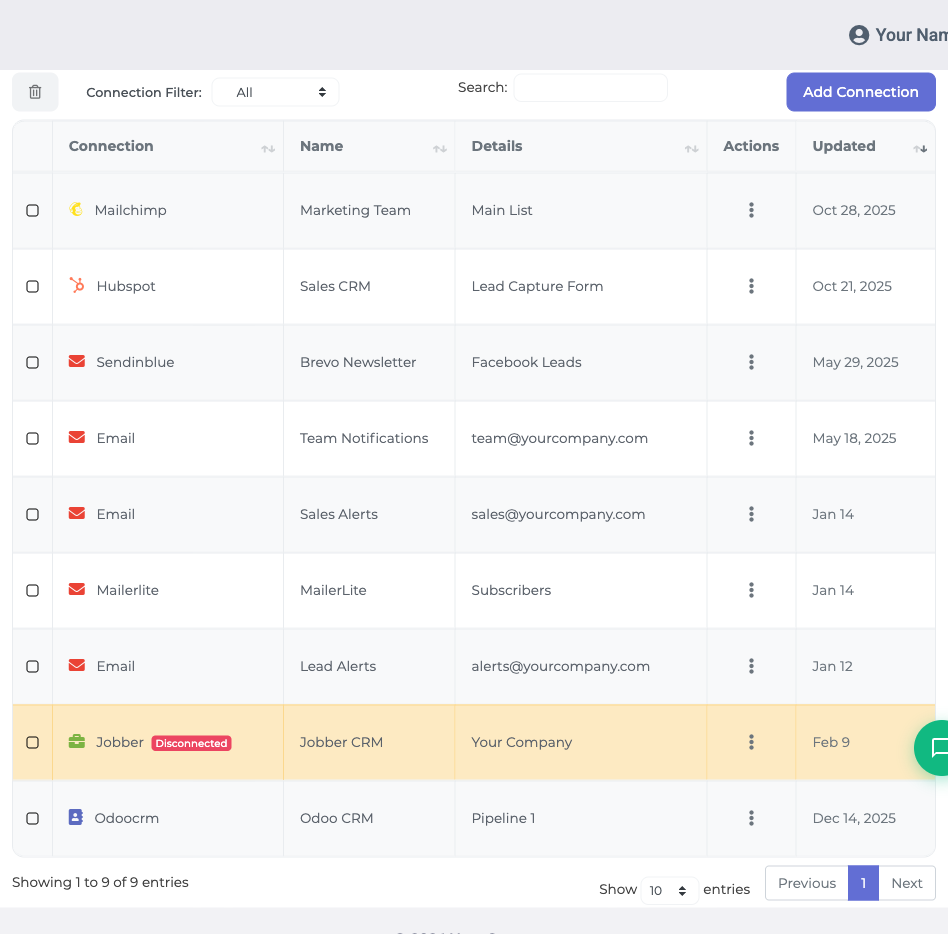
Select ActiveCampaign from the dropdown menu.
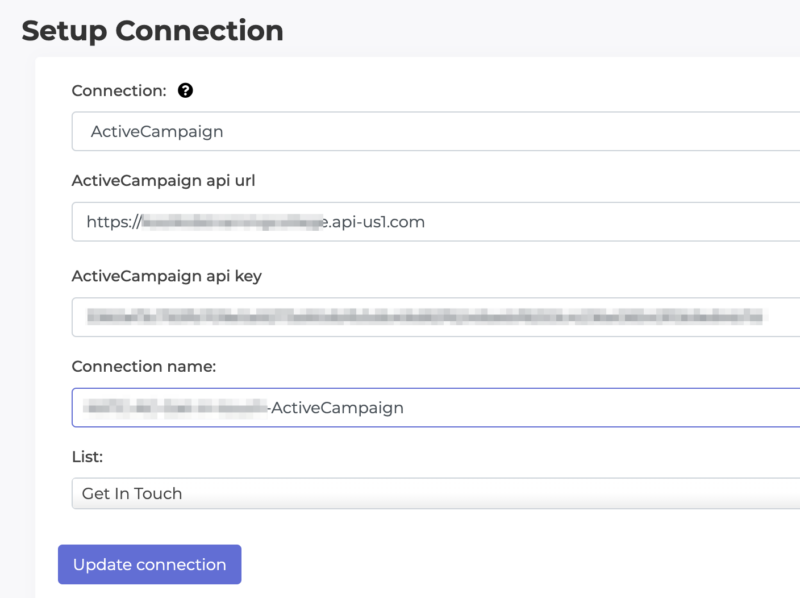
Step 2: Find Your ActiveCampaign API URL and Key
In a separate tab, log in to ActiveCampaign and go to Settings, then Developer. Copy the API URL and API Key shown there, and paste them into the matching LeadSync fields. (Our ActiveCampaign support doc has screenshots if your account menu looks different.)
Name your connection something recognisable like “ActiveCampaign - Main List” so you can tell it apart from other connections later, then save it.
Step 3: Pair Your Facebook Lead Form
Go to the Lead Forms section in LeadSync and click Add Facebook Lead Form.
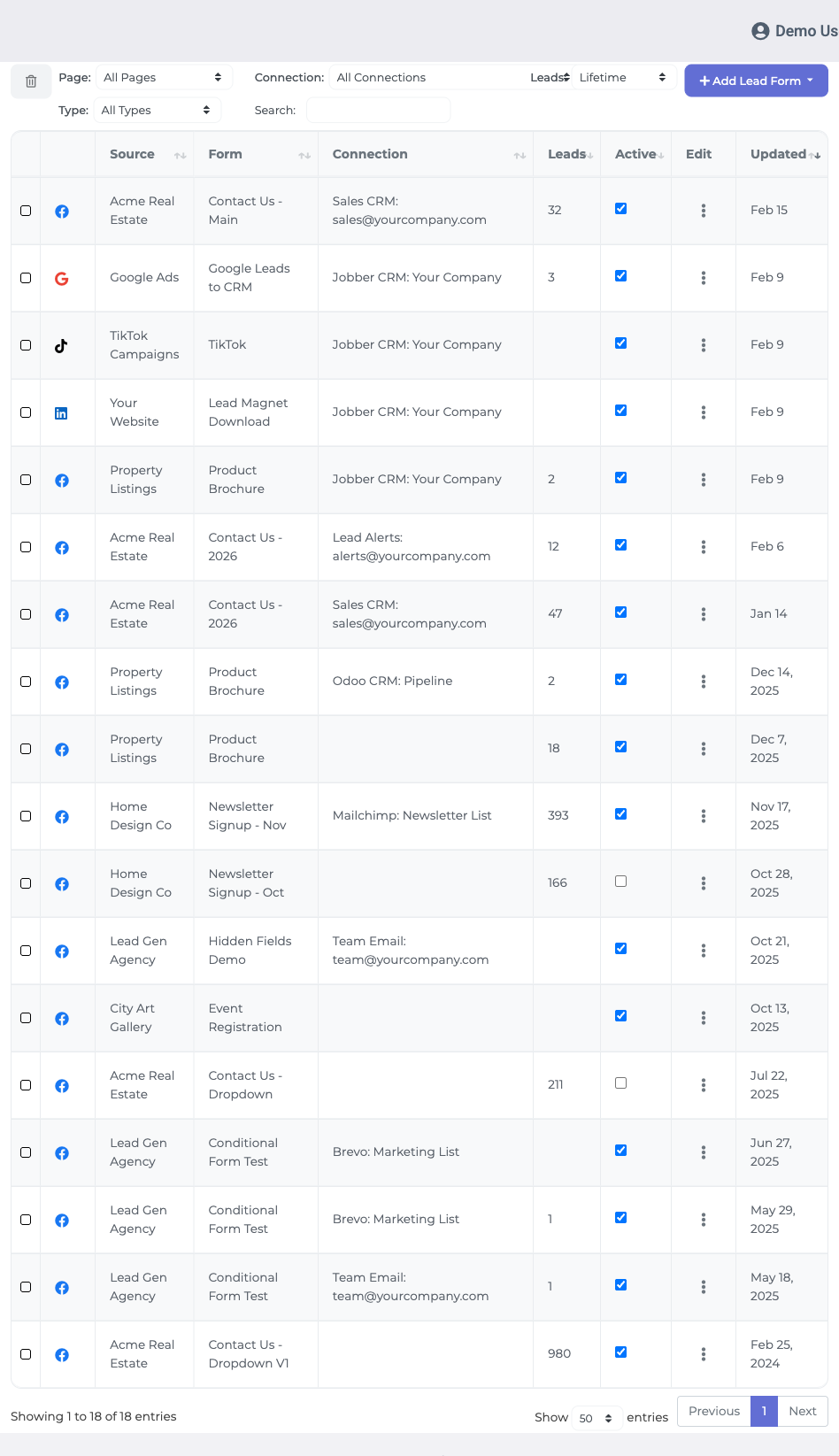
Select your Facebook Page and the lead form used in your ad, then choose the ActiveCampaign connection you created in step 1.
Step 4: Choose a List and Map Your Fields
Select the ActiveCampaign list you want new leads added to. Then map each field from your Facebook lead form to the matching ActiveCampaign field: name to name, email to email, and any custom questions to the custom fields you have created in ActiveCampaign.
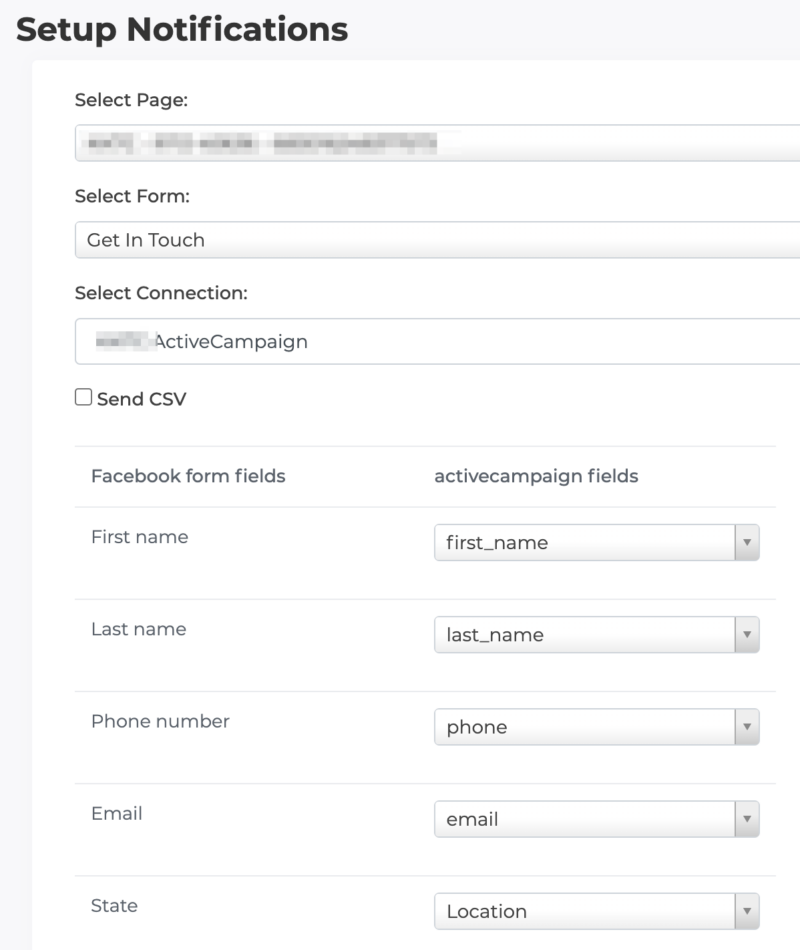
Click Update notification to save the pairing. The sync is now live.
Step 5: Send a Test Lead
Before spending ad budget, verify the connection end to end by creating a test lead with Meta’s Lead Ads Testing Tool. Within a few seconds you should see the test contact appear in your chosen ActiveCampaign list.
Can Facebook Leads Trigger ActiveCampaign Automations?
Yes, and this is where the integration earns its keep. Because LeadSync adds each lead to your list as a new contact, any ActiveCampaign automation with a list-entry trigger fires immediately. Popular setups include:
- Welcome sequence: send a first email within minutes of the form submission, while your business is still front of mind.
- Sales notification: notify your team or create a deal in ActiveCampaign’s CRM so someone calls the lead the same day.
- Tag and segment: apply a tag per campaign or form so you can track which ads produce engaged subscribers versus tyre kickers.
If you want leads scored before your sales team sees them, our guide to lead scoring tools covers how to set that up.
Running Ads on Google, LinkedIn or TikTok Too?
LeadSync sends leads to ActiveCampaign from all the major lead ad platforms, so you can manage every source through one dashboard:
- How to Send Google Ads Leads to ActiveCampaign
- How to Send LinkedIn Lead Gen Leads to ActiveCampaign
- How to Send TikTok Leads to ActiveCampaign
Why Aren’t My Facebook Leads Showing Up in ActiveCampaign?
If test leads are not arriving, the cause is almost always one of these:
- The lead form is paired to the wrong connection or list. Re-open the form in LeadSync’s Lead Forms section and check both.
- A required ActiveCampaign field is unmapped. Re-check the field mapping, especially email, which ActiveCampaign requires for every contact.
- The API key was regenerated. If someone reset the key in ActiveCampaign, update it in your LeadSync connection.
- Facebook page permissions changed. Reconnect your Facebook account in LeadSync if you have recently changed Page roles.
For a full walkthrough of sync issues across every platform, see why your Facebook leads aren’t syncing.
Frequently Asked Questions
Do I need Zapier to connect Facebook Lead Ads to ActiveCampaign?
No. LeadSync connects directly to both Facebook and ActiveCampaign, so there is no Zapier subscription, no zap to maintain, and one less tool in the chain. You authorise Facebook, paste in your ActiveCampaign API details, and the sync runs in real time.
What information from Facebook lead ads can be synced to ActiveCampaign?
All standard contact fields such as name, email and phone number, plus any custom questions you have added to your lead ad form. Each field can be mapped to a standard or custom field in ActiveCampaign during setup.
How quickly are leads transferred from Facebook to ActiveCampaign?
In real time. As soon as someone submits your Facebook lead ad form, LeadSync receives the lead via webhook and sends it straight to ActiveCampaign. Leads typically appear in your list within seconds of submission.
Can Facebook leads trigger ActiveCampaign automations?
Yes. Because leads arrive in your chosen list as new contacts, any automation with a list-entry trigger fires immediately. A common setup is a welcome email sequence that starts the moment a lead comes in from Facebook.
Can I map custom fields from my Facebook lead ads to ActiveCampaign?
Yes. During the lead form pairing step you choose how each Facebook form field maps to your ActiveCampaign fields. If you have custom questions in your form, create matching custom fields in ActiveCampaign first, then map them in LeadSync.
Do I need any technical skills to set up this integration?
No. The whole setup is point and click: copy your API URL and key from ActiveCampaign, paste them into LeadSync, and pick your Page, form and list from dropdown menus. Most people finish in about 5 minutes.
Is there a limit to the number of leads I can sync?
Lead volume depends on your LeadSync plan: Business handles up to 1,500 leads per month, Marketer up to 50,000, and Agency is unlimited. Check that your ActiveCampaign plan also supports your expected contact volume.
Can I sync leads from multiple Facebook ad accounts to one ActiveCampaign account?
Yes. You can pair lead forms from multiple Facebook Pages and ad accounts with the same ActiveCampaign connection, and choose a different list for each form if you want to keep campaigns separated.
Access Meta leads faster. Start a free 7-day LeadSync trial, no credit card required.
Related Integration Guides
Looking for a different destination for your Facebook leads? These integration guides walk you through setup step by step: