LinkedIn Lead Gen Forms are the reason LinkedIn works as a paid lead channel at all. They turn an expensive impression into a submitted lead without asking the prospect to leave the feed, load a page, or type their details. This guide covers what they are, the exact 2026 limits, eight examples by offer type, how to create, test and download them, and the step most teams get wrong: getting the leads out of LinkedIn and in front of your sales team fast.
This guide is about the forms themselves. For running the ad campaigns that feed them (formats, targeting, budgets, and cost benchmarks), see our companion guide on how to run LinkedIn Lead Gen Ads.
What Is a LinkedIn Lead Gen Form?
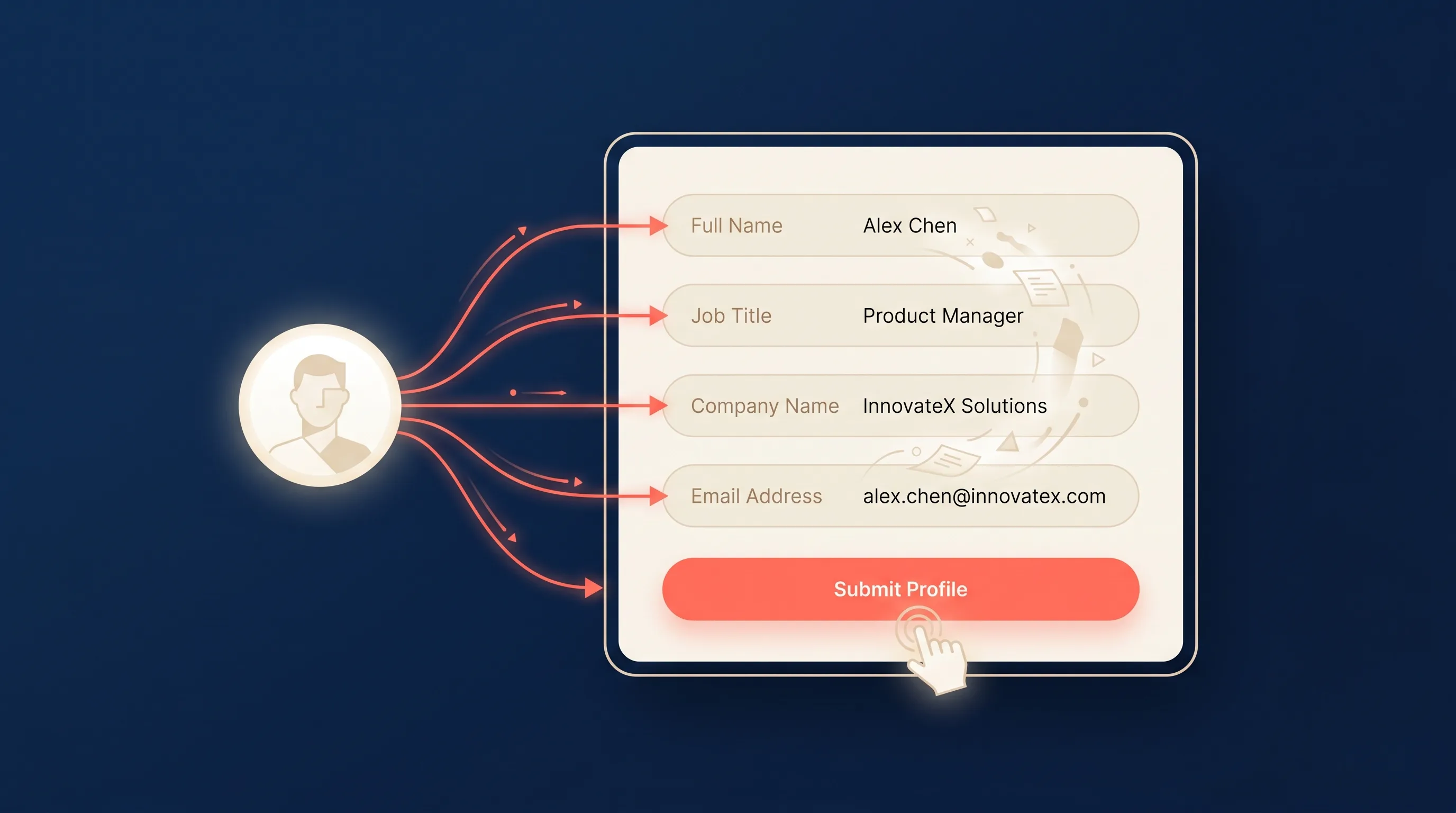
A LinkedIn Lead Gen Form is a native lead capture form that opens inside LinkedIn when a member taps the call to action on your ad. Instead of sending the prospect to a landing page, LinkedIn opens a form that is already filled in with the data LinkedIn holds on that member: their name, work email, job title, company, and more.
The prospect reviews the pre-filled details, answers any custom questions you added, and taps submit. The whole interaction happens in the feed, on the device they are already holding, in a couple of seconds. That low friction is why Lead Gen Forms convert so much better than the landing page alternative.
One thing they are not: a form you can put on your LinkedIn Page. LinkedIn has retired lead gen forms for Pages and Showcase Pages. In 2026 a Lead Gen Form is an ad asset, created in Campaign Manager and attached to a campaign.
How LinkedIn Lead Gen Forms Work
Three things happen behind a Lead Gen Form:
- The ad is delivered to the audience you targeted.
- The form opens pre-filled. When the prospect taps a CTA like Download the guide or Request a demo, LinkedIn opens the form with their profile data already populated.
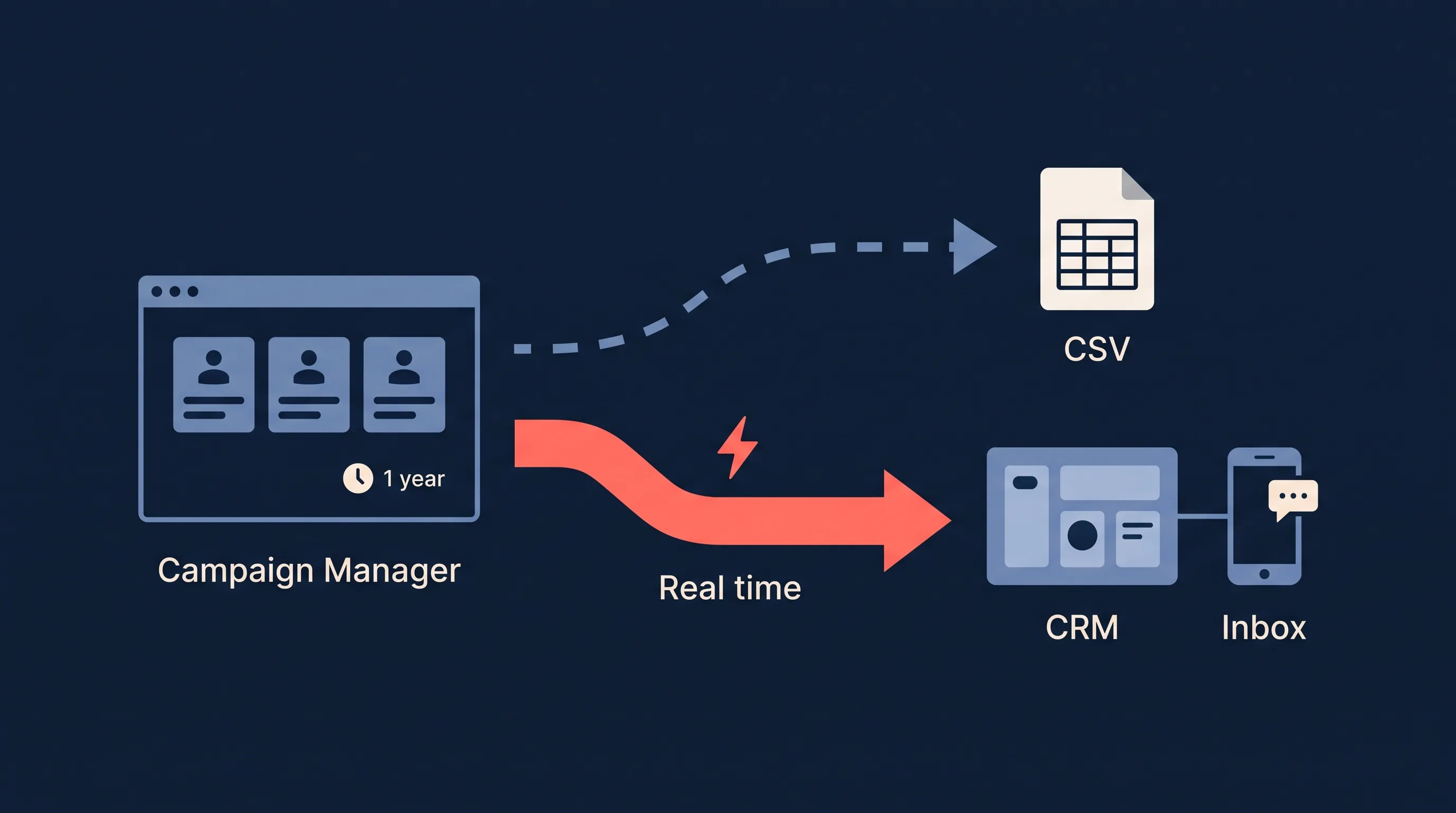
- They submit. The completed lead appears in LinkedIn Campaign Manager, and if you have connected a sync tool, it lands in your CRM or inbox in real time.
The pre-fill is the magic. Because the data comes straight from the member’s LinkedIn profile, it is accurate and complete, with none of the typos or fake details you get from open text fields on a website form.
LinkedIn Lead Gen Form Specs (2026)
Every limit below comes from LinkedIn’s own Lead Gen Form specifications and help documentation. Bookmark this table; the builder will not always tell you why a form is rejected.
| Element | Limit |
|---|---|
| Form name (internal) | 256 characters |
| Offer headline | 60 characters |
| Offer detail (optional) | 160 characters |
| Privacy policy URL | Required, up to 2,000 characters |
| Privacy policy text | Up to 2,000 characters |
| Form fields | Up to 12 (LinkedIn recommends 3 or 4) |
| Custom questions | Up to 3, 100 characters each |
| Custom checkboxes | Up to 5, not counted in the 12 fields |
| Call-to-action button | 20 characters |
| Confirmation message | 300 characters |
| Landing page URL on the thank-you screen | Up to 2,000 characters |
| Hidden fields | Yes, set under the form’s Settings |
Ad formats that support Lead Gen Forms: single image, carousel, video, event, document, message and conversation ads, plus Thought Leader Ads. Text Ads and Dynamic Ads do not support them.
What they cost: nothing beyond the ad delivery. There is no charge for creating or using a form, and campaigns bill on cost per click or cost per impression. LinkedIn does not offer cost-per-lead bidding, so your CPL is an outcome, not a target you can set.
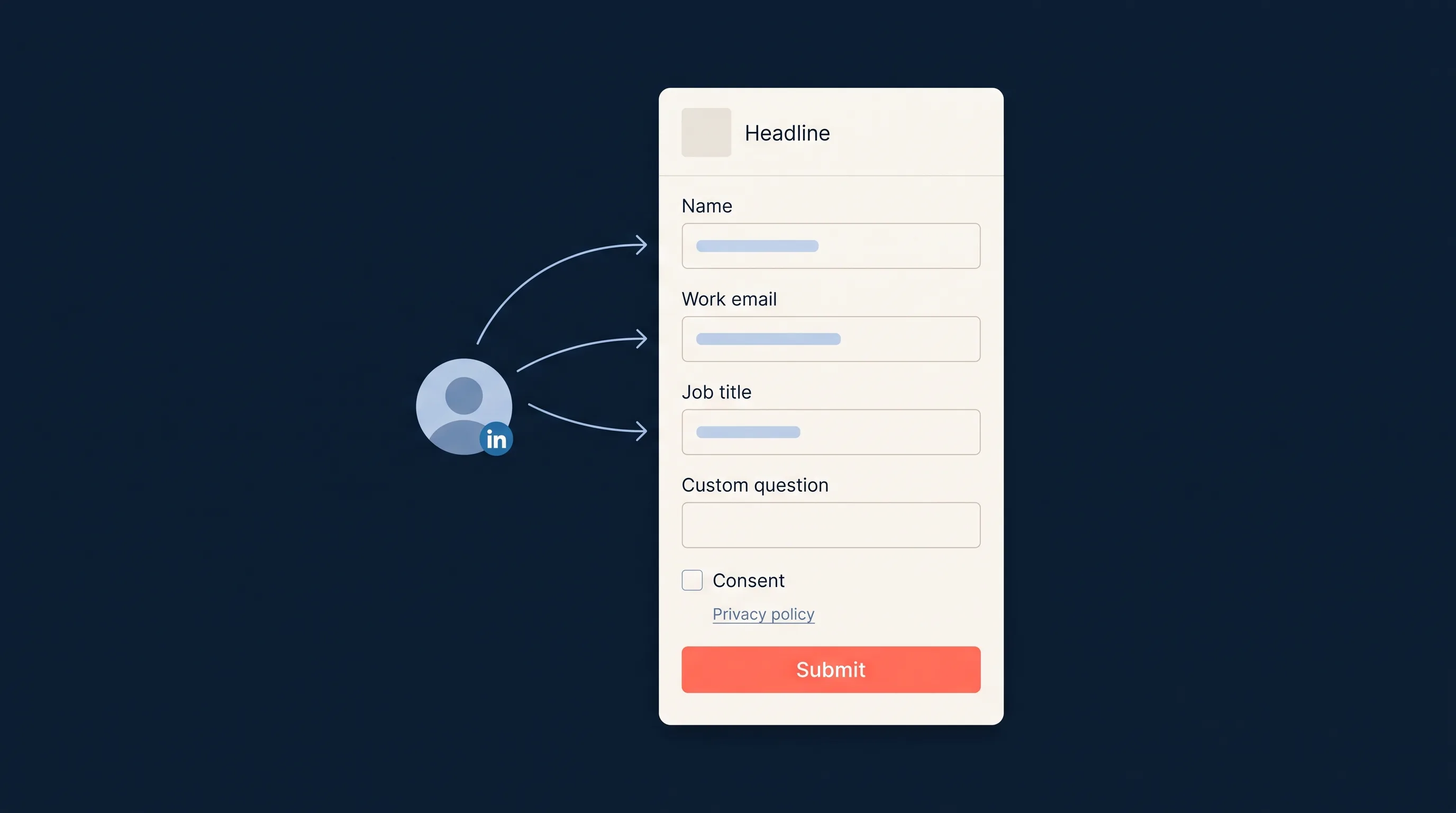
Anatomy of a form
- Form name and language. Internal name for the form, plus the language it displays in.
- Offer headline and detail. The value exchange. This is what convinces someone to hand over their details, so it matters as much as the ad creative.
- Profile fields. The pre-filled data points you request (see the next section).
- Custom questions. Up to three of your own questions, either multiple choice or single-line text, for qualification.
- Consent checkboxes. Optional custom checkboxes for marketing consent or terms, plus the required privacy policy.
- Confirmation screen. The thank-you message, an optional landing page link or appointment booking link, and a final CTA.
- Hidden fields. Values the prospect never sees that pass through with the lead, such as campaign name or UTM source.
What Fields Can a LinkedIn Lead Gen Form Collect?
LinkedIn Lead Gen Forms pull from two buckets: pre-filled profile fields and your own custom questions.
Pre-filled profile fields come from five categories in the builder:
| Category | Options | Examples |
|---|---|---|
| Contact | 11 | First name, last name, email address, phone number, city, state, country, postcode |
| Work | 3 | Job title, job function, seniority |
| Company | 2 | Company name, company size |
| Industry | 4 | Industry and related classifications |
| Demographic | 1 | Gender |
LinkedIn fills these automatically from the member’s profile. The email address is usually the one the member signed up with, which for many people is a personal address, so if you sell B2B and need a work domain, ask for it explicitly with the work email option and expect a small dip in completions.
Custom questions are the fields the prospect actually types or taps:
- Multiple choice questions for clean, structured qualification data (budget band, timeline, team size)
- Single-line text questions for open answers (use sparingly, they lower completion)
- Consent checkboxes for marketing permission or terms
Hidden fields are the third, quieter bucket. Set them under the form’s Settings to pass static or dynamic values with every lead: UTM source, ad set ID, campaign name, or the sales rep who should own the lead. They cost the prospect nothing and they save you a tagging step in the CRM later.
A practical rule: pre-filled fields are nearly free in terms of friction, but every custom question you add costs you completions. Ask one or two qualifying questions at most, and only if the answer changes how you route or prioritise the lead.
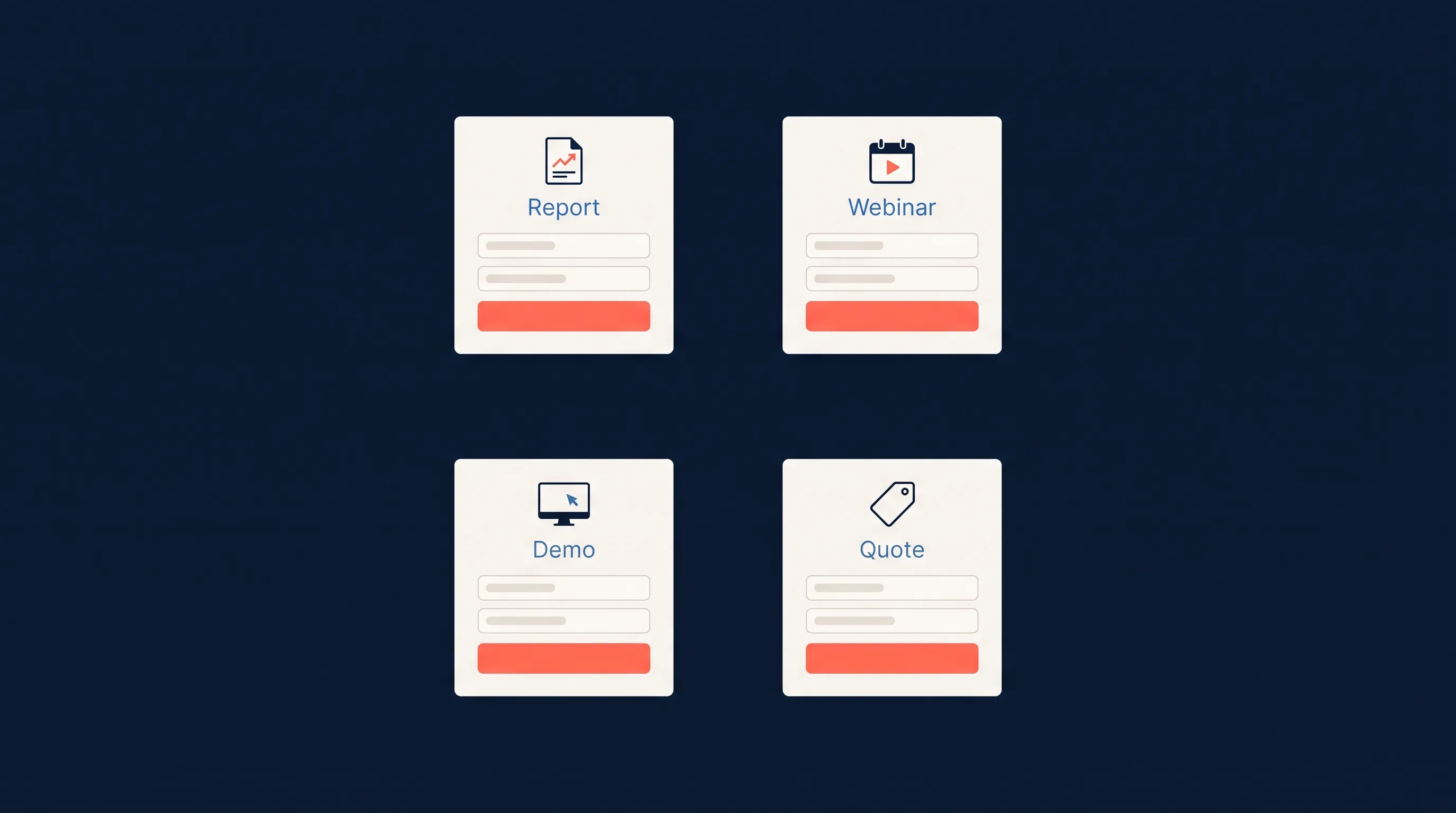
8 LinkedIn Lead Gen Form Examples by Offer Type
The best form depends on what you are offering. Here are the eight offers that make up most B2B Lead Gen Form campaigns, with the field set, custom question and CTA that tend to work for each, and where the lead should land once it is submitted.
1. Gated report or benchmark
The classic. A research report, industry benchmark or annual survey behind a form.
- Headline: name the report and the year. “2026 B2B Lead Response Benchmark” beats “Download our report”.
- Fields: first name, last name, email, job title, company name. Five fields is plenty for a content download.
- Custom question: none, or one multiple choice question on company size to segment the follow-up.
- CTA: Download.
- Where the lead goes: your email platform for the nurture sequence, with the report link in the confirmation message so nobody has to wait for an email.
2. Webinar or event registration
Event ads support Lead Gen Forms natively, so the form doubles as the registration page.
- Headline: the session title and date.
- Fields: first name, last name, email, job title, company.
- Custom question: “What would you most like covered?” as a single-line text field. It lowers completions slightly but gives the speaker real material.
- CTA: Register.
- Where the lead goes: your webinar platform and your CRM at the same time, so the calendar invite and the sales record are both created on submit.
3. Demo request
High intent, higher friction. Expect fewer submissions and treat each one as a hand-raise.
- Headline: promise the outcome, not the meeting. “See how 3,000 lead ads teams cut response time to 2 minutes”.
- Fields: first name, last name, work email, phone number, job title, company name, company size.
- Custom question: “When are you looking to make a decision?” with three or four multiple choice ranges.
- CTA: Request demo.
- Where the lead goes: straight to the CRM as a new deal, plus an instant email or SMS alert to the rep. Demo requests go cold fastest; speed to lead matters most here.
4. Free template or tool
Spreadsheets, calculators, checklists and templates. Low commitment, high volume.
- Headline: what the template does in one line.
- Fields: first name, email, job title. Three fields, because the offer is small.
- Custom question: none.
- CTA: Download.
- Where the lead goes: your email tool, tagged by template so you know which asset each contact came in on.
5. Quote request
Services businesses, agencies, insurers, anyone who prices per customer.
- Headline: “Get a quote in 24 hours” or similar, with the time commitment stated.
- Fields: first name, last name, email, phone number, company name, city.
- Custom question: one multiple choice question that determines the quote, such as team size or monthly volume.
- CTA: Get quote.
- Where the lead goes: the CRM and a Slack channel or SMS alert, so someone can call while the prospect still has LinkedIn open.
6. Free trial or account signup
Software products that let people start without a sales call.
- Headline: the trial length and the no-credit-card promise if you have one.
- Fields: first name, last name, work email, company name.
- Custom question: none. Every extra field here is a lost signup.
- CTA: Start free trial.
- Where the lead goes: your product’s signup flow via webhook, and your CRM so onboarding and sales can see who is trialling.
7. Consultation or audit booking
Consultants, agencies and financial advisers offering a first conversation.
- Headline: name the audit. “A 15-minute teardown of your current lead follow-up” is specific enough to be worth a form.
- Fields: first name, last name, email, phone number, job title, company name.
- Custom question: “What is your biggest challenge right now?” as multiple choice, so the consultant can prepare.
- CTA: Book a call.
- Where the lead goes: the CRM and a calendar booking link on the confirmation screen, so the prospect books the slot themselves.
8. Newsletter subscription
The lowest commitment offer, useful for building an audience you can retarget.
- Headline: what the newsletter covers and how often it lands.
- Fields: first name, email. Two fields. Anything more and you are asking for a lot in exchange for a newsletter.
- Custom question: none.
- CTA: Subscribe.
- Where the lead goes: your email platform, straight into the list, with a consent checkbox on the form to keep the subscription compliant.
Across all eight, the pattern is the same: match the number of fields to the size of the ask, use one custom question only when its answer changes what you do next, and decide before launch where the lead is going to land.
LinkedIn Lead Gen Form Best Practices
- Lead with a real offer. A specific, valuable asset (a benchmark report, a template, a demo) beats a vague “learn more.” The offer is doing half the conversion work.
- Keep fields tight. Three or four profile fields plus one qualifying question is the sweet spot. Pre-fill tempts people into bloated forms; resist it.
- Use the work email field when you are selling B2B, so leads do not slip through on a personal Gmail address.
- Qualify with custom questions, do not interrogate. One sharp multiple choice question (“What is your team size?”) filters better than three text fields.
- Write a confirmation screen with a next step. Send submitters to your calendar, your site, or the gated asset rather than a dead-end thank-you.
- Use hidden fields for attribution. Pass the campaign name or UTM source with every lead so your CRM reports on LinkedIn-sourced pipeline without anyone tagging records by hand.
- Name and reuse forms intentionally so you can tell campaigns apart when the leads land in your CRM.
Lead Quality and Conversion Benchmarks
Lead Gen Forms trade a small amount of intent for a large amount of completion. Because submitting is so easy, you capture prospects who would never have filled in a landing page, which means your follow-up has to do more qualifying work. That is a fair trade when the data is accurate and the volume is higher.
The numbers that matter:
- Form completion rate: typically 10 to 13 percent (LinkedIn), versus 2 to 3 percent for landing pages.
- Data accuracy: high, because fields are pulled from the LinkedIn profile rather than typed.
- Cost per lead: LinkedIn is a premium B2B channel, with typical CPLs in the $75 to $130 range. For the full cost breakdown by format and industry, see our LinkedIn Lead Gen Ads guide.
Because the intent is softer than a hand-raise on your website, speed to lead is decisive. A pre-filled form is easy to submit and easy to forget, so the team that follows up in minutes wins the conversation.
LinkedIn Lead Gen Forms vs Landing Pages
| Lead Gen Form | Landing page | |
|---|---|---|
| Completion rate | 10 to 13 percent | 2 to 3 percent |
| Data accuracy | High (pulled from profile) | Variable (typed) |
| Page load | None | Yes, and mobile drop-off is worst here |
| Design control | LinkedIn’s template only | Full |
| Retargeting pixel hit | No page visit to retarget | Yes |
| Where the lead lands | Campaign Manager | Your own form handler |
The trade-off is simple. Lead Gen Forms win on completion rate and data accuracy because there is no page load and no typing. Landing pages win on two narrow points: you get a pageview you can retarget, and you have full control over the message and design beyond what LinkedIn’s form allows.
For most B2B lead capture, the higher completion rate of Lead Gen Forms outweighs the lost pageview, especially on mobile where landing page drop-off is worst. Use landing pages when the offer needs more explanation than a 60-character headline and 160 characters of detail can carry, or when the retargeting pixel hit is worth more to you than the leads.
How to Create a LinkedIn Lead Gen Form in Campaign Manager
The steps below follow LinkedIn’s own instructions.
- Go to your ad account in Campaign Manager.
- Click Content & Assets on the left menu and select Lead generation forms.
- Click Create form at the top.
- Form details: set the form name, language, offer headline (60 characters) and offer detail (160 characters).
- Lead details: choose the profile fields you want (up to 12, aim for 3 or 4) and add up to 3 custom questions.
- Data privacy: paste a valid privacy policy URL. LinkedIn will not approve the form without one. Add any consent checkboxes here.
- Confirmation: write the thank-you message (300 characters) and optionally add a landing page link or an appointment booking link.
- Settings: add hidden fields for tracking, and adjust how field and response names appear in your exports.
- Click Create.
The form is now a reusable asset. Attach it to any campaign that uses the Lead Generation objective, or clone it to test a variation. You can also build the form during campaign setup instead of from the assets library; the sections are the same.
One caution before you edit a form that is already running: LinkedIn resubmits an edited active form for ad review, and the ads attached to it may stop serving until it is approved. Make copy changes before launch, or clone the form and swap it in.
How to Test a LinkedIn Lead Gen Form
LinkedIn does not provide a test-lead tool the way Meta does for Facebook lead ads. Testing happens in two stages.
Before launch: use the preview in the form builder. Check the headline reads well at 60 characters, the pre-filled fields are the ones you meant to ask for, the custom question options make sense, and the privacy policy link resolves. Read the confirmation message as a prospect would; it is the last thing they see.
After launch: submit the form yourself from the live ad. Your own profile has to fall inside the campaign’s targeting for the ad to appear, so if it does not, temporarily add your job title or company to the audience for the test. Once you have submitted, check three places:
- Campaign Manager, to confirm the lead was recorded against the right form.
- Your CRM or inbox, if you have connected a sync. Every field should arrive mapped to the right property, including any hidden fields.
- The confirmation email or asset, if the form triggers one.
Then delete the test record from your CRM so it does not pollute your reporting. If you are syncing with LeadSync, the test lead shows up in the lead log within a minute or two of submission, which is a quick way to confirm the whole pipe works before real budget runs.
How to Download Leads from LinkedIn Lead Gen Forms
By default, submitted leads sit inside Campaign Manager. LinkedIn’s help documentation gives two ways to get them out as a CSV.
Download by form
- In Campaign Manager, open your ad account.
- Click Content & Assets, then Lead generation forms.
- Tick the box next to one or more forms.
- Open the time range dropdown and set the start and end dates.
- Click Download leads, then Download in the pop-up.
LinkedIn exports one CSV file per form.
LinkedIn can also email you when a new lead arrives, but that alert only names the form and the time. Its Download leads button brings you back to the same CSV. If you want the lead’s name, email and answers in the email itself, see how to get LinkedIn lead email notifications with the lead details included.
Download by ad set
- Click Advertise in the left menu and open the Ad Sets tab.
- Tick the ad set you want.
- Set the Time range, click Export at the top right, choose Leads as the report type, and click Export.
Permissions: you need viewer access or higher on the ad account and Lead Gen Forms manager or higher on the Company Page. If the ad account sits in a Business Manager, the Page must be owned by the same Business Manager. Most “I cannot see the download button” support tickets are one of those two.
Retention: LinkedIn states that collected member profile data can only be stored for one year because of its member privacy policy. After that the lead records are deleted, even though the campaign analytics remain. Download regularly, or better, sync each lead out the moment it arrives so retention never becomes your problem.
How to Connect LinkedIn Lead Gen Forms to Your CRM
This is the step that quietly breaks most LinkedIn campaigns. A CSV download is fine for record-keeping and useless for follow-up: by the time someone remembers to export, import and assign, the lead has forgotten clicking the ad. Every hour a lead waits, it gets colder.
There are two ways to make delivery automatic.
LinkedIn’s native lead sync. Campaign Manager can push leads directly into a short list of enterprise platforms, including Salesforce, HubSpot, Microsoft Dynamics 365, Marketo and Oracle Eloqua. If you are on one of those and only need the lead record created, it works well.
A sync tool. For everything else, or when you also want alerts, LeadSync reads each submission the moment LinkedIn records it and delivers it wherever your team actually works, with field mapping handled in a visual interface and hidden fields passed through:
- Straight to your inbox with instant email notifications, or as an SMS or Slack alert to the rep who owns the lead
- Into your CRM: HubSpot, Salesforce, Pipedrive, Zoho CRM, Follow Up Boss, Copper, Odoo, GoHighLevel or Keap
- Into your email and marketing tools: ActiveCampaign, Mailchimp, Kit (ConvertKit), MailerLite, GetResponse, Brevo or Constant Contact
- Into a spreadsheet with a Google Sheets sync, which is also the quickest way to build a shared lead log for a small team
Leads arrive in seconds, not days, so your team follows up while the prospect still remembers the ad. The same connection handles Facebook, Instagram, Google and TikTok lead forms, so multi-channel campaigns land in one pipeline.
Frequently Asked Questions
What is a LinkedIn Lead Gen Form?
A LinkedIn Lead Gen Form is a native lead capture form that opens inside the LinkedIn feed when a member taps your ad’s call to action. LinkedIn pre-fills the form with the member’s own profile data (name, work email, job title, company, and more), so they can submit in one or two taps without leaving the platform or typing anything.
How many fields can a LinkedIn Lead Gen Form have?
Up to 12 fields, though LinkedIn recommends 3 or 4. The fields come from five categories: Contact, Work, Company, Industry and Demographic. You can also add up to 3 custom questions of 100 characters each, plus custom consent checkboxes, which do not count toward the 12-field limit.
What fields can a LinkedIn Lead Gen Form collect?
Standard profile fields that LinkedIn pre-fills (first and last name, email address, phone, job title, company name, company size, seniority, industry, and location), plus your own custom questions and consent checkboxes. A privacy policy URL is required. Profile fields are pre-filled; custom questions are typed by the prospect.
How long does LinkedIn keep Lead Gen Form leads?
One year. LinkedIn’s help documentation states that collected member profile data can only be stored for one year under its member privacy policy, after which it is deleted. Campaign analytics remain available longer, but the lead records themselves do not. Download your leads regularly or set up a real-time sync so nothing is lost.
How do I download leads from LinkedIn Lead Gen Forms?
In Campaign Manager, open Content & Assets, choose Lead generation forms, tick the forms you want, set a date range and click Download leads. LinkedIn exports one CSV per form. You need viewer access or higher on the ad account and Lead Gen Forms manager or higher on the Company Page.
Can I connect LinkedIn Lead Gen Forms to my CRM automatically?
Yes. LinkedIn offers native lead sync for a short list of enterprise CRMs and marketing automation platforms. For any other destination, or for email and SMS alerts, Google Sheets, Slack or webhooks, a sync tool like LeadSync delivers each lead the moment it is submitted, with field mapping handled in a visual interface.
Are LinkedIn Lead Gen Forms free to create?
Yes. Creating a form is free inside LinkedIn Campaign Manager and there is no extra charge for using one. You pay for the ad delivery that sends people to it, on a cost-per-click or cost-per-impression basis. LinkedIn does not offer cost-per-lead bidding for Lead Gen Form campaigns.
What is a good conversion rate for a LinkedIn Lead Gen Form?
Form completion rates of 10 to 13 percent are common for Lead Gen Forms, compared with 2 to 3 percent for sending the same traffic to a landing page. The pre-filled, in-platform experience removes nearly all of the friction that causes landing page drop-off.
Which LinkedIn ad formats support Lead Gen Forms?
Single image, carousel, video, event, document, message and conversation ads all support Lead Gen Forms, and so do Thought Leader Ads. Text Ads and Dynamic Ads do not; those send people to a landing page or profile instead.
Can I use Lead Gen Forms on a LinkedIn Page without running ads?
No, not any more. LinkedIn has retired lead gen forms for LinkedIn Pages and Showcase Pages. Lead Gen Forms now exist only as ad assets inside Campaign Manager, attached to a campaign with the Lead Generation objective.
What are hidden fields in a LinkedIn Lead Gen Form?
Hidden fields are values the prospect never sees but that travel with every lead, set under the form’s Settings. Use them to pass campaign name, UTM source, ad set ID or the sales rep who owns the lead into your CRM, so you can report on LinkedIn-sourced pipeline without manual tagging.
How do I test a LinkedIn Lead Gen Form?
LinkedIn has no test-lead tool, so preview the form in the builder to check copy and fields, then submit it yourself from the live ad once the campaign is running. If you have connected a sync tool, confirm that the test submission arrived in your CRM or inbox with every field mapped correctly, then delete the test record.
Put Your LinkedIn Lead Gen Forms to Work
The form is only half the job. The leads it captures are worth nothing while they sit in Campaign Manager, and after a year LinkedIn deletes them. With LeadSync, every LinkedIn Lead Gen Form submission flows into your CRM or inbox the moment it happens.
Next steps: learn how to run the ad campaigns that feed your forms, read our B2B lead generation playbook for the bigger picture, or check how to access a LinkedIn ad account through Business Manager if the download button is missing. Choosing between platforms? Compare Google, Meta, LinkedIn, and TikTok lead ads.