RealtyJuggler provide a functional and affordable CRM for Real Estate Businesses. If you’re wanting to automatically add leads from Facebook Lead Ads to your Prospect list in RealtyJuggler, here’s how:
Follow our Facebook Email Notifications setup instructions but instead of using your personal email address in step 4 of the instructions above, use the Prospect email address from your RealtyJuggler account.
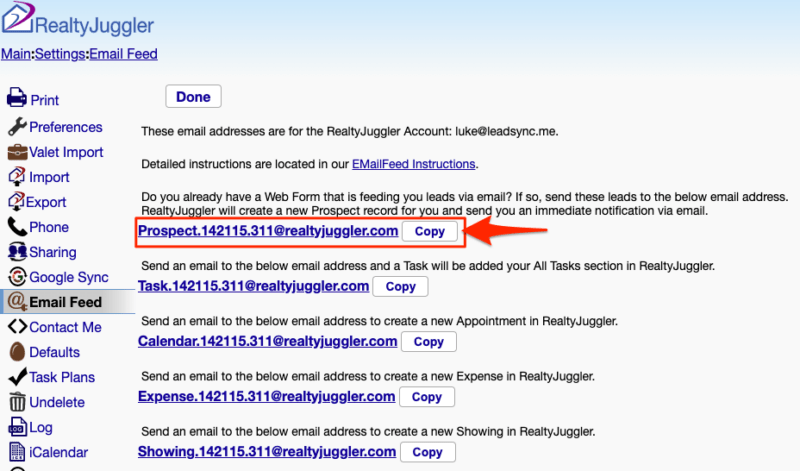
Finding your RealtyJuggler Prospect Email Address
To find this email address go to Settings > Email Feed and copy the Prospect email address.
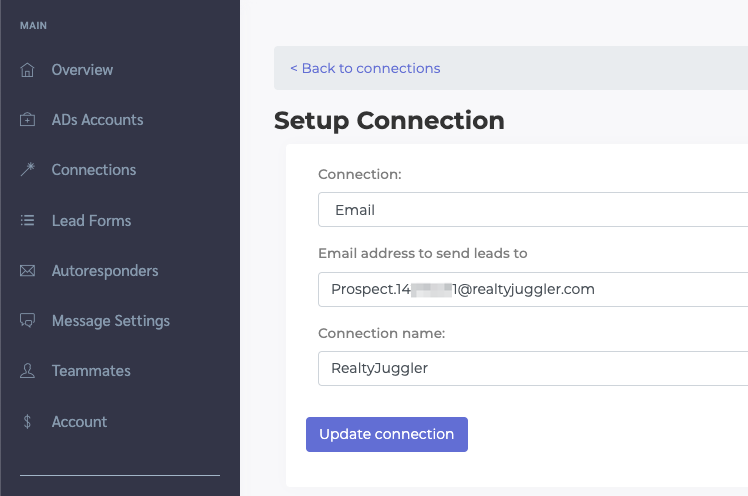
Paste this address into the your LeadSync Connection settings:
Here’s how to send a test lead to your prospect list.