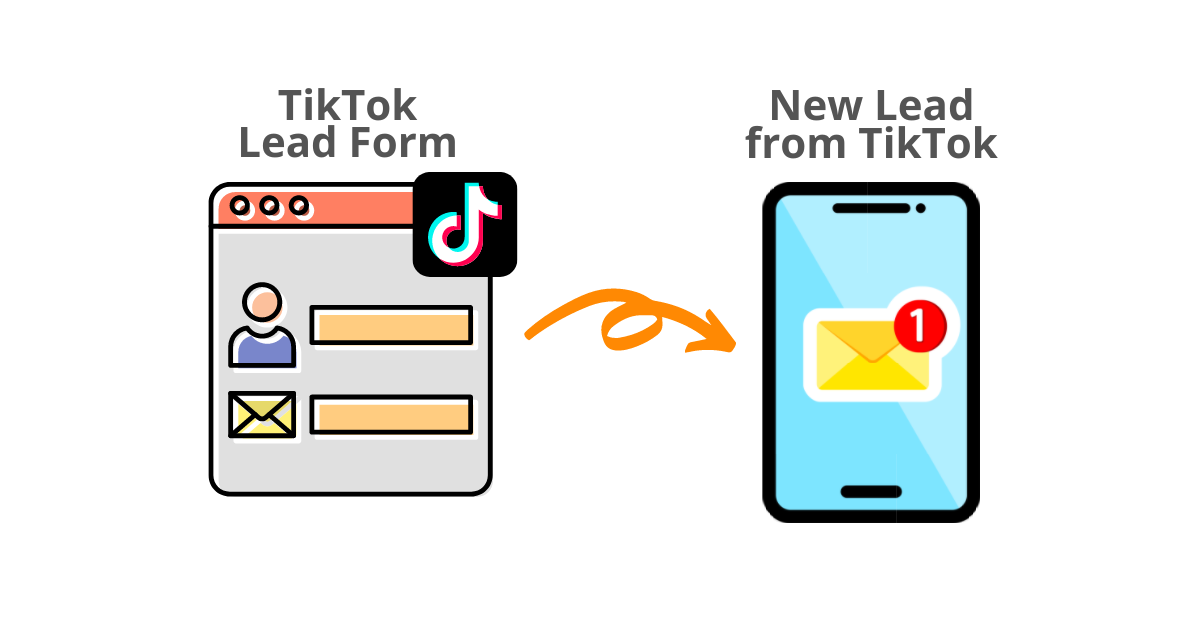
If you’re running TikTok lead gen ads, you’ve probably noticed the silence: someone submits your Instant Form and TikTok tells you nothing. No email, no alert. The lead just sits in Ads Manager until you go looking.
Here’s how to send TikTok leads to email automatically, so every new lead lands in your inbox within a couple of minutes, with all the form data included.
Short answer: TikTok doesn’t send lead email notifications natively. To get TikTok leads to email in real time, connect your TikTok Ad Account to LeadSync, add your email address as a connection, and pair it with your Instant Form. Setup takes about five minutes, no code required.
Why does this matter? Leads contacted within 5 minutes are 21x more likely to convert. A lead you discover tomorrow morning in Ads Manager is a lead your competitor called yesterday.
New to TikTok lead generation? See our guide on 10 ways to generate leads on TikTok, or the complete TikTok ads guide for a broader overview of the platform.
Access TikTok leads faster. Start a free 7-day LeadSync trial.
Setting up TikTok Lead Ad Email Alerts
Add Your TikTok Ad Account to LeadSync
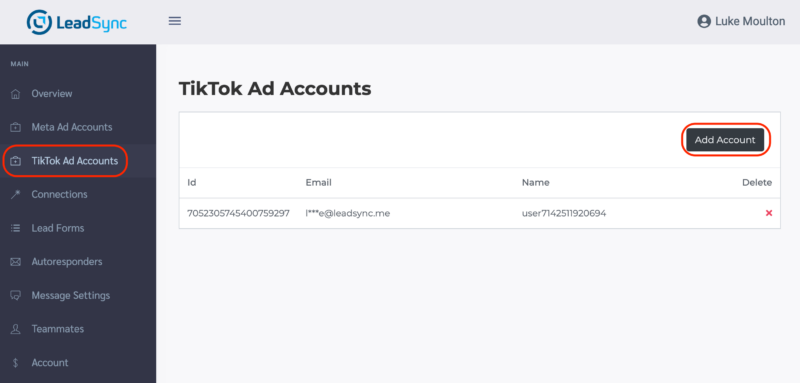
Login to your LeadSync account and go to the TikTok Ads Accounts section and click the Add Account button.
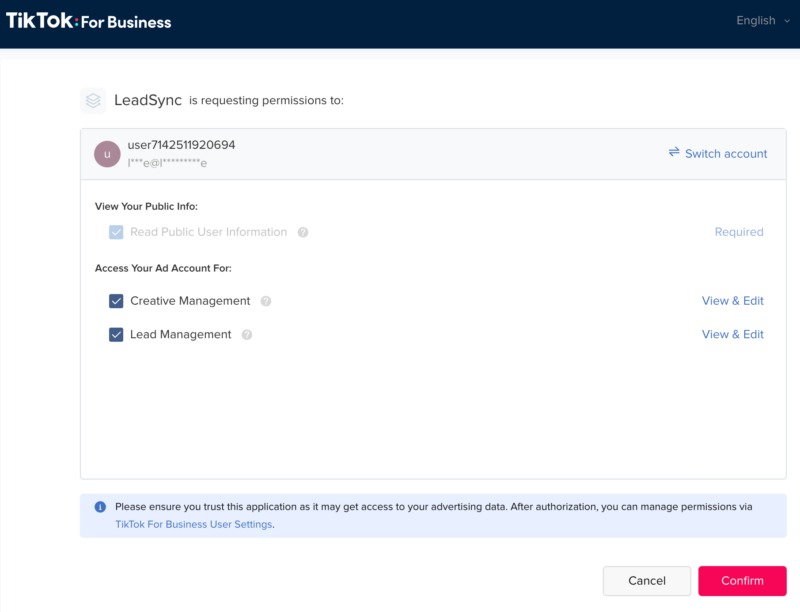
Confirm Permissions. You should see a screen similar to the following. Click the confirm button so LeadSync can send you TikTok lead notifications via email.
Add an Email Connection
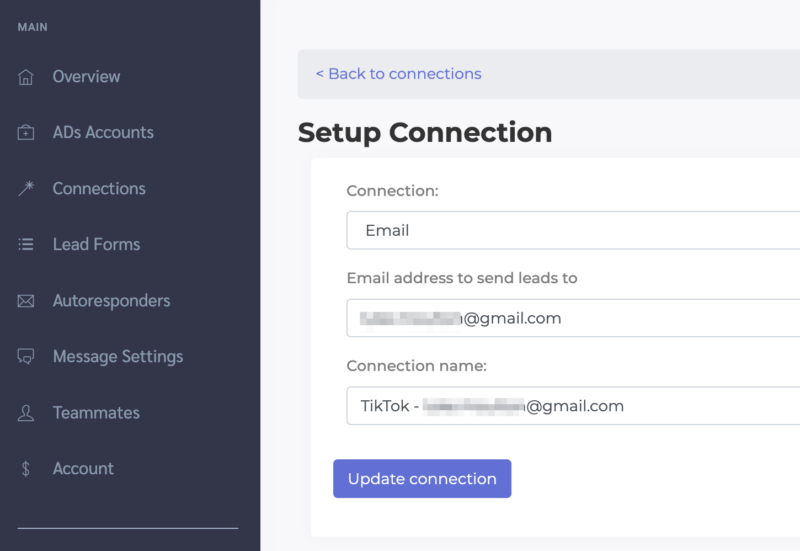
Go to the Connections section and click the Add Connection button.
Select Email from the Connection dropdown. Enter the email address you want to send leads to and name your connection (for internal purposes only).
Any inbox works, including Gmail, Outlook, and custom domain addresses. To send TikTok leads to multiple email addresses, separate them with commas. You can then choose to send every lead to all recipients, or round-robin so each new lead rotates to the next person on your team.
Pair Your TikTok Lead form with the Email Connection
Go to the Lead Forms section and click the Add TikTok Lead Form button.
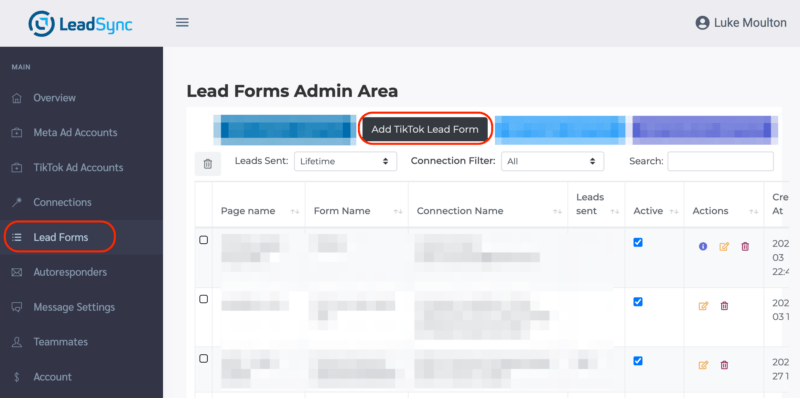
Select your TikTok form and pair it with the email connection you just setup. Click the Update notification button to finish.
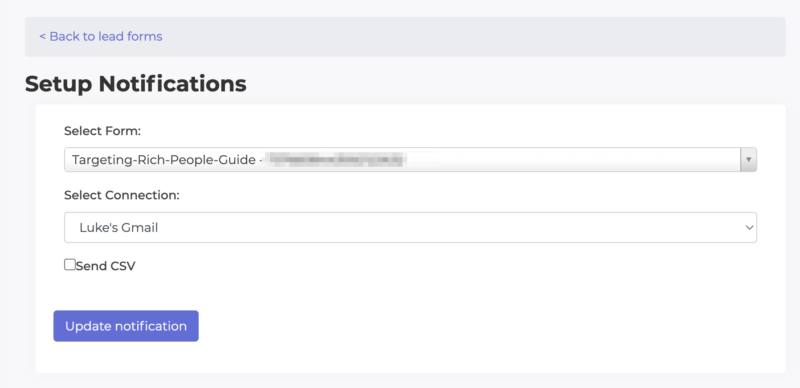
Where to find the form ID
If you need to check the form ID you’re using in your ads, you’ll find it in the Tools > Instant Page section in TikTok Ads Manager.
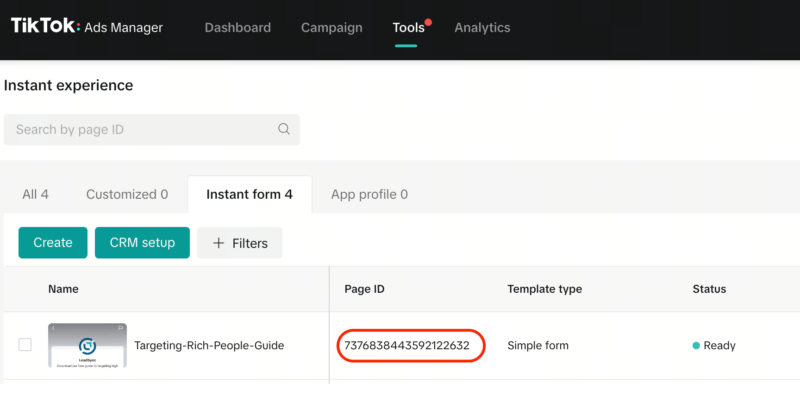
How to Test Your TikTok Lead Form
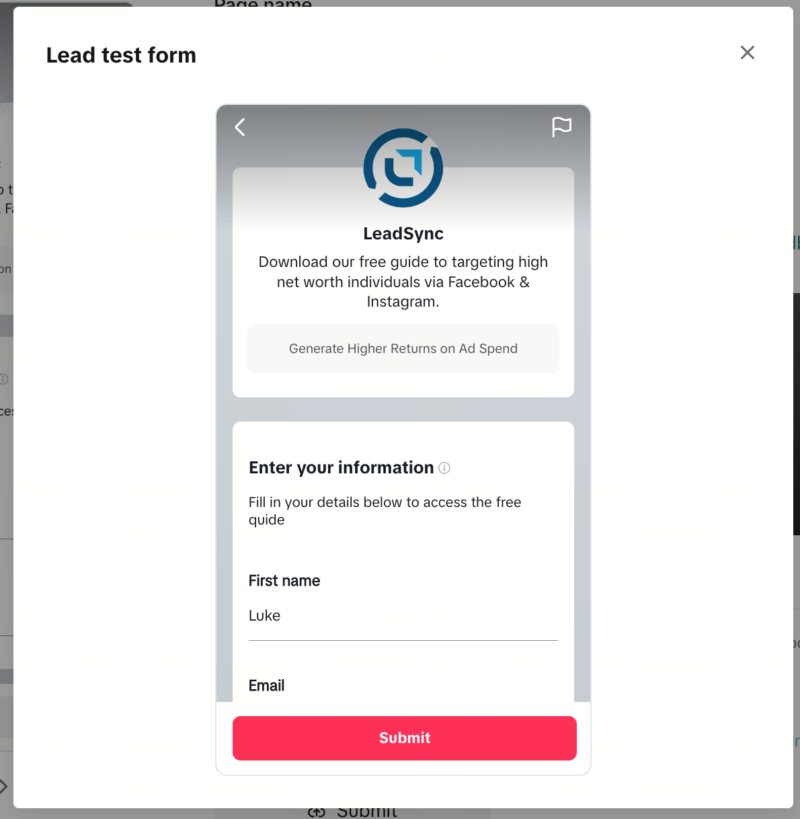
To send a test lead: go to the Tools > Instant Page > Instant Form section in TikTok Ads Manager and click on the Preview link next to the form you want to test.
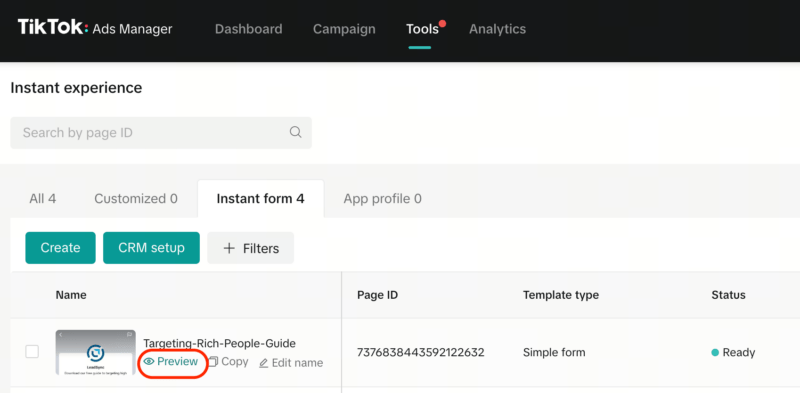
Click the Submit Button
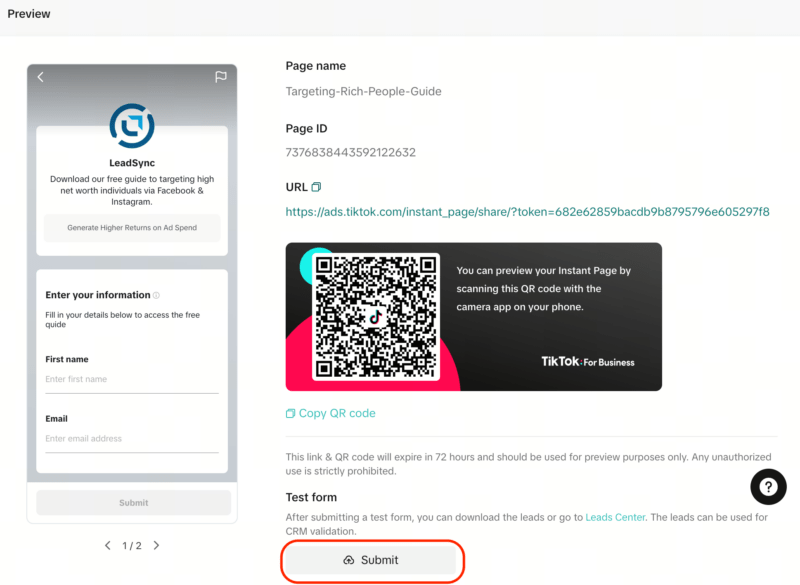
Fill in the form and submit
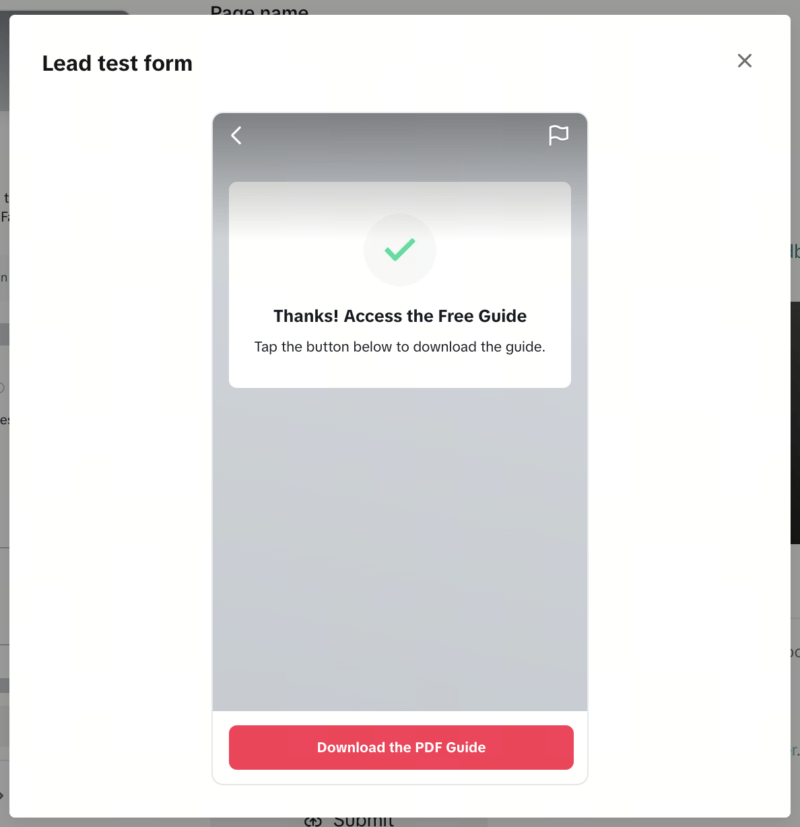
You should see the confirmation (thank you) screen.
Your test lead should arrive in your inbox within a couple of minutes. If it doesn’t, double-check that you paired the correct form ID and that your email address is entered correctly, then check your spam folder.
Beyond Email: Other Places to Send TikTok Leads
Email is the natural first destination, but you can route the same TikTok leads to several places at once with LeadSync:
- Send TikTok leads to Google Sheets for a running record you can filter and share
- Send TikTok leads to HubSpot or Salesforce so your sales pipeline updates itself
- Set up TikTok lead autoresponders to acknowledge each lead instantly while you prepare to follow up
Frequently Asked Questions
Does TikTok send email notifications for new leads?
No. TikTok does not email you when someone submits your Instant Form. Leads accumulate in TikTok Ads Manager (or the TikTok Leads Center) until you download them as a CSV. To get each lead emailed to you instantly, you need a third-party tool like LeadSync.
How do I send TikTok leads to my email?
Sign up for LeadSync, connect your TikTok Ad Account, add an email connection with your recipient address, then pair your TikTok Instant Form with that connection. From then on every new lead is emailed to you automatically with all form data.
How fast do TikTok lead emails arrive?
Within a couple of minutes of form submission. LeadSync receives leads from TikTok’s API in near real time and forwards them to your inbox immediately.
Can I send TikTok leads to multiple email addresses?
Yes. Enter multiple recipient addresses separated by commas in your email connection. You can send every lead to all recipients, or round-robin leads across a sales team.
Can I send TikTok leads to email for free?
TikTok itself only offers manual CSV downloads for free. LeadSync includes TikTok lead email notifications on all plans, with a free 7-day trial to test it on your own campaigns.
What does the TikTok lead email include?
All the fields from your Instant Form (name, email, phone, and any custom questions) plus advertising metadata like the campaign and form name, so you know exactly where each lead came from.