TikTok Lead Generation ads capture contact details without the viewer ever leaving the app. The catch is what happens next: those submissions sit inside TikTok Ads Manager until someone downloads them, and a lead you call tomorrow is worth a fraction of one you call today.
If GoHighLevel runs your follow-up, the answer is to pipe every TikTok lead straight into it. This guide walks through the full setup with LeadSync, from connecting your TikTok account to firing your first automated workflow. No code, no CSV exports, about five minutes of clicking.
Why Send TikTok Leads to GoHighLevel?
Response time decides whether a TikTok lead converts. Someone who fills in a form between videos has a short attention window, and the data on speed to lead is blunt: the first business to make contact usually wins.
GoHighLevel is built for exactly that kind of instant follow-up. Every contact that arrives can carry tags, and a Contact Tag is a native workflow trigger in GoHighLevel. Tag an incoming lead with tiktok-lead and you can automatically fire an SMS, create a pipeline opportunity, assign a rep, or start a nurture sequence. The lead lands, and the follow-up starts itself.
Agencies get a second benefit: routing. One LeadSync account can send different TikTok lead forms to different GoHighLevel sub-accounts, so each client’s leads arrive in their own location without you juggling logins.
What You Need Before You Start
- A LeadSync account (7-day free trial, no credit card required)
- A GoHighLevel account with at least one sub-account (location)
- A published TikTok Lead Generation form in an active or paused campaign
Steps to Connect TikTok Lead Generation Forms to GoHighLevel
Connect your TikTok account. Log in to LeadSync and open the Ad Accounts section in the left menu. Click TikTok, then the Add TikTok Account button. You will be redirected to TikTok to sign in and authorize LeadSync to access your lead data. Once you approve, your account appears in the Ad Accounts table. New to the ads side of TikTok? Our TikTok Ads Manager guide covers the basics.
Connect GoHighLevel. Head to Connections and click Add Connection, then choose GoHighLevel from the dropdown and give the connection a name for your own reference.
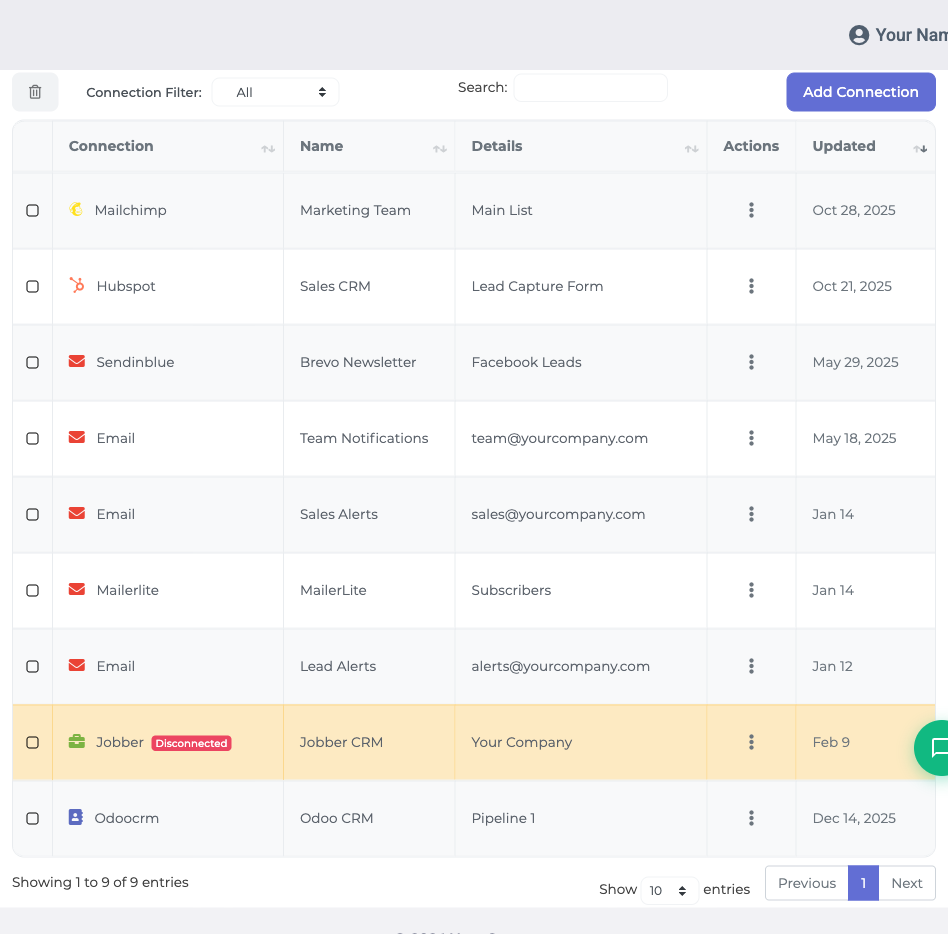
This is a one-click OAuth connection, so there are no API keys to copy and paste. GoHighLevel opens an install screen showing exactly what LeadSync can access (read and write contacts, read locations and custom fields). Confirm it, then choose the sub-account (location) you want TikTok leads delivered into. GoHighLevel sends you back to LeadSync and the connection completes, bound to that sub-account. If no sub-account is listed, create one in GoHighLevel first (Sub-Accounts, then Create Sub-Account) and connect again.
Add your TikTok lead form. Click Lead Forms, then Add TikTok Lead Form. From the dropdowns, select your TikTok Ad Account, your Lead Generation form, and the GoHighLevel connection you just created.
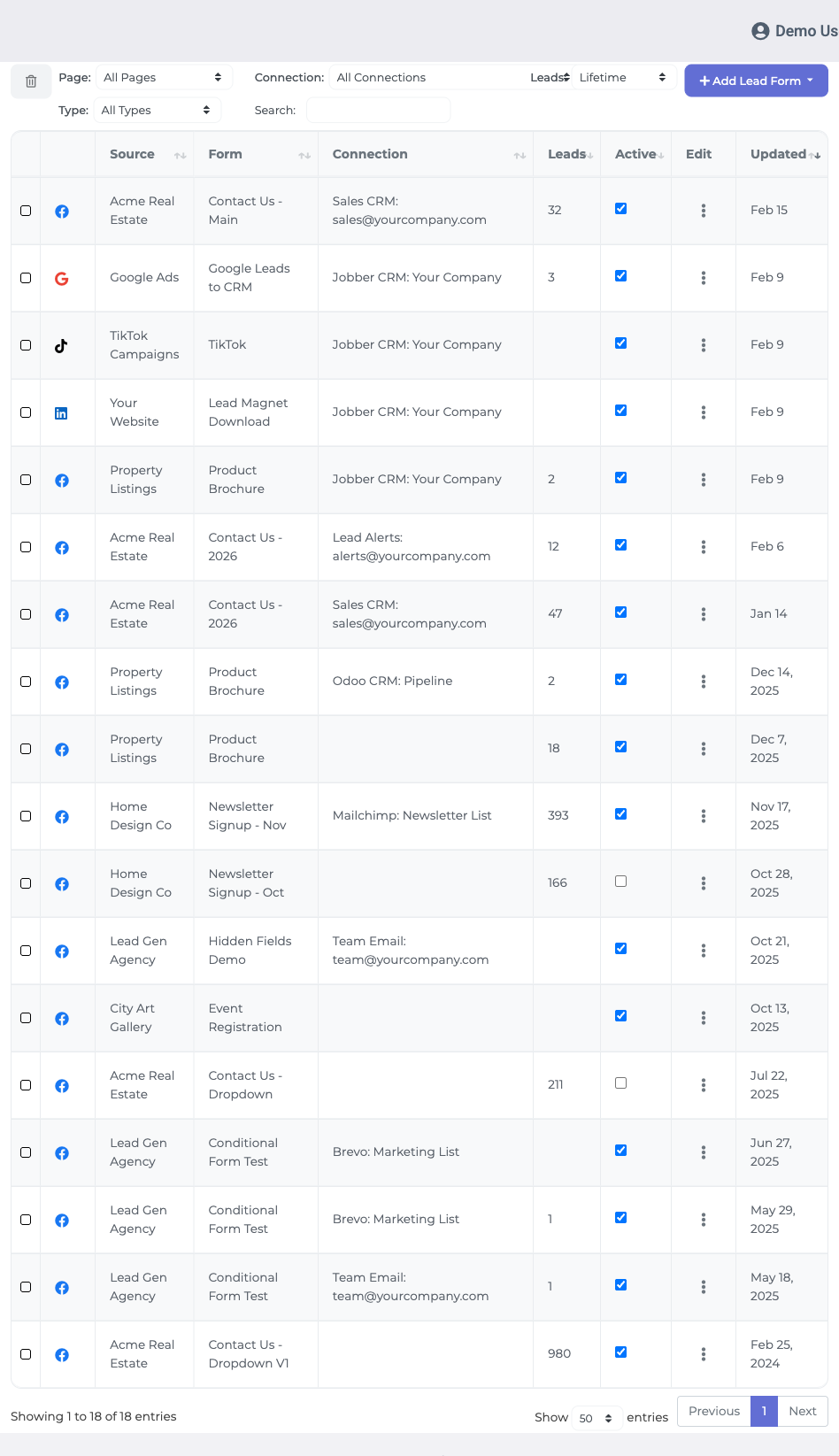
Map your fields. A mapping table appears listing your form questions on one side and GoHighLevel contact fields on the other. At a minimum, map the lead’s email, since GoHighLevel needs an email or phone to create a contact. LeadSync lists your sub-account’s custom fields alongside the standard ones, so a custom question on your TikTok form can flow into the right custom field instead of getting lost.
Add tags. In the Insert Tags field above the mapping table, type the tags you want on every lead from this form, for example tiktok-lead, pressing enter between each. You do not need to create them in GoHighLevel first; the tag is created automatically when the first lead arrives. Build a GoHighLevel workflow with the Contact Tag trigger set to your tag name and every TikTok lead enters that automation on arrival.
Save and test. Click Update Notification to finish, then submit a test lead through your TikTok campaign. Open Contacts in your GoHighLevel sub-account: the lead should appear within one to two minutes with your mapped fields filled in and your tags applied.
Troubleshooting
- Contact not appearing? Confirm you mapped an email or phone field. GoHighLevel rejects a contact with neither.
- No sub-account to choose during connection? Create one in GoHighLevel (Sub-Accounts, then Create Sub-Account) and reconnect.
- Form missing from the dropdown? It must belong to an active or paused TikTok campaign. Check the campaign status, then reload the Lead Forms screen.
- Sync stopped? Reconnect your TikTok account under Ad Accounts to refresh the authorization.
Quick Wins After Setup
- Build a workflow on your
tiktok-leadtag that sends an instant SMS while the lead is still scrolling. - Create a pipeline opportunity automatically so TikTok leads show up on your sales board.
- Use a different tag per form so a lead magnet audience and a quote-request audience get different sequences.
Still weighing up the CRM itself? Our GoHighLevel review covers where it shines and where it frustrates.
Frequently Asked Questions
Do I need a paid GoHighLevel plan to sync TikTok leads?
No. Any GoHighLevel account with at least one sub-account (location) works, including trial accounts. During the connection step you choose the sub-account LeadSync should deliver TikTok leads into.
Do tags need to exist in GoHighLevel before I add them in LeadSync?
No. GoHighLevel creates a tag automatically the first time a lead arrives carrying it. Type any tag you like in LeadSync, such as tiktok-lead, and it appears on the contact and in your sub-account tag list after the first sync.
Will LeadSync create duplicate contacts in GoHighLevel?
No. LeadSync uses GoHighLevel upsert behaviour, which respects the Allow Duplicate Contact setting on each sub-account. If the same person submits your TikTok form twice, the existing contact is updated rather than duplicated.
Why is my TikTok lead form not showing in LeadSync?
Your form needs to belong to an active or paused TikTok campaign to appear in the dropdown. If it still does not show, check that the TikTok Ads Manager account it belongs to is connected under Ad Accounts, then reload the Lead Forms screen.
Can an agency send different TikTok forms to different GoHighLevel sub-accounts?
Yes. Create one GoHighLevel connection per sub-account, then point each TikTok lead form at the connection for the right client. One LeadSync account can route forms to as many sub-accounts as you need.
How quickly do TikTok leads arrive in GoHighLevel?
Typically within one to two minutes of the form being submitted. That is fast enough for a tag-triggered GoHighLevel workflow to send a text or start a nurture sequence while the lead is still on TikTok.
Start Syncing TikTok Leads to GoHighLevel Today
Every hour a TikTok lead sits in Ads Manager, it cools. Connect the two platforms once and every future submission becomes a tagged GoHighLevel contact with follow-up already in motion.
Running Meta ads as well? The same setup works for Facebook and Instagram leads into GoHighLevel.
Start your 7-day free trial and have TikTok leads landing in GoHighLevel before your next campaign goes live. No credit card required.
Running GoHighLevel with other ad platforms? Here is how to send LinkedIn Lead Gen leads and Google Ads leads to GoHighLevel.