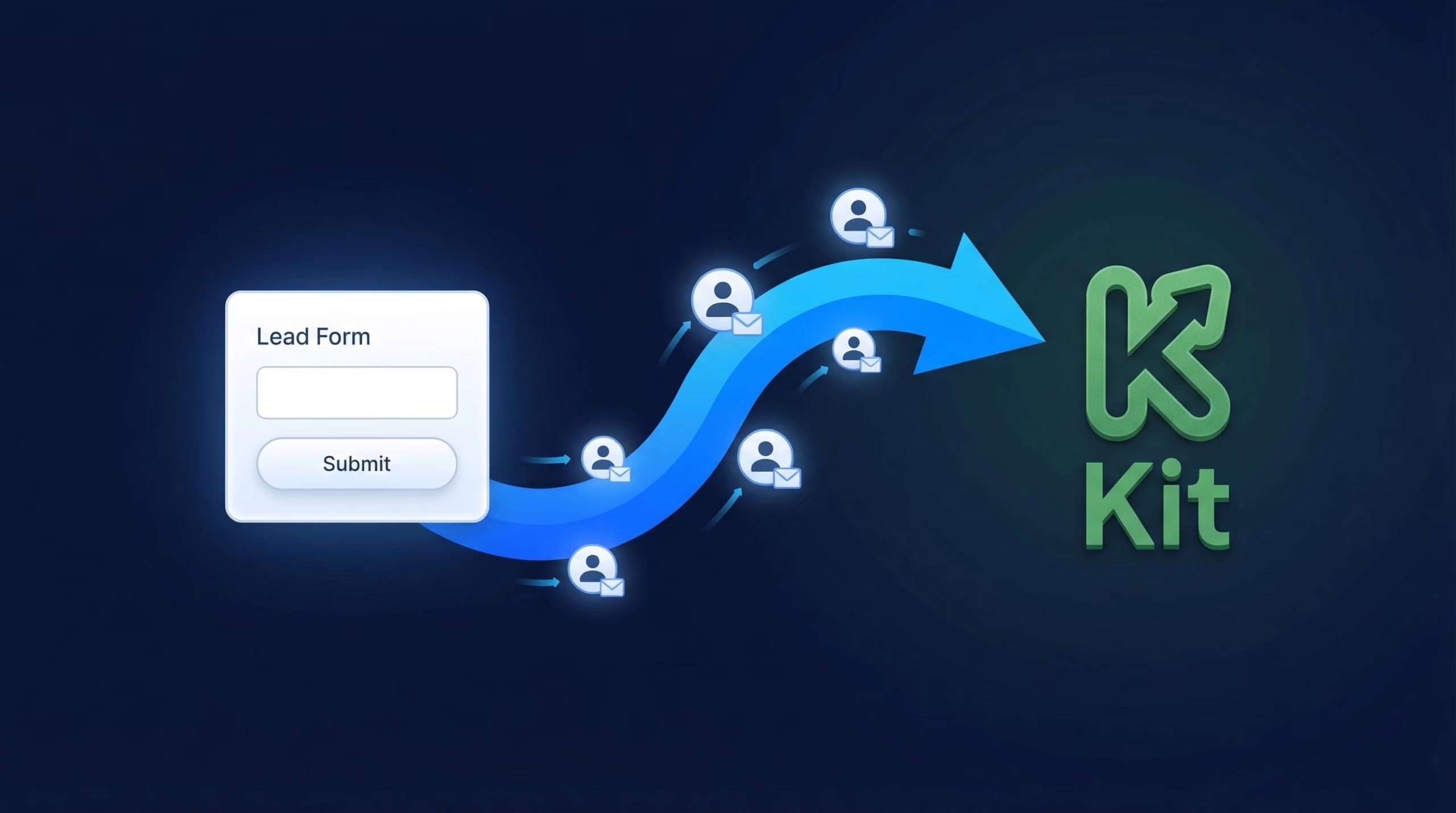
TikTok Lead Generation ads collect sign-ups fast, but those leads pile up inside TikTok Ads Manager unless someone downloads them by hand. If your email list lives in Kit (formerly ConvertKit), that manual step is exactly where subscribers get lost and welcome emails go out late.
This guide walks through connecting your TikTok Lead Generation forms to Kit with LeadSync. Once the sync is live, every new lead is subscribed to your Kit list within 1-2 minutes, tagged for your automation sequences, and hearing from you while their interest is still fresh. Speed to lead is the whole game with ad-sourced subscribers, and this setup removes the delay entirely.
How to Connect TikTok Lead Generation Forms to Kit
The full setup takes about ten minutes. You will need a LeadSync account, admin access to your TikTok Ads Manager account, and a Kit account.
Step 1: Connect Your TikTok Ads Account
Log in to LeadSync and open Ad Accounts in the left menu, then choose TikTok. Click Add TikTok Account and sign in with the login you use for TikTok Ads Manager. Approve the authorization prompts so LeadSync can read your lead form data. When you return to LeadSync, your account appears in the Ad Accounts table.
Step 2: Copy Your Kit API Key
Kit uses API key authentication, which is safer than sharing a password and can be revoked whenever you like. In Kit, click your account icon in the top right, choose Account, and find the API Key section. Copy the key.
Treat the key like a password: anyone holding it can manage your subscribers. If it ever leaks, regenerate a new one from the same page and update LeadSync with the replacement.
Step 3: Add a Kit Connection in LeadSync
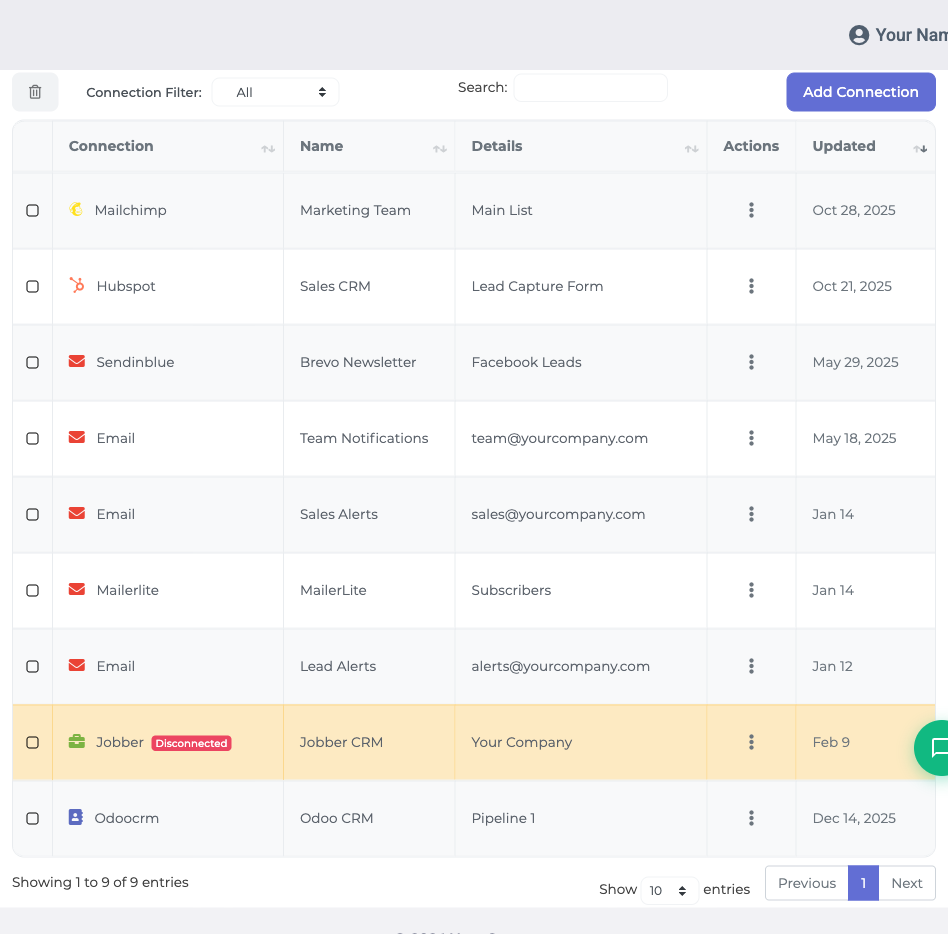
Back in LeadSync, go to Connections and click Add Connections. Find ConvertKit/Kit in the dropdown; it is listed under both names, so either search works. Paste your API key, give the connection a name like “Kit - TikTok Leads”, and click Update Connection.
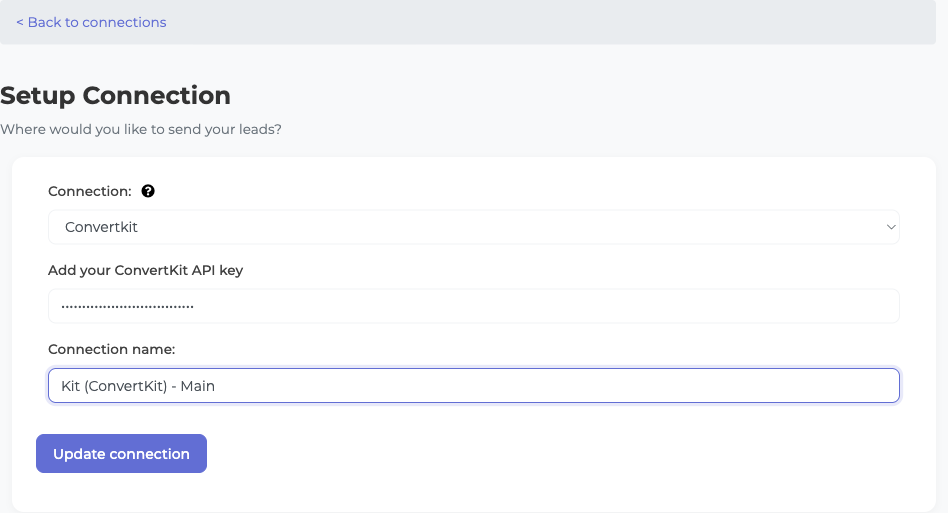
LeadSync validates the key straight away. A green checkmark means you are connected. If you get an error instead, check the key for stray spaces or line breaks picked up during the copy-paste.
Step 4: Choose Your Kit List and Tag
After the connection validates, LeadSync reads your Kit account and displays every available list. Pick the one new subscribers should join.
Then select or create a tag, for example “tiktok-lead”. The tag is applied to every synced subscriber and is what triggers your Kit automation sequences. Click Update Connection to save.
Step 5: Connect Your TikTok Lead Form
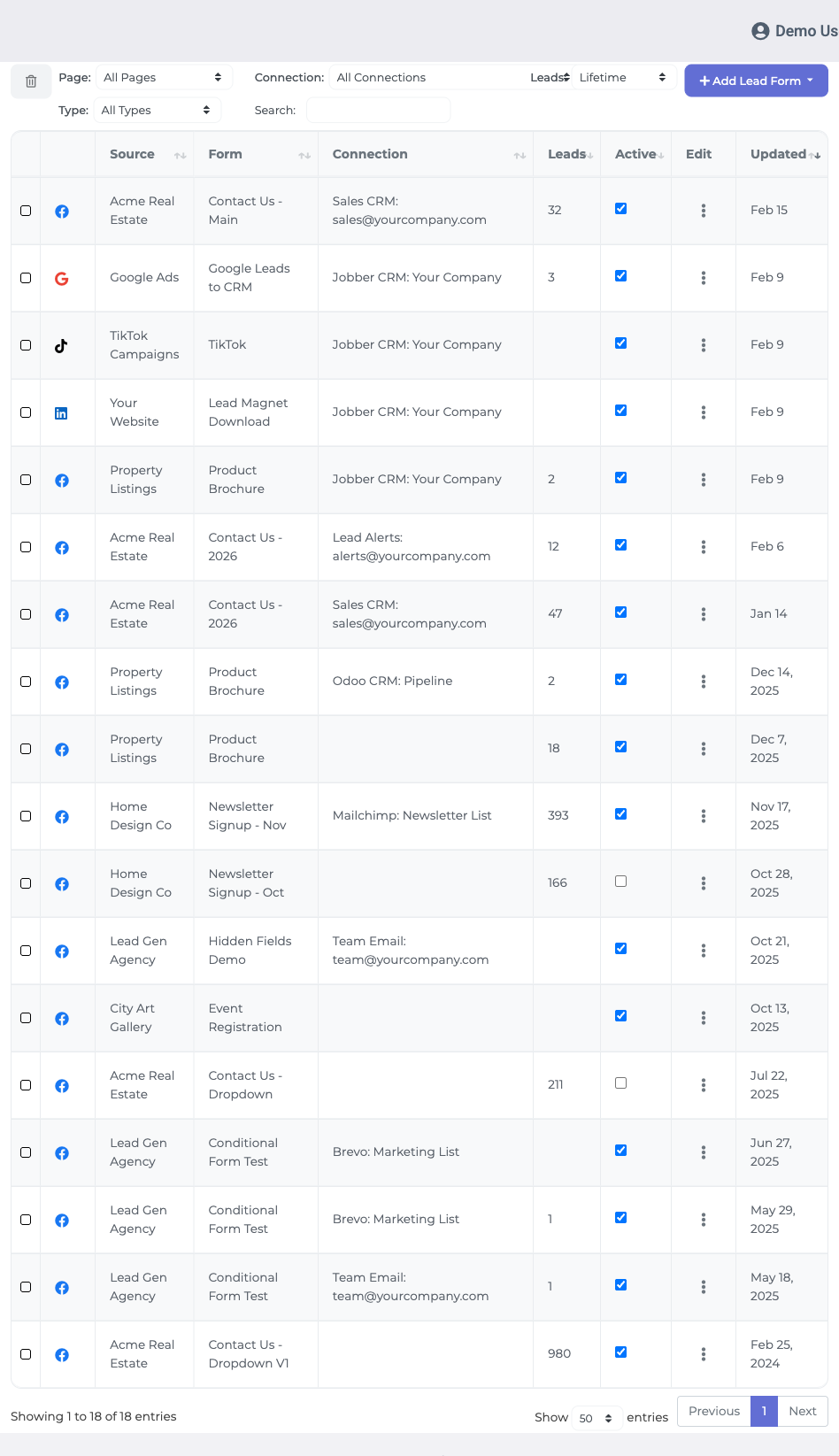
Open Lead Forms and click Add TikTok Lead Form. Select your TikTok ad account, then the Lead Generation form you want to sync, then your Kit connection as the destination.
Map the fields from your TikTok form to Kit. Email is required, and any custom questions can be matched to Kit custom fields. Click Update Notification to finish. From this point, every submission flows into Kit automatically.
Step 6: Send a Test Lead
Submit a test entry through your TikTok form. The subscriber should appear in Kit within 1-2 minutes, carrying the tag you chose. If nothing shows up, open LeadSync’s Activity log, which records every sync attempt with error details.
Double Opt-In and Custom Fields
Two Kit settings are worth sorting out before you scale up spend.
Auto-Confirming New Subscribers
Subscribers added through Kit’s API arrive marked “Unconfirmed”. They stay that way until they click a confirmation email, and unconfirmed subscribers are typically held back from your sequences. Your TikTok leads did opt in on the form, so many creators choose to skip the extra step: open your Kit form settings, find the Incentive section, tick Auto-confirm new subscribers, and save. New leads then go straight into your automations.
Mapping Custom Questions
If your TikTok form asks custom questions, create a matching custom field in Kit first (under Kit’s Subscriber settings), then refresh LeadSync and match each question to its field via Edit Field Mapping on your lead form connection. Custom fields have to exist in Kit before you can map to them.
Nurture TikTok Leads Automatically
The tag applied at sync time is your automation trigger. Build a Kit sequence that starts when the “tiktok-lead” tag is added, and every subscriber gets a welcome series the moment they arrive.
Running several TikTok forms at once? Point them all at the same Kit connection and list, with a different tag per form. That way you always know which campaign produced each subscriber, and you can send different sequences to each audience. For ideas on what those first few emails should say, see our guide to TikTok lead autoresponders.
Frequently Asked Questions
Is it Kit or ConvertKit? Does it matter?
The company rebranded from ConvertKit to Kit in 2024, but it is the same product and the same API. LeadSync lists the integration under both names, so search for either when adding your connection.
How fast do TikTok leads sync to Kit?
Most leads appear in Kit within 1-2 minutes of the form submission, already tagged and ready for your automation sequences. Compare that with manual CSV downloads, which often happen days later.
Why do my subscribers show as Unconfirmed in Kit?
Subscribers added via the API are marked Unconfirmed until they click a confirmation link. If you want TikTok leads to skip that step, enable Auto-confirm new subscribers in your Kit form settings, under the Incentive section.
Can I sync custom TikTok form questions to Kit?
Yes. Map any TikTok form field to a Kit custom field in LeadSync’s field mapping. The custom field must exist in Kit before you map it, so create it in Kit’s Subscriber settings first, then refresh LeadSync.
What happens if the same email submits my form twice?
Kit’s deduplication catches the duplicate and updates the existing subscriber instead of creating a second record. No errors and no double-subscriptions.
Which LeadSync plan do I need for the Kit integration?
You need at least a Business account in LeadSync, as the Kit integration is not available on the free tier. Every paid plan comes with a 7-day free trial, no credit card required.
What if the sync stops working?
Check LeadSync’s Activity log for the exact error. Most failures come down to an API key problem or a field mapping mismatch. Still stuck? Email support@leadsync.me with your connection name and you will usually hear back within an hour.
Go Beyond Kit
Kit does not have to be the only destination for your TikTok leads. LeadSync can route the same submissions to a CRM, a Google Sheet, Slack, SMS, or straight to your inbox at the same time. A common setup for creators looks like this:
- New subscribers flow into Kit for tagging and nurture
- A Slack or email alert pings you the moment a lead arrives
- A Google Sheet keeps a running backup for reporting
Build the stack once and every TikTok campaign you launch afterwards inherits it.
Start Syncing TikTok Leads to Kit Today
Manually moving leads from TikTok Ads Manager into Kit is the kind of chore that gets skipped the week you are busiest, which is usually the week your ads perform best. Let LeadSync handle it: every lead subscribed, tagged, and inside your welcome sequence within minutes.
Also running Facebook lead ads? Here is how to send Facebook leads to Kit.
Start your 7-day free trial, no credit card required. Setup takes about ten minutes, and your next TikTok lead lands in Kit automatically.
Advertising on LinkedIn as well? Here is how to send LinkedIn Lead Gen leads to Kit.