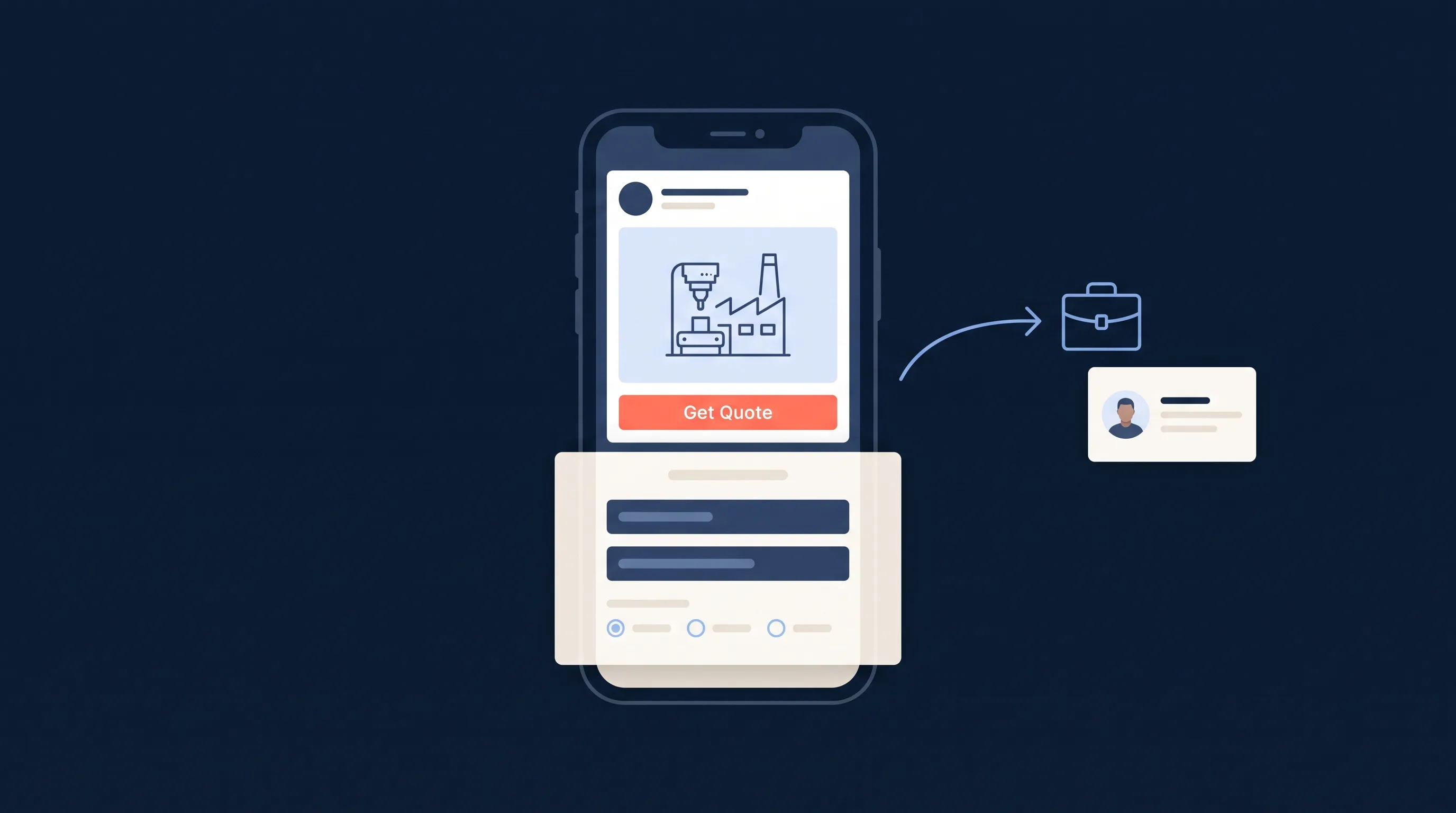
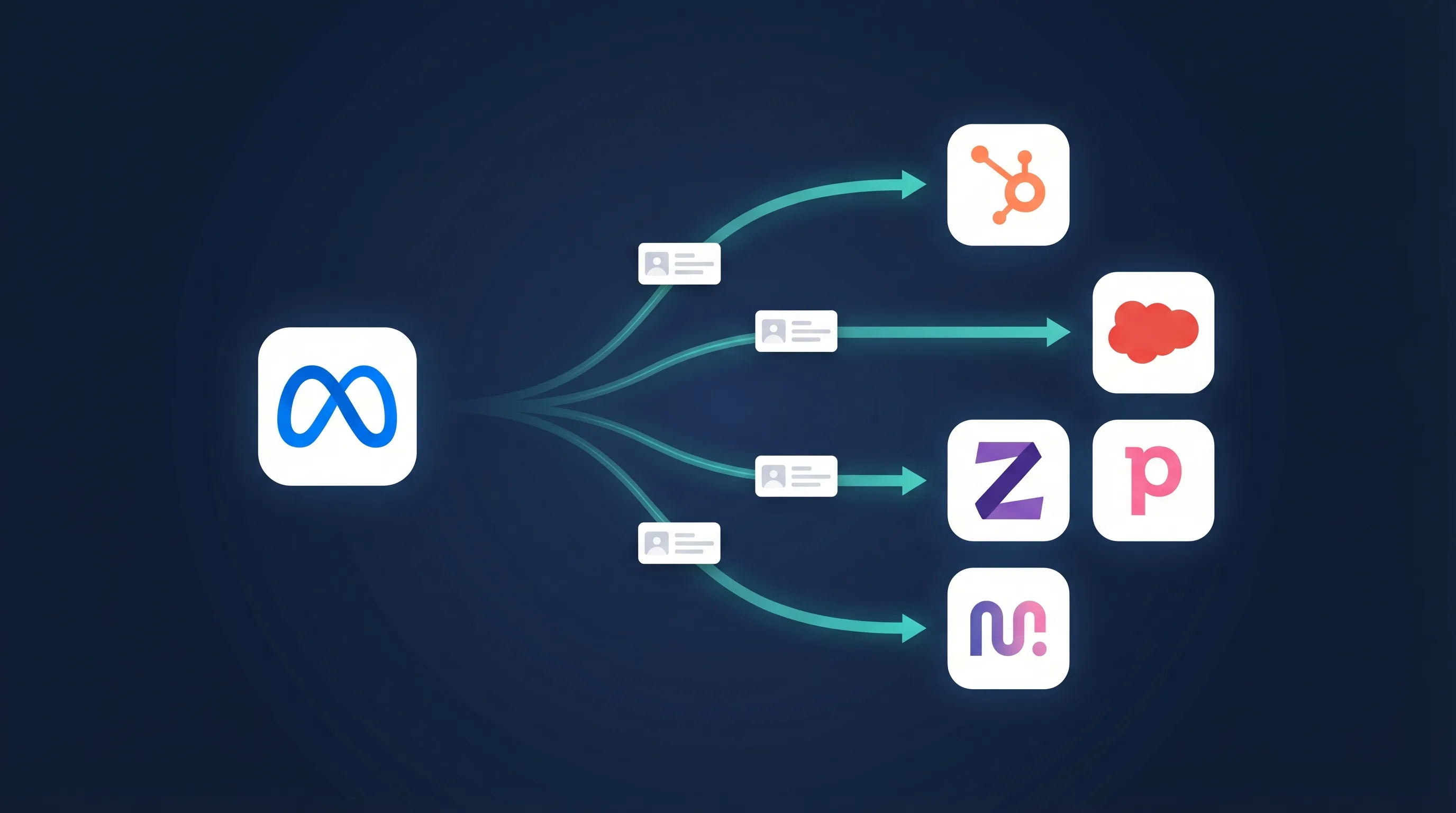
A roofer in Brisbane gets most of their enquiries in the three days after a hailstorm. A pressure-washing business in Melbourne gets almost none when it rains. Both are running Meta lead ads all month at the same daily budget. One is paying for leads that never arrive. The other is underfunded on the only days that matter.
Weather-triggered Meta lead ads fix that. The ad set switches off, or its budget drops, when the forecast says nobody will buy, and it switches back on, or scales up, when the weather creates demand. This guide covers why it works, how to build the rules, and what to do with the leads once they land. WeatherTrigger, the tool used in the examples, is built by the LeadSync team.
Why Weather Moves Lead Volume
Weather is not a marginal signal for local services. It is often the single biggest driver of whether someone fills in your form this week.
| Finding | Source |
|---|---|
| Rain lifted US online spending by up to 4.4% on affected days | Adobe and The Weather Company, 2023 |
| Promotions got a 1.2 times higher response, and 73% faster, on sunny days | Li et al., Marketing Science, 2017 |
| Weather-specific Facebook ads ran at a 67% lower cost per click than generic creative | The Globe and Mail, Molson Coors campaign |
| Lunchtime food delivery orders rose 12.6% at 35°C and 21.4% at 40°C | Nature Cities, 2024 |
| UK retail footfall fell 4.7% year on year in a wet month | British Retail Consortium, 2026 |
For trades the effect is sharper than those averages. Gutter cleaning, roofing, HVAC, pest control, landscaping and exterior cleaning all have days when the phone does not ring and days when it will not stop. We cover how weather shapes social media use itself in How Weather Influences Social Media Use and Your Ad Performance, and the contractor-specific picture in Facebook Ads for Contractors.
What a Weather Rule Actually Is
Every weather-triggered campaign comes down to one sentence: when the weather in this place does this, do that to these ad sets, and undo it when it clears. Five parts.
- Location. The suburb or city your customers are in, not your office. A franchise or agency sets one location per service area.
- Condition. Rain over 5 mm. Chance of rain above 60%. Temperature above 30°C. Wind gusts over 60 km/h. Snow. An official weather alert.
- Time window. Right now, today, the next two or three days, or the past 24 hours. Storm repair uses “past 24 hours”. Heat-wave HVAC ads use “next 3 days”.
- Action. Pause the ad set, resume it, or scale its daily budget up or down by a percentage.
- Revert. Put the ad set back to its original status and budget once the condition has not been met for a set number of days.
Here is what that looks like for the trades we see most often among LeadSync customers.
| Trade | Condition and window | Action | Revert |
|---|---|---|---|
| Roofing and storm repair | Wind gusts over 60 km/h or hail, past 24 hours | Resume the storm damage ad set, or raise budget 45% | After 3 clear days |
| Pressure and window cleaning | Chance of rain over 60%, today | Cut budget 30% to 55% | Next dry check |
| Gutter cleaning | Rain over 10 mm, next 2 days | Resume the “before the rain” ad set | After 2 dry days |
| HVAC and air conditioning | Max temperature over 32°C, next 3 days | Raise budget 40% | When the forecast drops |
| Heating, boilers, fireplaces | Min temperature under 6°C, next 2 days | Resume | When it lifts |
| Pest control | Max temperature over 28°C, today | Raise budget 30% | Next cool day |
| Landscaping and tree work | Rain over 5 mm, today | Pause | Next dry check |
| Pools and spas | Max temperature over 30°C, next 3 days | Raise budget 30% | When the forecast drops |
| Car detailing | Chance of rain over 60%, today | Cut budget 30% | Next dry check |
| Solar | Clear skies and over 25°C, next 3 days | Raise budget 25% | When the forecast changes |
Notice that none of these touch the ad creative. That matters. Editing an ad or an audience sends the ad set back into Meta’s learning phase. Changing the ad set’s status, or its budget within reason, does not. Weather rules work at the ad set level for exactly this reason.
Setting Up a Weather-Triggered Meta Lead Ad Campaign
Step 1: Build the lead ad campaign the normal way
Nothing about the campaign itself changes. Create it as you would any other, following our guide to creating a Facebook lead ad campaign. Keep the instant form to three or four fields and add one qualifying question. For storm work that question is usually “Do you have visible damage?” or “Is this an insurance claim?”, which lifts lead quality without hurting the conversion rate.
Split your ad sets by weather job, not just by audience. A roofer wants a separate “storm damage” ad set from the “new roof financing” ad set, because the rule will switch one and leave the other alone. A cleaning business wants its “driveway and exterior” ad set separate from “indoor and office”, for the same reason.
Step 2: Pick a starting rule for your trade
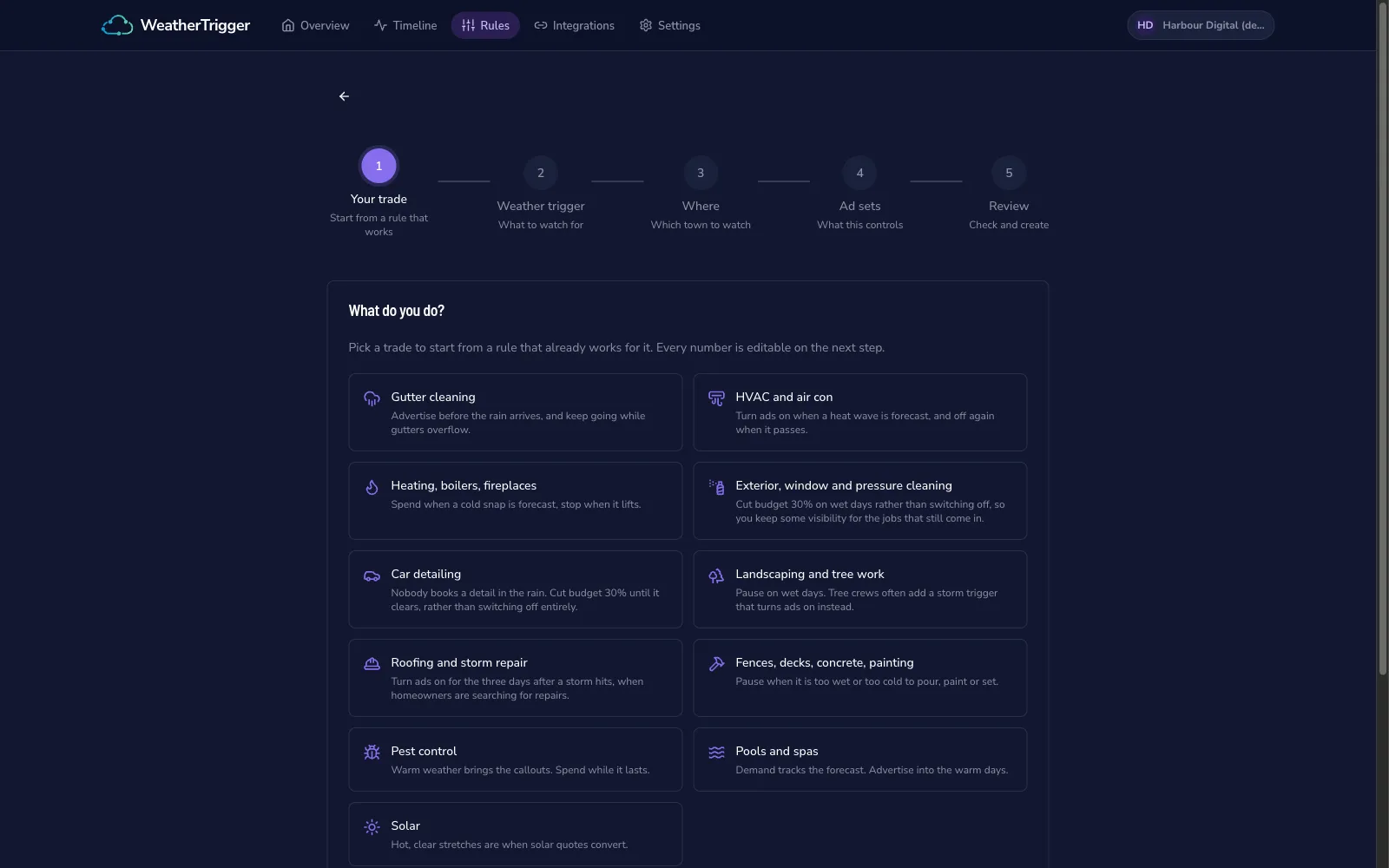
WeatherTrigger starts each rule from a trade preset. Pick roofing and it proposes a storm trigger. Pick exterior cleaning and it proposes a budget cut on wet days rather than a pause, so you keep some visibility for the indoor jobs that still come in. Every number is editable on the next step. If you are not a listed trade, skip the presets and build the rule from the conditions directly.
The one setting worth thinking hard about is the action. Use this test:
- Pause when demand stops completely. Landscaping in heavy rain. Concrete pours in frost.
- Cut the budget when demand slows but does not stop. Window cleaning in drizzle. Car detailing on a grey day.
- Resume or raise the budget when the weather creates the job. Storm repair. Heat-wave air conditioning. Gutters before a downpour.
Step 3: Set one location per service area
Set the location to where the customers are. A Sunshine Coast roofer who services Noosa, Maroochydore and Caloundra sets three territories on one rule, each watching its own forecast and each controlling its own ad set. When a storm cell hits Noosa and misses Caloundra, only the Noosa ad set switches on.
Agencies running the same offer for clients in several cities do the same thing. One rule, many territories, each with its own ad sets and its own log.
Step 4: Connect Meta and switch the rule on
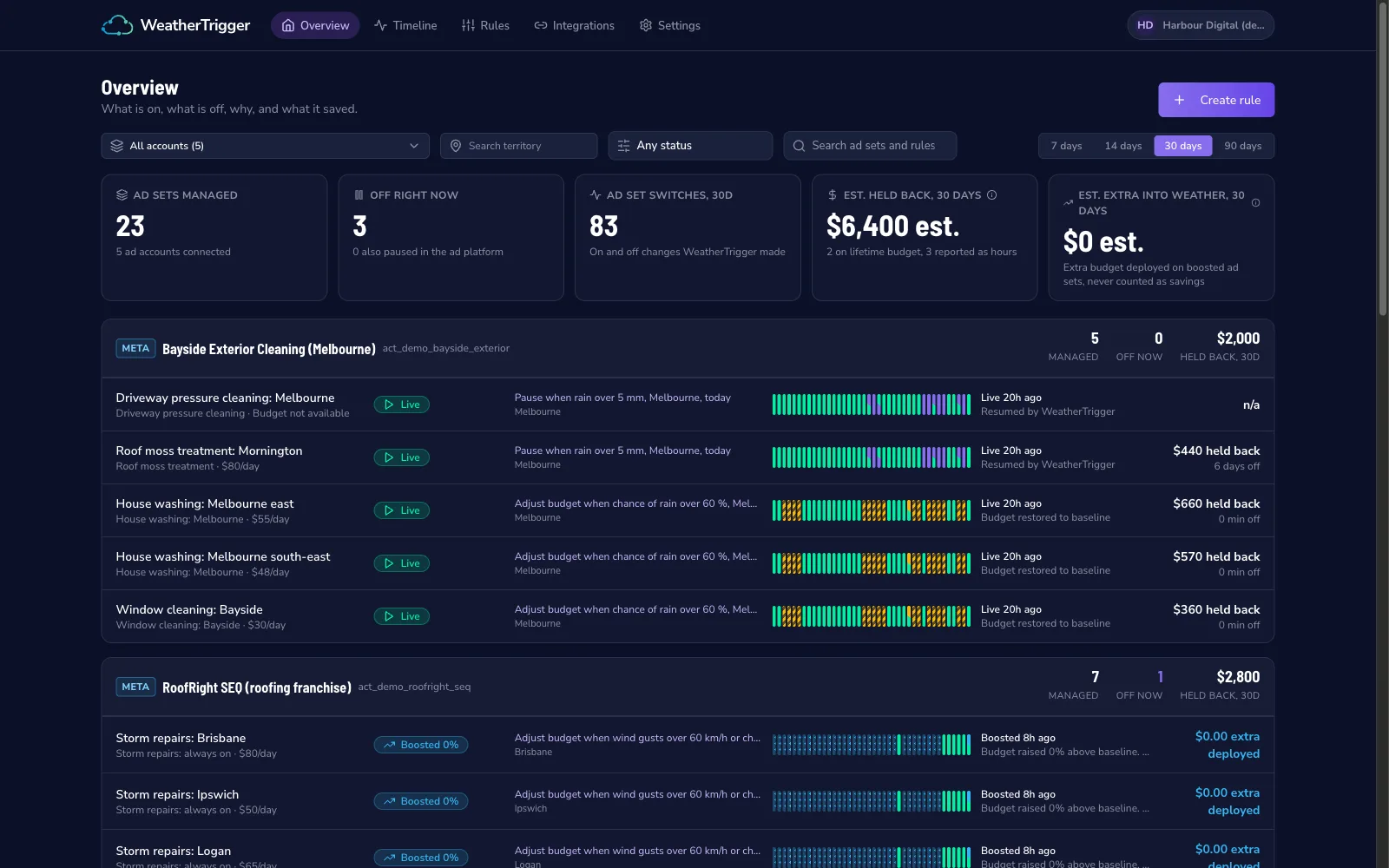
WeatherTrigger connects through Facebook Login for Business and asks only for the permissions it needs to read campaigns and change ad set status and budget. It never edits ads, audiences or creative. Once the rule is active it checks the forecast on a schedule, makes the change when the condition is met, and puts the ad set back when the revert condition is met.
The overview shows the whole account at a glance: how many ad sets are managed, how many are off right now, how many switches the rules have made this month, and an estimate of budget held back on the days the weather was wrong. For agencies that estimate is the number that goes in the monthly report.
Step 5: Route the leads before the first storm
This is the step most people skip, and it is where weather campaigns are won or lost. A storm rule switches your ad set on at 6 am. By 9 am there are 14 leads sitting in Meta’s Leads Center. Every one of them has also submitted to two other roofers. Our speed-to-lead guide has the numbers, and they are brutal: the first call usually wins the inspection.
Set up the delivery before you need it:
- Send each lead to your CRM the moment it arrives. We have guides for Jobber, Housecall Pro and the other CRMs trades use.
- Turn on SMS notifications for whoever is answering the phone that day, so the lead reaches them on site, not at the end of the day.
- If there is no CRM yet, a Google Sheet with an instant email alert is enough to start.
LeadSync does all three for $19 a month and takes about ten minutes to connect. It is the other half of the system: WeatherTrigger makes sure the ad set is live when the demand arrives, LeadSync makes sure you are the first to call.
Three Rules That Work for Home Services
Roofing: the storm trigger. Condition: wind gusts over 60 km/h or rain over 20 mm in the past 24 hours. Action: resume the storm damage ad set, or raise its budget by 45% if it is always on. Revert: after three clear days. The creative that runs under this rule should name the storm and the suburb. Our roofing Facebook ad examples include several long-running ads built exactly this way, and Generating Roofing Leads covers the insurance-claim angle in detail.
Pressure washing: the wet-day cut. Condition: chance of rain over 60% today, with at least a millimetre forecast so a 5% drizzle chance does not fire it. Action: cut the daily budget by 50%. Revert: the next check that comes back dry. Why a cut and not a pause: the quotes requested on a wet Tuesday still turn into Saturday jobs, they just come in slower. Keeping the ad set live at half budget keeps you in the auction without paying full price for a day nobody books.
HVAC: the heat-wave boost. Condition: maximum temperature over 32°C in the next three days. Action: raise the air-conditioning ad set budget by 40%. Revert: when the forecast drops. The reason to use the three-day forecast rather than today’s temperature is that homeowners book before the heat arrives once the weather app tells them it is coming. By the day it hits, your competitors have spent their budgets and the auction is expensive. HVAC Lead Generation has the rest of the HVAC playbook.
Read the Log Before You Judge the Rule
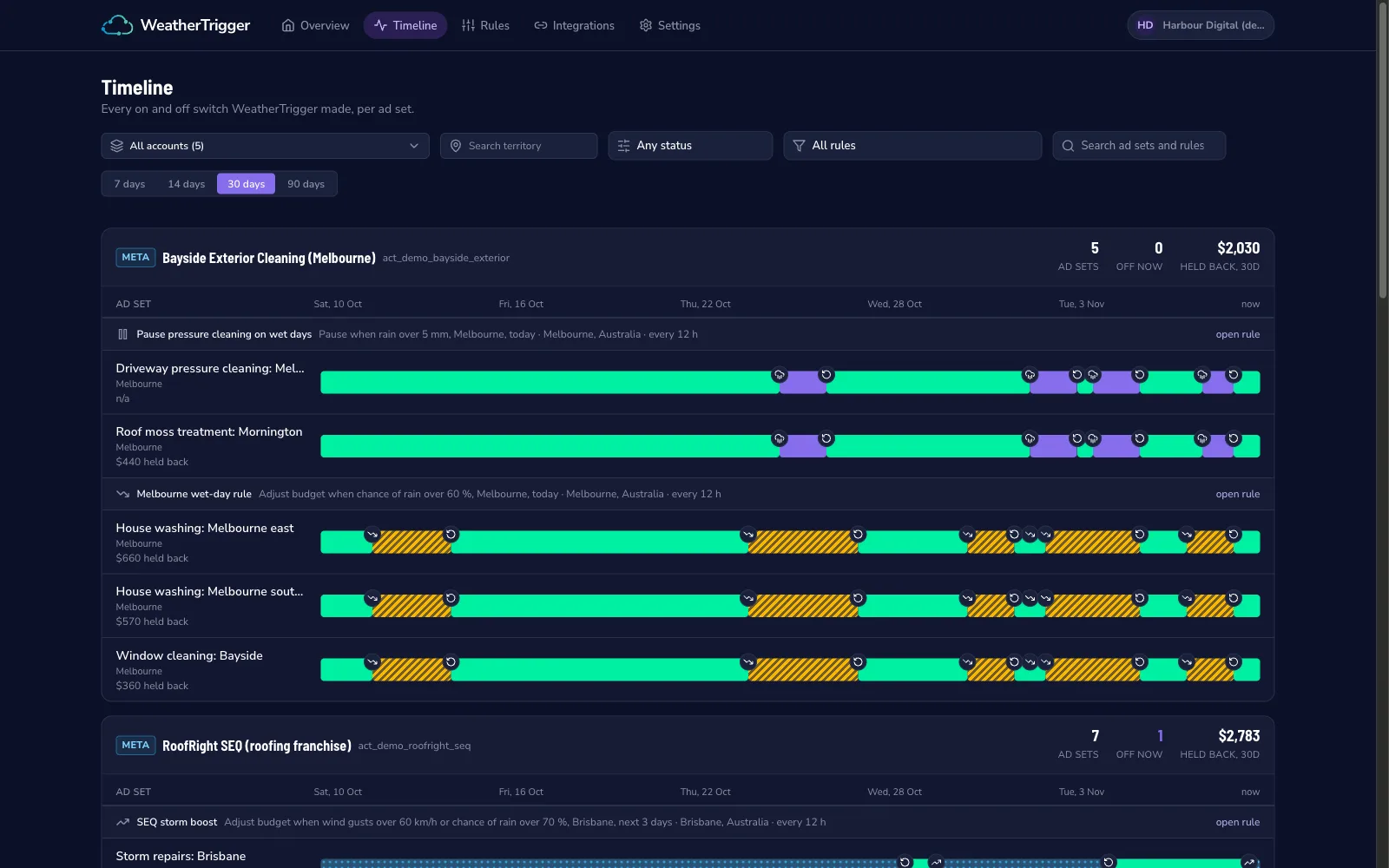
A weather rule will do things that look wrong until you see why. An ad set switches off on a day that turned out sunny. A budget cut fires at 1 am. A storm rule stays on for a fourth day.
Every check should be logged with three things: the weather reading, whether the condition was met, and the action taken. The timeline above shows every switch per ad set for the month, so when a client asks why their driveway ad was off on Tuesday, the answer is one click away: 7.2 mm of rain was forecast at the 1 am check, the rule pauses at 5 mm, and it resumed at the 1 pm check when the forecast dropped.
If a tool does not show you this, do not run money through it.
Mistakes to Avoid
Using chance of rain on its own. Forecast models often report a 100% chance of 0.2 mm. That is drizzle, not a lost day. Pair probability with a minimum amount, or use rain amount directly.
Flipping too often. A rule that checks every hour and switches on every hour will keep Meta’s delivery system guessing. Twice a day is enough for almost every trade. Storms do not need minute-level precision; they need the ad set live for the next three days.
Pausing for a week. An ad set paused for seven days or more re-enters the learning phase when it resumes. If your bad-weather spell is long, cut the budget rather than pausing, or accept the reset and plan for it.
Watching the office weather. Rules watch the customer’s suburb. An agency in Sydney running ads for a Perth client sets Perth.
Pausing the campaign in Ads Manager and forgetting the rule. If a person switches the campaign off, the ad sets underneath cannot deliver no matter what a rule does. A good tool shows “campaign off in Meta” next to the ad set so nobody reads a dormant rule as a broken one.
Forgetting the leads. The rule does not answer the phone. Set up delivery first.
What It Costs
WeatherTrigger starts at USD 19 a month for three rules and one location per rule, USD 49 for 15 rules and five locations, and USD 99 for unlimited rules and 20 locations per rule, which is the agency tier. Every plan has a 30-day free trial with no card required. It supports Meta ad sets today, with Google Ads in development.
LeadSync starts at $19 a month with unlimited lead syncing and a 7-day free trial, no card needed. Together they cost less than a single wasted day of a $100 daily budget.
For comparison, WeatherAds starts at $99 a month and moves to a percentage of ad spend, and Make or Zapier can be wired to the OpenWeather API for a few dollars a month if you are comfortable building and maintaining the scenario yourself. Our cost per lead benchmarks will tell you quickly whether a day of wasted spend costs more than the tool.
Frequently Asked Questions
Can Meta Ads Manager trigger ads based on the weather?
Not natively. Ads Manager has automated rules for spend, frequency and results, but it cannot read a weather forecast. You need a third-party tool that checks the forecast for each location and changes the ad set status or budget through the Marketing API. WeatherTrigger does this for Meta ad sets; WeatherAds and Make scenarios are alternatives.
Should I pause the ad set or lower the budget on bad-weather days?
Lower the budget when some leads still come in on bad days, for example window cleaning, where a wet week delays jobs rather than cancelling them. Pause when demand genuinely stops, for example pressure washing in heavy rain. Cutting budget keeps the ad set delivering, which avoids the learning-phase reset that a long pause can cause.
Does pausing an ad set reset Meta’s learning phase?
A short pause does not. Meta restarts the learning phase after significant edits, and an ad set that has been paused for seven days or more re-enters learning when it resumes. Rules that switch on and off within a day or two are fine. If your rule would pause for a week, scale the budget down instead.
What weather conditions can a rule use?
The common ones are rain amount, chance of rain, temperature, wind speed, wind gusts, snow, humidity, cloud cover and official weather alerts. Good rules combine a condition with a time window, such as rain over 5 mm today, or wind gusts over 60 km/h in the past 24 hours.
How many leads can I expect a storm rule to bring in?
It depends on the storm and your service area. Roofers regularly report lead volume doubling or more in the three days after a hail or wind event, which is why insurance-claim ads exist. The rule does not create the demand, it makes sure your ad set is live and funded when the demand arrives.
What happens to the leads once the ad set switches on?
The same as any Meta lead ad: they land in Meta’s Leads Center. Download them by hand and most will be cold by the time you call. LeadSync sends each lead to your CRM, spreadsheet or phone within seconds, with an SMS or email alert, so the first call happens while the homeowner is still looking at the damage.