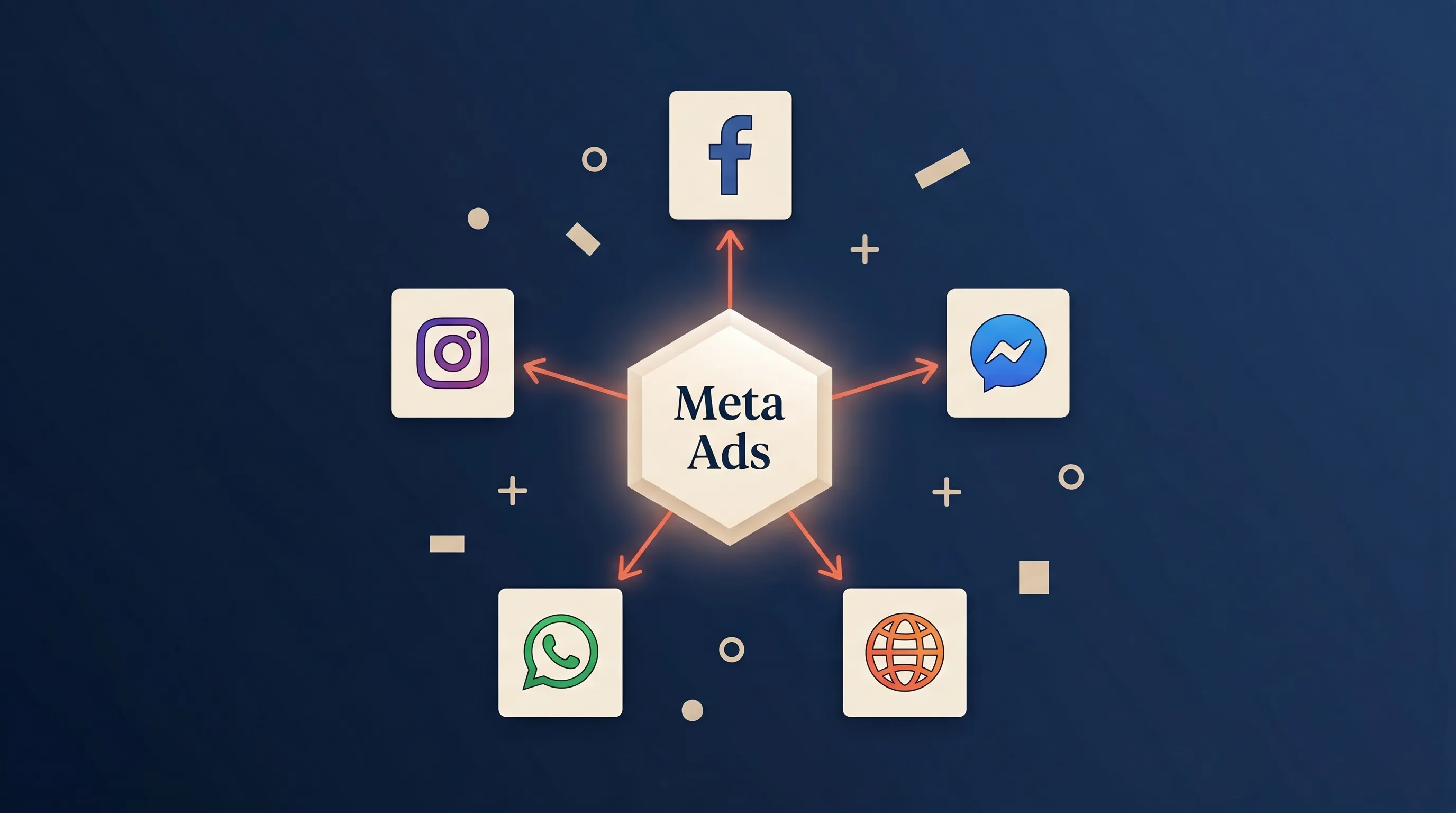
Meta Ads are paid advertisements that run across Meta’s family of apps and services – Facebook, Instagram, Messenger, WhatsApp, and the Audience Network, all managed from a single platform called Meta Ads Manager. If you’ve ever heard someone say “Facebook Ads,” they almost certainly meant Meta Ads. The product is the same; the name changed when Facebook rebranded as Meta in October 2021.
Today, Meta Ads reach more than 3 billion monthly active users across the ecosystem and account for roughly a quarter of all global digital ad spend. They’re the most accessible paid-advertising channel for most businesses – cheap to start, dense with targeting signal, and flexible across almost every objective you can name.
This guide covers what Meta Ads actually are, how they work, every ad format and placement, what they cost in 2026, and how they stack up against TikTok and Google.
Key takeaways
- Meta Ads = one advertising platform spanning Facebook, Instagram, Messenger, WhatsApp, and the Audience Network – managed entirely through Meta Ads Manager.
- “Facebook Ads” and “Meta Ads” are the same thing. The rename in October 2021 was a corporate rebrand, not a product change. Most advertisers and competitors still use the terms interchangeably.
- Average cost per lead is $27.66 in 2026, up 21% YoY (WordStream, 2025). Meta remains roughly 25-40% cheaper than Google Ads for comparable lead-gen outcomes.
- 11 campaign objectives, 8+ ad formats, 5 placement surfaces: the complexity is real, but most advertisers only need to understand 3 or 4 of each to run profitable campaigns.
- The two most important 2026 features are Advantage+ Audiences (AI-driven targeting that outperforms manual interest stacks in most accounts) and the Conversions API (server-side event tracking that partly replaces the shrinking signal from the browser pixel).
Meta Ads vs Facebook Ads: What’s the Difference?
There isn’t one. In October 2021, Facebook renamed its parent company to Meta and rebranded its advertising product from “Facebook Ads” to “Meta Ads.” The platform, Ads Manager, billing, and targeting options all stayed identical – only the brand changed.
You’ll still see both names used interchangeably in industry content, tools, and even Meta’s own help articles. Throughout this guide we’ll use “Meta Ads” to refer to the platform and “Facebook” when we mean the specific property.
The Meta Ecosystem: Where Your Ads Can Appear
Meta Ads reach users across five main properties:
| Property | Monthly active users | Typical use case |
|---|---|---|
| ~3 billion | Broad reach, lead generation, local business targeting | |
| ~2 billion | Visual storytelling, younger demos, Reels + Stories | |
| Messenger | ~1 billion | Click-to-Message ads, customer service, re-engagement |
| ~2.5 billion | Click-to-WhatsApp ads (emerging) | |
| Audience Network | – | Placements on third-party apps and websites |
You can run campaigns on any combination of these, or let Meta’s Advantage+ placements system automatically distribute impressions across all of them based on where your audience actually spends time.
How Meta Ads Work: The Auction, Not a Price Tag
Meta Ads aren’t priced like TV spots or print ads. Every impression is decided by a real-time auction that factors in three inputs:
- Your bid: how much you’re willing to pay for the outcome you want (a click, a lead, a purchase)
- Estimated action rate: Meta’s prediction of whether the specific user will take your desired action
- Ad quality: engagement history, creative quality signals, user feedback
Meta chooses the ad that scores highest across these three dimensions, not the ad with the highest bid. This is why creative quality matters more than budget – a $5 CPM ad with compelling creative will often beat a $20 CPM ad with generic copy.
The Learning Phase
When you launch a new campaign or ad set, Meta enters a learning phase: typically the first ~50 optimization events (clicks, leads, purchases, whatever your objective is). During this phase, delivery is noisy and inconsistent while the algorithm probes audience segments. Don’t make major changes during this window. Most accounts plateau because advertisers kill ads before they finish learning.
Meta Ad Formats
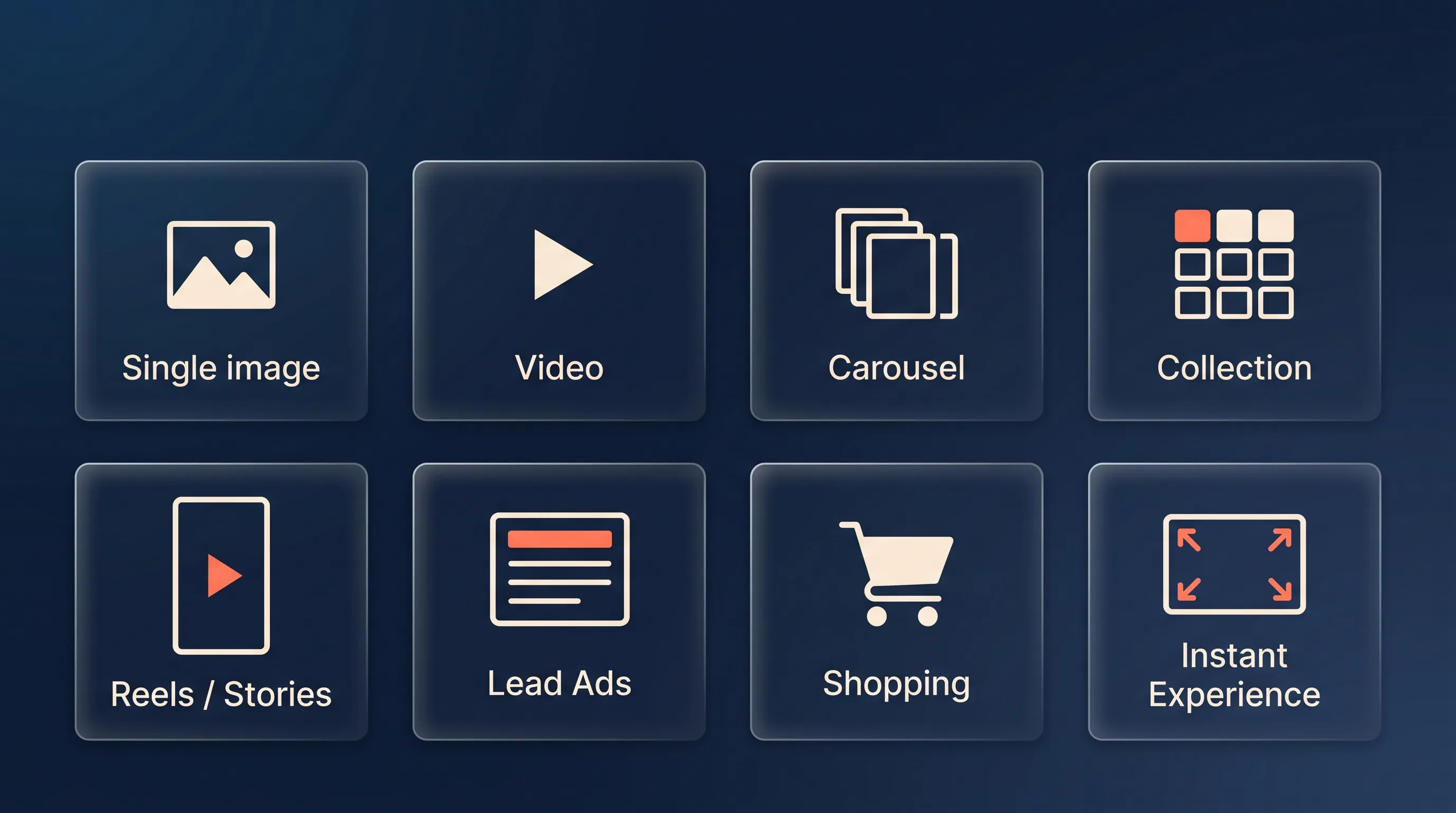
Meta supports roughly eight core ad formats. These are the building blocks; campaign objectives determine which formats are eligible.
Single image ads
One static image + copy + call-to-action. The simplest format. Still performs well for direct-response offers when the creative is strong. Recommended aspect ratios: 1:1 (feed), 9:16 (Reels, Stories).
Video ads
Short video + copy + CTA. In 2026, video outperforms static in most lead-gen accounts – partly because Meta’s algorithm favors video placements, partly because the hook-in-three-seconds pattern simply engages more users. 15-30 seconds is the sweet spot for most objectives.
Carousel ads
2-10 images or videos in a swipeable carousel. Strong format for product catalogs, multi-offer campaigns, and step-by-step explanations. Each card can have its own headline and destination URL.
Collection ads
A hero image or video above a grid of product tiles. When tapped, the ad opens into a full-screen Instant Experience: Meta’s native, fast-loading landing page that lives entirely inside the Facebook or Instagram app. Excellent for e-commerce.
Reels and Stories ads
Full-screen vertical video (9:16) placed between organic Reels or Stories. Reels ads have grown dramatically as the format has overtaken the feed in user attention. Best practice: shoot specifically for 9:16; repurposed horizontal content consistently underperforms.
Lead Ads
Meta’s in-app lead capture format. A pre-filled form opens when the user taps the CTA, with no landing page required. Average cost per lead is typically 30-50% lower than traffic-to-landing-page campaigns for the same audience. For a deep dive on this specific format, see what are Facebook Lead Ads and the complete Lead Ads campaign setup guide.
Shopping / Dynamic ads
Product catalog ads that dynamically populate from a connected product feed. Meta matches users to products based on browsing and intent signals. Essential for e-commerce stores with more than ~20 SKUs.
Instant Experience
A full-screen, interactive ad unit that opens inside the Facebook or Instagram app when a user taps a Collection ad or CTA. Similar to a landing page but loads instantly and supports video, carousels, and embedded forms.
Meta Ads Campaign Objectives
In 2026, Meta organizes campaigns around 11 objectives grouped into three funnel stages:
Awareness
- Brand awareness: maximise reach within a target audience
- Reach: maximise unique impressions
Consideration
- Traffic: drive clicks to a website, app, or Messenger conversation
- Engagement: likes, shares, comments, video views, page likes
- Video views: specifically optimized for view-through
- App installs
- Messages: drive conversations in Messenger, WhatsApp, or Instagram DM
Conversion
- Leads: collect contact information via Meta Lead Ads, a website form, or Messenger
- Conversions: drive a specific action on your website (purchase, sign-up, subscription)
- Catalog sales: dynamically show products to users most likely to buy them
- Store traffic: drive physical foot traffic to retail locations
For most small and mid-sized lead-gen businesses, the Leads, Conversions, and Traffic objectives cover 95% of use cases. Start there.
Where Meta Ads Appear: Placements
Each campaign runs across a mix of placements: specific surfaces where ads can show up. Meta offers Advantage+ Placements (let the algorithm distribute) or manual placements (pick specific surfaces).
Primary placement surfaces:
- Facebook Feed: the original placement, still the highest volume for most advertisers
- Instagram Feed: visual-heavy placement that favors polished imagery
- Facebook and Instagram Reels: fastest-growing placement; short vertical video
- Stories: full-screen vertical, 5-15 seconds, high intent
- Facebook Marketplace: ads alongside buy/sell listings; strong for local businesses
- Messenger inbox and Stories: ads inside the Messenger app
- Search results: ads within Facebook search (emerging)
- Audience Network: banner, interstitial, and native ads on third-party apps and mobile websites
- Video feeds: in-stream video ads in Facebook’s Watch tab
In practice, Advantage+ Placements beats manual placement selection in most accounts in 2026 – the algorithm finds the surfaces where your creative converts, which is rarely the surfaces you’d pick manually.
Meta Ads Targeting in 2026
Historically, Meta’s superpower was interest-based targeting – you could stack interests, behaviors, and demographics to build highly specific audiences. That approach still works, but the modern best practice has shifted.
Advantage+ Audiences
In 2026, Advantage+ Audiences (Meta’s AI-driven targeting) is the default starting point for most accounts. You supply broad geographic and demographic inputs; Meta’s algorithm finds the ICP using your creative, offer, and conversion signal as the targeting input. Our Advantage+ Audiences breakdown covers the setup and when manual targeting still wins.
Core targeting options
When you want more control, Meta still exposes:
- Demographics: age, gender, language, relationship status, education, work, financial
- Interests: thousands of interest categories from fitness to enterprise software
- Behaviors: travel, purchase behavior, device usage, digital activities
- Location: country, state, city, postal code, radius around an address, recent location
Custom Audiences
Upload your customer lists, website visitors (via Meta Pixel), app users, or video viewers and target them directly. This is where the highest-quality paid audiences come from. Our custom audiences for lead gen guide covers list hygiene and seed selection.
Lookalike Audiences
Meta finds users similar to a seed audience (ideally your closed-won customers, not form fills – the distinction is worth 20-40% on downstream ROI). 1% lookalikes are the closest match; 10% cast wider.
For the full breakdown of every targeting option plus the 2026 setup, see our Meta Ads targeting guide.
What Do Meta Ads Cost in 2026?
Cost depends on your objective, industry, and ad quality, but here are current benchmarks.
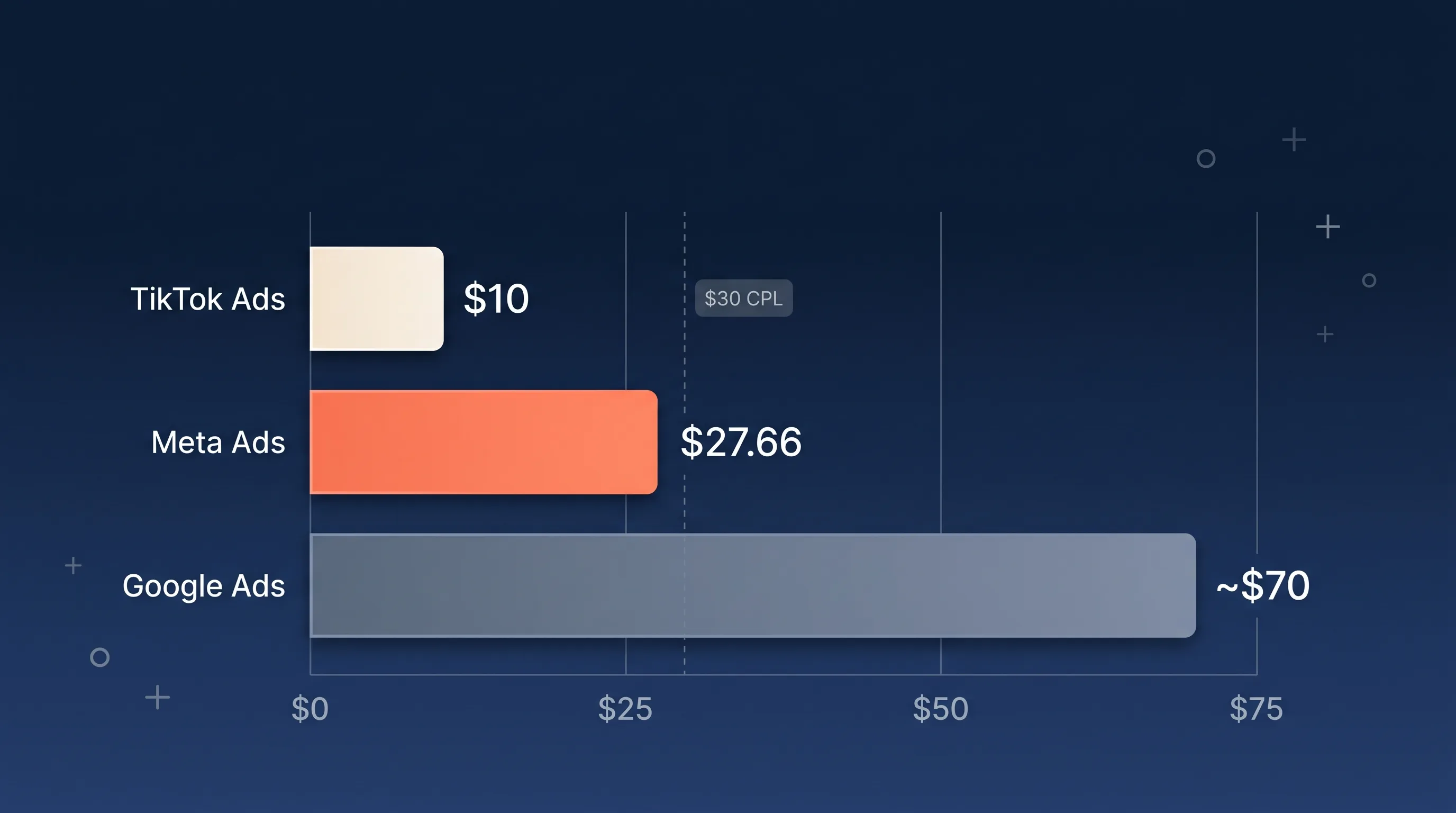
Headline 2026 benchmarks
- Average CPM: $10-15 (cost per 1,000 impressions)
- Average CPC: $0.80-1.50 (cost per click)
- Average CPL: $27.66 (cost per lead, cross-industry – WordStream, 2025)
- Average conversion rate: 7.72% on Meta Lead Ads
Cost per lead varies ~24x between industries
From restaurants at $3.16 per lead (18.25% conversion) to dentistry at $76.71. Benchmark against your vertical, not the overall average:
| Industry | Conversion rate | Cost per lead |
|---|---|---|
| Restaurants & Food | 18.25% | $3.16 |
| Attorneys & Legal | 10.53% | $18.17 |
| Real Estate | 9.53% | $16.61 |
| Education | 10.08% | $28.22 |
| Financial Services | ~9.09% | ~$58.70 |
| Dentists | 6.38% | $76.71 |
| Home & Home Improvement | 5.22% | $41.26 |
| Cross-industry average | 7.72% | $27.66 |
For the full industry breakdown and the levers that lower CPL, see our Meta Ads cost per lead guide.
Meta Pixel and Conversions API: How Measurement Works
Measurement in 2026 is a two-channel system:
The Meta Pixel
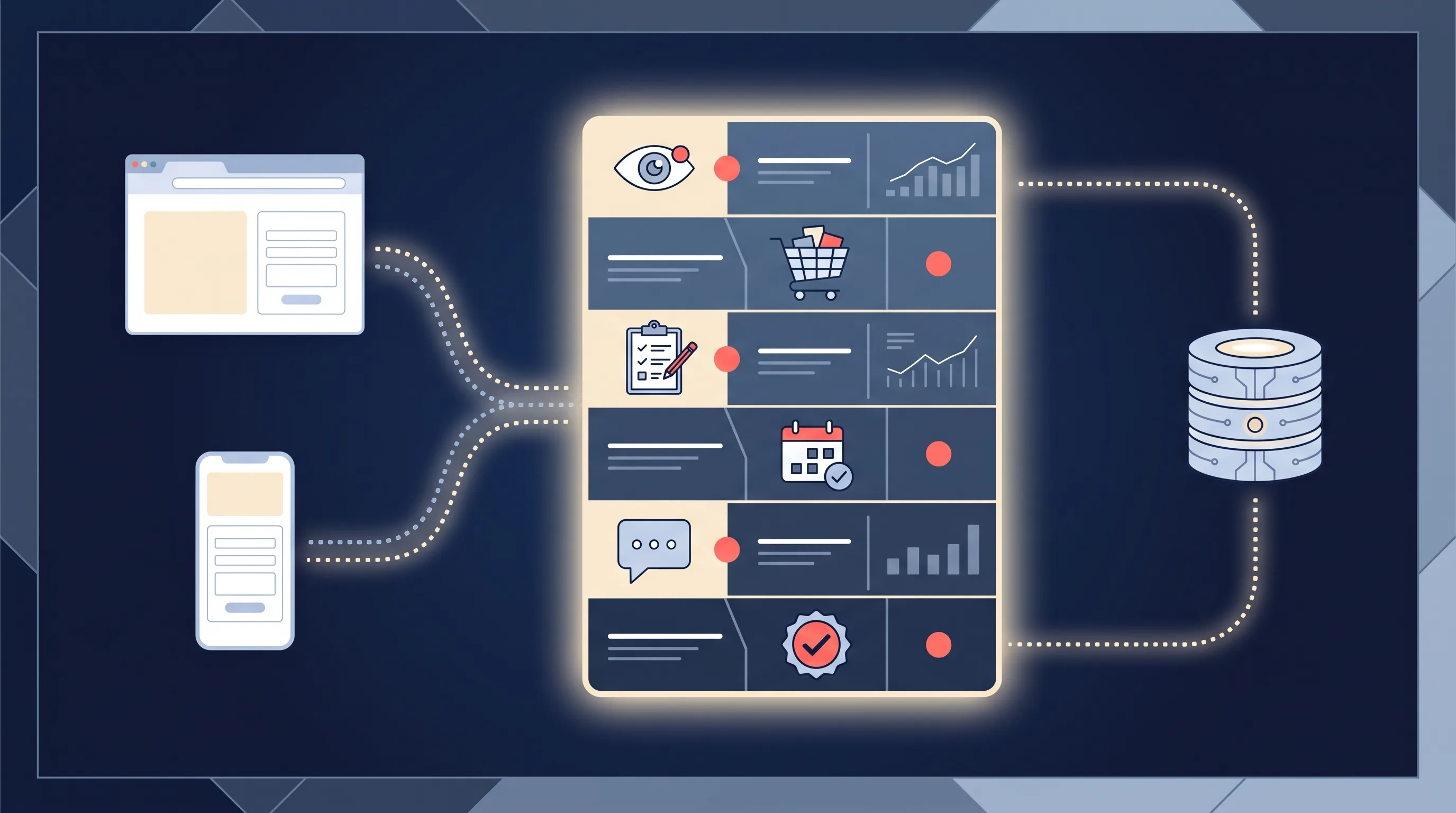
A snippet of JavaScript on your website that fires events to Meta when users take actions – page views, adds-to-cart, form submissions, purchases. The pixel is getting less accurate every year as Safari, Firefox, and ad blockers strip its cookies. Expect 30-50% of pixel events to go missing in 2026.
Conversions API (CAPI)
Server-to-server event tracking that bypasses the browser entirely. Your server sends events directly to Meta (with match keys – hashed email, phone, fbp, fbc) when conversions happen. CAPI now carries the majority of reliable signal for most advertisers.
In 2026, running CAPI is no longer optional for serious advertisers. Without it, the algorithm can’t learn which leads became customers, and your cost per qualified lead climbs. See our Meta Conversions API for lead ads guide for the setup and match-key payload structure.
Meta Ads Manager: Where You Actually Build Campaigns
Meta Ads Manager is the web application at facebook.com/adsmanager where you build, launch, and optimize every Meta ad. It’s free to use; you only pay for media.
The hierarchy inside Ads Manager mirrors Meta’s campaign structure:
- Campaign: sets the objective (Leads, Conversions, etc.) and overall budget
- Ad set: defines the audience, placement, schedule, and delivery optimization
- Ad: the creative itself (image, video, copy, CTA, destination)
A typical account has 2-5 active campaigns, 3-10 ad sets per campaign, and 3-5 ads per ad set – most advertisers over-complicate this and create sprawl that confuses the algorithm.
For first-time setup, our Meta Ads Manager access guide covers the Business Manager + ad account permissions you need in place before you can spend anything.
Meta Ads vs TikTok vs Google: Quick Comparison
Most advertisers should run on more than one channel. Here’s the honest comparison:
| Meta Ads | TikTok Ads | Google Ads | |
|---|---|---|---|
| Avg CPM | $10-15 | $4-7 | $3-8 (Display) |
| Avg CPL | $27.66 | $5-15 | $48-70 |
| Best for | Broad targeting, lead gen, retargeting | Video engagement, younger demos, brand awareness | High-intent search, Shopping |
| Creative format | Mixed (image, video, carousel) | Video-first vertical | Text + Display + Video |
| Learning curve | Moderate | Moderate | Steep |
| Lead Gen Form native? | Yes | Yes | Yes (Lead Form Ads) |
The short version: Meta is strongest for cost-efficient lead generation and retargeting. TikTok wins on reach per dollar for younger audiences. Google captures the highest-intent traffic but at the highest cost per lead. Most businesses doing more than $10K/mo in ad spend should be on at least two of the three.
Common Meta Ads Mistakes to Avoid
Patterns we see repeatedly in accounts that underperform:
- Over-narrow targeting. Interest stacks with 6+ layers strangle delivery in 2026. Let Advantage+ do the work unless you have a very specific reason not to.
- Creative that looks like an ad. Polished, logo-heavy, brand-first creative underperforms native-looking content by a wide margin, especially on Instagram and Reels.
- Killing ads during the learning phase. Ads need ~50 optimization events before the algorithm stabilizes. Pausing or editing resets the clock.
- No Conversions API. If you’re only running the pixel, Meta is learning from a fraction of your actual conversions and the CPL reflects that.
- Slow follow-up on Lead Ads. Contact within 5 minutes – leads contacted after 30 minutes are 21x less likely to convert. Automate delivery to your CRM so a human never has to notice the lead first.
- Measuring CPL instead of cost per customer. CPL makes you chase cheap leads; cost per customer makes you chase right leads.
For the full playbook on what to do rather than what to avoid, see our Meta Ads best practices guide – 18 data-backed tips covering creative, targeting, forms, CAPI, and follow-up.
Frequently Asked Questions
What are Meta Ads?
Meta Ads are paid advertisements that run across Meta’s family of apps – Facebook, Instagram, Messenger, WhatsApp, and the Audience Network, all managed from a single platform called Meta Ads Manager. The product was called “Facebook Ads” until Facebook rebranded to Meta in October 2021; it’s the same advertising system, just renamed.
Are Meta Ads the same as Facebook Ads?
Yes. “Meta Ads” is the current name; “Facebook Ads” is what the same product was called before October 2021. The platform, features, and Ads Manager interface are identical – only the brand changed.
How much do Meta Ads cost?
The average cost per lead across all industries is $27.66 in 2026, up 21% year-over-year. CPM averages $10-15 and CPC $0.80-1.50. Actual costs vary 24x between industries – restaurants pay $3.16 per lead while dentists pay $76.71. Most businesses can test Meta Ads meaningfully with $30-50 per day for 7-14 days.
What’s the difference between Meta Ads and Meta Lead Ads?
Meta Ads is the umbrella platform covering all ad formats. Meta Lead Ads is one specific format within it: an in-app lead capture form that opens when users tap the CTA, removing the need for a separate landing page. For a deeper dive on this specific format, see what are Facebook Lead Ads.
Do I need a Facebook page to run Meta Ads?
Yes. Every Meta Ads campaign requires an associated Facebook Page. If you’re advertising on Instagram too, you can connect an Instagram business account to the same campaign. For most businesses, set up a simple Facebook Page before creating your first ad.
What’s the minimum budget for Meta Ads?
Technically $1 per day for daily budget, but the algorithm needs enough events to optimize, typically $30-50 per day for 7-14 days to clear the learning phase. Below that, results are noisy and not representative of what’s possible.
Should I use Advantage+ or manual targeting?
In 2026, Advantage+ Audiences is the default best starting point for most lead-gen advertisers – it matches or beats manual interest stacks in the majority of accounts, especially once a Conversions API signal loop is running. Manual targeting still wins in tightly regulated industries or highly niche B2B audiences.
What is the Meta Conversions API and do I need it?
The Meta Conversions API (CAPI) is a server-side channel for sending ad events directly from your server to Meta. In 2026, with iOS privacy changes and tracking prevention reducing pixel reliability, CAPI is effectively required for serious advertisers – without it, the algorithm is learning from a fraction of your conversions and your cost per qualified lead climbs.
Start Running Meta Ads
Meta Ads remain the most accessible paid-advertising channel for most businesses – cheap to start, dense with targeting signal, and flexible across almost every objective. The platform rewards advertisers who create authentic-feeling creative, keep their targeting broad enough for the algorithm to learn, and move fast on follow-up.
If you’re generating leads on Meta, the ad is only half the equation. What happens after the form submit – how fast you respond, where the lead lands – determines whether that lead becomes a customer. Try LeadSync free for 7 days to deliver Meta leads to your CRM, SMS, and email in under 60 seconds, with Conversions API built in.