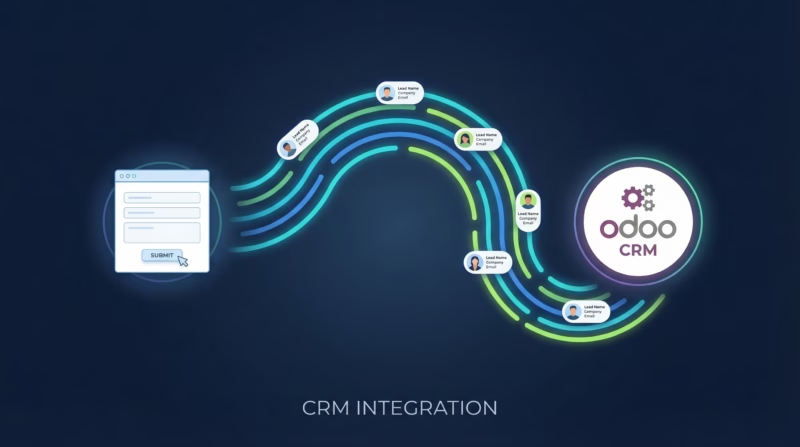
Capturing and efficiently managing leads is crucial for businesses looking to thrive. With the vast amount of data generated from various online advertising campaigns, it becomes imperative to streamline the process of collecting leads and nurturing them into loyal customers. This is where our Google Ads to Odoo CRM integration comes in.
Quick-Start Video Guide
In this quick-start video guide, I walk you through how to add an Odoo connection to LeadSync and pair your Google Lead Form Extension to Odoo so new leads show up in your CRM.
Why Integrate Google Ads with Odoo CRM?
Google Ads Lead Form Extensions are one of the most effective ways to capture high-intent prospects directly from your search and display campaigns. Unlike traditional landing page forms, lead form extensions appear directly within Google Ads, reducing friction and improving conversion rates. When combined with Odoo CRM through LeadSync, you unlock a seamless lead management workflow that eliminates manual data entry and accelerates your sales process.
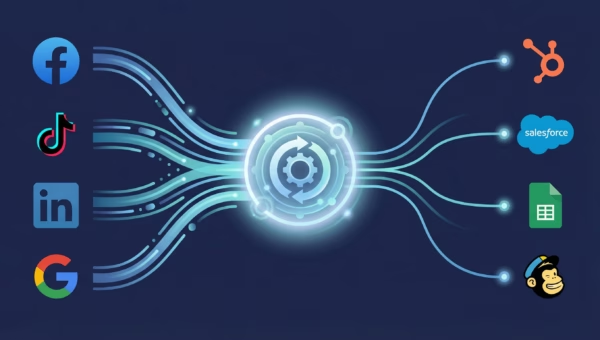
For businesses managing multiple campaigns across Google, Facebook, LinkedIn, and TikTok, centralizing all leads in Odoo CRM ensures consistency, reduces errors, and improves team collaboration.
Features and Benefits of Odoo CRM
If you’re not already familiar with Odoo CRM, it offers a comprehensive customer relationship management tool with a wide array of features designed to enhance business operations. Its intuitive interface, coupled with powerful sales automation and lead nurturing tools, makes it an ideal choice for businesses of all sizes. Odoo’s key features include:
- Streamlined Lead Management: Easily capture, organize, and follow up on leads.
- Sales Automation: Automate routine tasks, allowing sales teams to focus on closing deals.
- Customizable Workflows: Tailor the CRM to fit your unique business processes.
- Real-time Analytics and Reporting: Gain valuable insights into your sales activities and performance.
Integrating Google Ads with Odoo CRM through LeadSync not only simplifies the lead capture process but also ensures that leads are immediately pushed into your CRM system. This integration enables businesses to:
- Reduce Response Times: Automatically import leads from Google Ads into Odoo CRM within 1-2 minutes, allowing for quicker follow-up.
- Improve Lead Quality: Pre-qualify leads using Google’s detailed targeting and bidding options before they enter your CRM.
- Enhance Efficiency: Eliminate the need for manual data entry, reducing errors and saving your team valuable time.
- Optimize Lead Nurturing: Utilize Odoo CRM’s tools to nurture leads through personalized follow-ups and targeted campaigns.
- Centralize Multi-Source Leads: Manage Google, Facebook, LinkedIn, and TikTok leads in a single CRM dashboard.
Step-by-Step Guide to Integrating Google Ads Lead Forms with Odoo CRM via LeadSync
Step 1: Setting Up Your LeadSync Account
Sign up to LeadSync. You’ll need either a Business or Marketer account to access Odoo along with all our other integrations.
If you don’t already have an active Google Ads account with Lead Form Extensions set up, you’ll need to create one. Lead Form Extensions are available for Search and Display campaigns and allow you to capture prospect information directly within the ad.
Step 2: Connect Your Google Account to LeadSync
- Log in to your LeadSync account
- Go to Ad Accounts from the left menu
- Click Add Google Account
- Sign in to your Google account and authorize LeadSync to access your ad accounts
- Select the Google Ads account you want to connect
- Your account will appear in the table once successfully connected
Make sure the Google account you authorize has access to the ad account containing your Lead Form Extensions.
Step 3: Set Up Your Odoo CRM Connection
- In LeadSync, go to Connections from the left menu
- Click the Add Connection button
- Select Odoo CRM from the connection dropdown
- Enter your Odoo CRM details:
- Odoo URL: Your Odoo instance URL (e.g., https://yourcompany.odoo.com)
- Database: Your Odoo database name
- Username: Your Odoo username
- API Key: Your Odoo API key
- To find your API key in Odoo:
- Click your profile icon at the top right
- Go to Preferences
- Click the Account Security tab
- Click New API Key to generate a new key
- Copy the API key and paste it into LeadSync
- Name your connection (e.g., “Google Leads”) for easy identification
- Click Update Connection to save
- Add at least one tag to your connection (note: you must have created tags in Odoo beforehand)
Step 4: Connect Your Google Lead Form Extension to Odoo
- Go to Lead Forms in your LeadSync account
- Click Add Google Lead Form
- Select your Google Ads account from the dropdown
- Select the Lead Form Extension you’re using in your campaign
- Select the Odoo CRM connection you created in Step 3
- Map your form fields from Google to Odoo. Common mappings include:
- Email → Email
- First Name → First Name
- Last Name → Last Name
- Phone → Phone
- Company → Company Name
- Click Update Notification to save your configuration
Note: If you have additional custom fields in your Google Lead Form Extension that don’t exist in Odoo, you’ll need to create those fields in Odoo CRM first before mapping them in LeadSync.
Step 5: Test Your Google Ads to Odoo Integration
Before going live with your campaign, it’s essential to test the integration to ensure leads are flowing correctly into Odoo.
Submit a test lead through your Google Ads Lead Form Extension. The lead should appear in your Odoo CRM within 1-2 minutes. If you don’t see the lead, verify that:
- Your Google account has access to the ad account
- The email field is mapped correctly
- Your Odoo connection credentials are correct
- The Lead Form Extension is part of an active or paused campaign
Step 6: Finding Your Leads in Odoo
Once your integration is live, all new Google Ads leads will automatically flow into Odoo CRM. You can find them in the New section of Odoo CRM. From there, your sales team can:
- View detailed prospect information captured from the lead form
- Assign leads to sales representatives
- Track interactions and activity history
- Move leads through your sales pipeline automatically based on custom rules
Key Advantages of Google Ads Lead Form Extensions
Google Ads Lead Form Extensions offer several advantages over traditional landing page forms:
- Higher Conversion Rates: Forms appear directly in ads, reducing friction and abandonment
- Auto-Fill Capability: Google can pre-populate user information from their Google account, making submission even faster
- Mobile-Optimized: Forms are automatically formatted for mobile devices, capturing leads on the go
- Lead Quality: Captures intent-driven traffic from active searchers, not passive browsers
Synchronization Speed and Performance
One of the key benefits of the LeadSync integration is fast lead synchronization. When a prospect submits your Google Ads lead form, the lead typically appears in your Odoo CRM within 1-2 minutes. This rapid turnaround is critical for time-sensitive sales environments where quick response can make the difference between winning and losing a deal.
Expanding Beyond Google Ads
While this guide focuses on Google Ads, LeadSync supports integrations with multiple advertising platforms. If you’re running campaigns across Google, Facebook, LinkedIn, and TikTok, you can route all leads to Odoo CRM using a single integration platform. This centralization ensures consistent lead handling, eliminates duplicate data entry, and provides your team with a unified view of all inbound prospects.
Beyond CRM: Routing Leads to Other Destinations
While Odoo CRM is an excellent destination for your Google Ads leads, LeadSync also supports routing leads to other platforms depending on your business needs:
- Send Google Ads leads directly to your email for immediate notification
- Post leads to Slack to keep your team connected in real time
- Log leads in Google Sheets for easy tracking and analysis
- Send SMS notifications when new leads arrive
Leave No Lead Behind
Integrating Google Ads with Odoo CRM via LeadSync offers businesses an unparalleled opportunity to enhance their lead generation and management processes. By automating the flow of lead information from Google Ads to Odoo CRM, businesses can ensure that no lead is left behind, improving both the efficiency of their marketing efforts and the effectiveness of their sales strategies.
With faster synchronization, automatic field mapping, and a centralized CRM hub for all your leads, your business is well-equipped to capture, manage, and convert prospects more effectively than ever before. Whether you’re running search campaigns, display campaigns, or both, the LeadSync integration makes lead management simple, scalable, and seamless.
Ready to transform your Google Ads leads into loyal customers? Start your free trial with LeadSync today.
Related Integration Guides
Looking for a different destination for your Google Ads leads? These integration guides walk you through setup step by step:
- How to Send Google Ads Leads to HubSpot
- How to Send Google Ads Leads to Agile CRM
- How to Send Google Ads Leads to Pipedrive
- How to Send Google Ads Leads to LionDesk
- How to Send Google Ads Leads to Zoho CRM