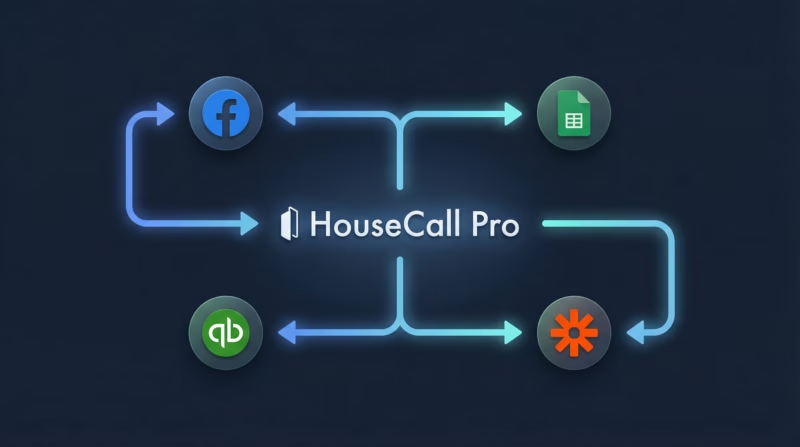
HouseCall Pro is one of the most popular field service management platforms, trusted by thousands of home services contractors across the US. But to get the most out of it, you need to connect it with the rest of your tech stack.
This guide covers every major HouseCall Pro integration available in 2026 — from accounting and lead generation to marketing automation and customer communication.
Native HouseCall Pro Integrations
HouseCall Pro offers a handful of built-in integrations out of the box. These are the easiest to set up since they don’t require any third-party tools.
QuickBooks Online
The QuickBooks Online integration is HouseCall Pro’s most popular native connection. It automatically syncs invoices, payments, and customer records between the two platforms.
This eliminates double data entry and keeps your books accurate. When a technician closes out a job in HouseCall Pro, the invoice and payment details flow directly into QuickBooks.
Setup takes about five minutes from the HouseCall Pro settings page. You’ll need a QuickBooks Online account (not Desktop — the integration only supports the cloud version).
Google Local Services Ads
HouseCall Pro integrates directly with Google Local Services Ads (LSA). When a homeowner contacts you through your LSA listing, the lead automatically creates a new job in HouseCall Pro.
This is a powerful integration for service businesses that rely on Google for local leads. It cuts out the manual step of re-entering lead information.
Google Calendar
Sync your HouseCall Pro schedule with Google Calendar so you and your team can see upcoming jobs alongside personal appointments. This is a one-way sync — HouseCall Pro jobs appear on your Google Calendar, but changes made in Google Calendar won’t push back.
Mailchimp
HouseCall Pro connects with Mailchimp to sync your customer list for email marketing. New customers added in HouseCall Pro are automatically pushed to your Mailchimp audience.
This lets you run follow-up campaigns, seasonal promotions, and review requests without manually exporting and importing CSV files.
Real Green Systems
For lawn care and pest control companies, the Real Green integration syncs customer and job data between the two platforms. This is a niche but valuable connection for businesses already using Real Green for route optimization and service scheduling.
Lead Generation Integrations
Getting leads into HouseCall Pro fast is critical for home service businesses. Speed to lead matters — the first business to respond wins the job up to 78% of the time.
Facebook Lead Ads to HouseCall Pro (via LeadSync)
Facebook lead ads are one of the highest-converting ad formats for home service businesses. If you’re running Facebook ads for your contracting business, getting leads into your CRM fast is critical. Homeowners fill out a form without leaving Facebook, and you get their name, phone number, and job details instantly.
The challenge is getting those leads into HouseCall Pro before they go cold. LeadSync solves this by syncing Facebook leads to HouseCall Pro in real time — under 60 seconds.
Here’s what makes LeadSync the best option for this integration:
- Real-time sync — leads arrive in under 60 seconds, compared to Zapier’s 2-15 minute delay
- Affordable pricing — starts at /mo vs. LeadsBridge at -,549/mo
- Built for lead ads — purpose-built for Facebook, Google, and TikTok lead ad syncing
- No technical setup — connect your accounts and map your fields in under 5 minutes
- Instant email and SMS notifications — get alerted the moment a lead comes in so you can call back immediately
Google Lead Form Ads to HouseCall Pro (via LeadSync)
Google lead form ads work similarly to Facebook’s — users submit their info directly from the search results page. LeadSync connects these leads to HouseCall Pro with the same real-time speed.
If you’re running Google Ads for HVAC, plumbing, roofing, or any home service, this integration ensures every lead gets into your CRM the moment they submit the form.
TikTok Lead Ads to HouseCall Pro (via LeadSync)
TikTok is emerging as a powerful platform for home service marketing, especially for reaching younger homeowners. LeadSync supports TikTok lead ad syncing to HouseCall Pro using the same real-time pipeline.
How to Connect Facebook Lead Ads to HouseCall Pro
Connecting Facebook lead ads to HouseCall Pro through LeadSync takes about five minutes. Here’s the process:
Step 1: Create your LeadSync account. Sign up at leadsync.me and connect your Facebook account. LeadSync will pull in your pages and ad accounts automatically.
Step 2: Select your Facebook page and lead form. Choose the page running your lead ads and select the specific lead form you want to sync.
Step 3: Connect HouseCall Pro as your destination. Add HouseCall Pro as a destination and authorize the connection. LeadSync will connect via HouseCall Pro’s API.
Step 4: Map your fields. Match your Facebook lead form fields (name, phone, email, service needed) to the corresponding fields in HouseCall Pro.
Step 5: Enable notifications. Turn on email and/or SMS notifications so you’re alerted the instant a new lead arrives. This is key for speed to lead.
Step 6: Test and go live. Send a test lead through Facebook to confirm everything flows correctly. Once verified, your leads will sync automatically 24/7.
Important note about HouseCall Pro’s API: HouseCall Pro only opens API access on their MAX plan, which costs +/month for the first 3 months and then /month. Factor this into your integration planning.
Automation Integrations
For workflows that HouseCall Pro doesn’t support natively, automation platforms bridge the gap.
Zapier
Zapier is the most popular general-purpose automation tool for HouseCall Pro. It connects HouseCall Pro to 5,000+ apps including Google Sheets, Slack, HubSpot, and more.
Common Zapier automations with HouseCall Pro include:
- Creating a new HouseCall Pro customer when a form is submitted on your website
- Sending a Slack notification when a job is completed
- Adding completed jobs to a Google Sheet for reporting
- Creating follow-up tasks in your project management tool
The downside of Zapier is latency. Free plans check for new data every 15 minutes, and even paid plans have a 1-2 minute delay. For time-sensitive workflows like lead routing, this delay can cost you jobs. That’s why LeadSync is the better choice for lead ad syncing — it delivers leads in under 60 seconds.
Make (formerly Integromat)
Make is a Zapier alternative that offers more complex workflow logic at a lower price point. It supports HouseCall Pro through its API module, letting you build multi-step automations with conditional logic, filters, and data transformations.
Make is a good choice if you need complex automations like routing leads to different technicians based on zip code or service type.
n8n
For more technical teams, n8n is an open-source automation platform that supports HouseCall Pro via its HTTP request node. It’s self-hosted, so you have full control over your data and workflows. The trade-off is that it requires more technical knowledge to set up and maintain.
Accounting and Payments
QuickBooks Desktop (via Third-Party Sync)
While HouseCall Pro only natively integrates with QuickBooks Online, several third-party tools can bridge the gap to QuickBooks Desktop. Connex and DBSync are popular options that sync HouseCall Pro data to your desktop accounting software.
If you’re still on QuickBooks Desktop, the most common advice is to migrate to QuickBooks Online to take advantage of the native integration.
Stripe and Square Payments
HouseCall Pro has built-in payment processing, but some businesses prefer to use Stripe or Square. Through Zapier or Make, you can create automations that track HouseCall Pro payments in your preferred payment platform for consolidated reporting.
Customer Communication
Podium
Podium integrates with HouseCall Pro to manage customer reviews and text-based communication. After a job is completed, Podium can automatically send a review request via text message, helping you build your online reputation on Google and Facebook.
Twilio (via Zapier or Make)
For custom SMS workflows, you can connect HouseCall Pro to Twilio through Zapier or Make. This is useful for sending automated appointment reminders, follow-up texts, or custom notifications that go beyond HouseCall Pro’s built-in messaging.
Broadly
Broadly connects with HouseCall Pro to streamline review generation, web chat, and customer communications. It’s designed specifically for home service businesses and focuses on converting website visitors into leads and turning completed jobs into five-star reviews.
Marketing Integrations
Google My Business
While not a direct integration, HouseCall Pro works alongside your Google Business Profile. You can use Zapier to automatically post updates to your Google Business Profile when you complete jobs or add new services.
Facebook Custom Audiences (via LeadSync)
LeadSync can also sync your HouseCall Pro customer data back to Facebook Custom Audiences for retargeting. This lets you run ads to past customers for upsells, seasonal services, and referral campaigns.
Constant Contact and ActiveCampaign
Through Zapier or Make, you can push HouseCall Pro customer data into email marketing platforms like Constant Contact or ActiveCampaign. This enables automated drip campaigns, seasonal promotions, and re-engagement emails based on service history.
Field Service and Operations
CompanyCam
CompanyCam integrates with HouseCall Pro to organize job site photos. Technicians take photos through CompanyCam, and they’re automatically linked to the corresponding HouseCall Pro job. This is essential for documentation, before/after comparisons, and insurance claims.
GPS Fleet Tracking
Several GPS tracking solutions integrate with HouseCall Pro through the API, including GPS Trackit and Verizon Connect. These integrations help you optimize routes, monitor technician locations, and provide accurate ETAs to customers.
Jobber (Migration)
Switching from HouseCall Pro to Jobber (or vice versa)? Both platforms support data export, and LeadSync integrates with both — so your lead ad connections transfer seamlessly regardless of which field service platform you choose.
HouseCall Pro API: Build Your Own Integrations
HouseCall Pro offers a REST API for businesses that need custom integrations. The API supports creating and managing customers, jobs, estimates, invoices, and more.
There are a few important things to know about the HouseCall Pro API:
- Requires MAX plan — API access is only available on HouseCall Pro’s MAX plan (+/month for the first 3 months, then /month)
- OAuth 2.0 authentication — third-party apps connect via OAuth, so your credentials are never shared
- Rate limits apply — the API has rate limiting, so high-volume integrations need to be designed accordingly
- Webhook support — HouseCall Pro can send webhook notifications for events like new jobs, completed appointments, and payment received
For most businesses, using a pre-built integration through LeadSync, Zapier, or Make is faster and more cost-effective than building a custom API integration.
Choosing the Right Integration Approach
Here’s a quick comparison to help you decide which integration method works best:
| Method | Best For | Speed | Cost |
|---|---|---|---|
| LeadSync | Facebook, Google and TikTok lead ads | Under 60 seconds | From $19/mo |
| Native integrations | QuickBooks, Google Calendar, Mailchimp | Real-time | Included |
| Zapier | General automation (5,000+ apps) | 1-15 minutes | Free-+/mo |
| Make | Complex multi-step workflows | Near real-time | Free-+/mo |
| Custom API | Unique business requirements | Real-time | MAX plan required (/mo) |
Frequently Asked Questions
What apps does HouseCall Pro integrate with?
HouseCall Pro natively integrates with QuickBooks Online, Google Local Services Ads, Google Calendar, Mailchimp, and Real Green Systems. Through third-party tools like LeadSync, Zapier, and Make, you can connect HouseCall Pro to thousands of additional apps including Facebook Lead Ads, Google Sheets, Slack, HubSpot, and more.
Does HouseCall Pro integrate with QuickBooks?
Yes, HouseCall Pro has a native integration with QuickBooks Online. It syncs invoices, payments, and customer records automatically. However, QuickBooks Desktop is not natively supported — you’ll need a third-party sync tool for Desktop.
How do I connect Facebook leads to HouseCall Pro?
The fastest way to connect Facebook Lead Ads to HouseCall Pro is through LeadSync. It syncs leads in real time (under 60 seconds) and costs just /month. You can also use Zapier, but leads will be delayed by 1-15 minutes depending on your plan.
Does HouseCall Pro work with Zapier?
Yes, HouseCall Pro has an official Zapier integration. You can create automated workflows (called Zaps) that connect HouseCall Pro to 5,000+ other apps. Common use cases include sending notifications, syncing data to spreadsheets, and creating follow-up tasks.
How much does the HouseCall Pro API cost?
HouseCall Pro API access requires the MAX plan, which costs + per month for the first 3 months and then increases to per month. For most businesses, using a pre-built integration tool like LeadSync (/mo) or Zapier (free-+/mo) is more cost-effective.
Can I connect HouseCall Pro to Google Lead Ads?
Yes, you can connect Google Lead Form Ads to HouseCall Pro through LeadSync. Leads submitted via Google search ads are synced to HouseCall Pro in real time, so you can respond to potential customers immediately.
What is the best integration for lead ads with HouseCall Pro?
LeadSync is the best option for syncing lead ads (Facebook, Google, and TikTok) to HouseCall Pro. It delivers leads in under 60 seconds, costs $19/month, and is purpose-built for lead ad integrations — unlike Zapier which has a 1-15 minute delay and was not designed specifically for this use case.