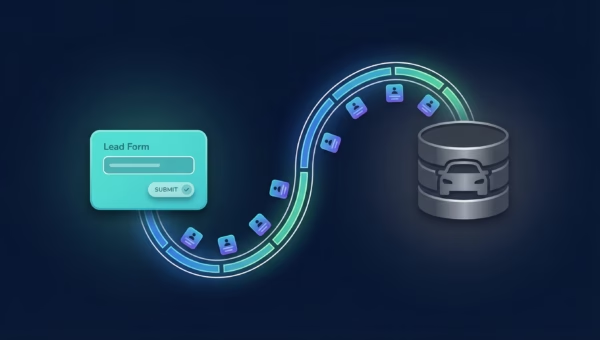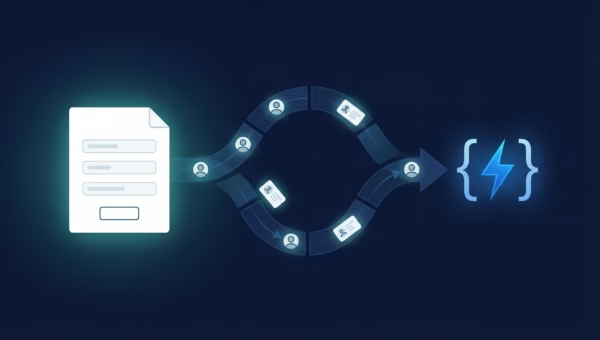
If you’re running Facebook or Instagram Lead Ads, you’ve probably noticed something frustrating: plenty of leads come in, but too many of them are junk. Wrong numbers, fake emails, people who never intended to enquire.
The problem isn’t your ad creative or your targeting. It’s that Meta’s algorithm doesn’t know which of your leads are actually good. Without that feedback, it optimises for volume — not quality.
That’s exactly what Meta’s Conversions API (CAPI) solves. And if you’re using LeadSync, you can set it up in about 2 minutes — no developer needed.
What Is the Meta Conversions API?
The Meta Conversions API (CAPI) is a server-to-server connection between your business systems and Meta’s ad platform. Instead of relying on browser-based tracking (like the Meta Pixel), CAPI sends conversion data directly from your server — or through a tool like LeadSync — back to Meta.
For lead ads specifically, CAPI lets you tell Meta which leads actually converted into customers, booked appointments, or took meaningful action. This creates a quality feedback loop that Meta’s algorithm uses to find more people like your best leads.
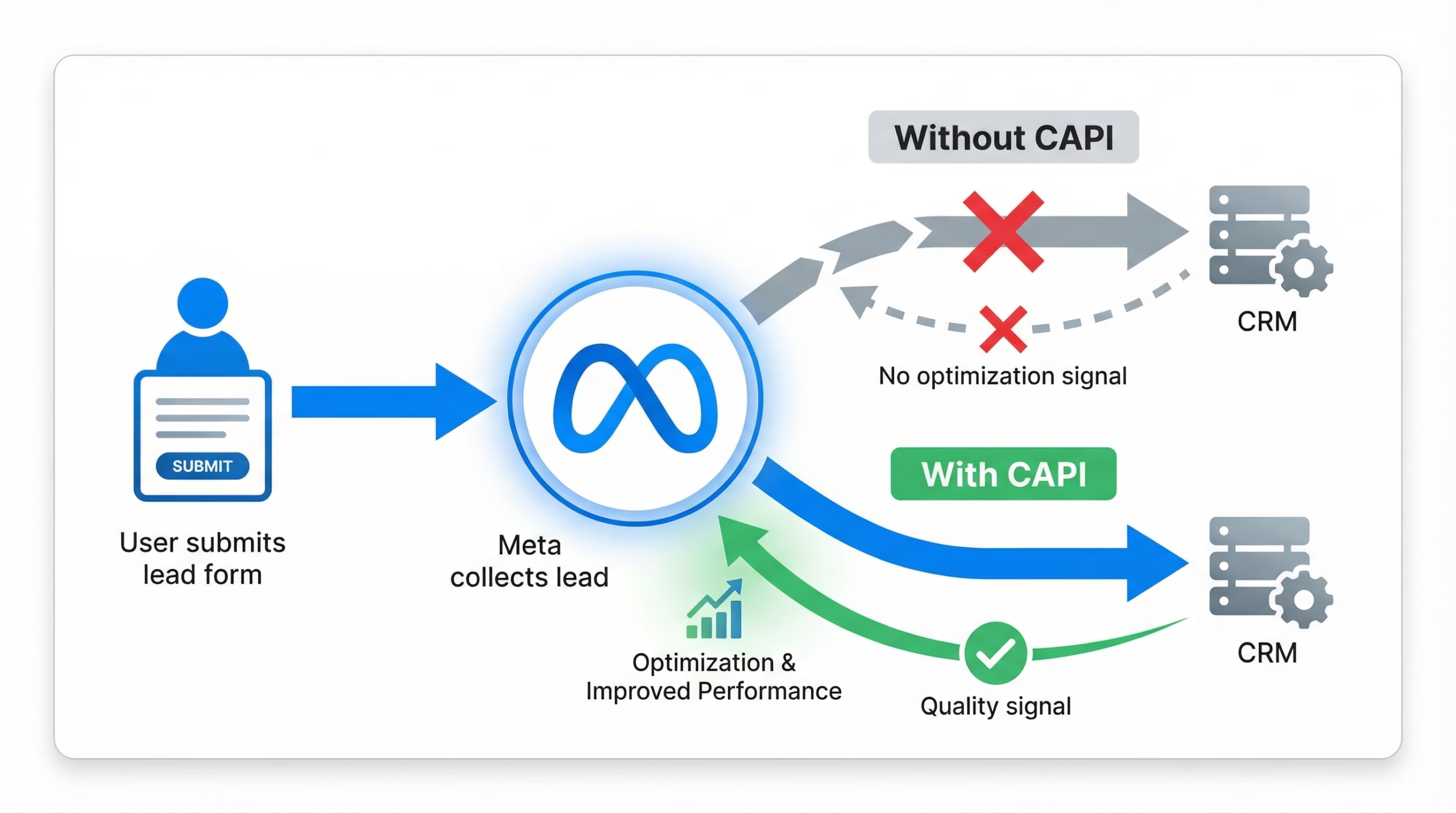
Think of it this way: without CAPI, Meta is flying blind. It knows someone filled out your form, but it has no idea whether that person became a paying customer or ghosted your sales team. With CAPI, you’re giving Meta the data it needs to find more of the good ones.
Why Lead Quality Matters More Than Lead Volume
Every business running lead ads eventually hits the same wall. Cost per lead looks great on paper, but the sales team is wasting hours chasing leads that go nowhere.
Here’s what the numbers actually look like for most businesses:
- Without quality optimisation: 100 leads at $5 each = $500. If only 5% convert to customers, that’s 5 customers at $100 acquisition cost each.
- With CAPI quality optimisation: 70 leads at $7 each = $490. But 15% convert to customers — that’s 10.5 customers at $47 acquisition cost each.
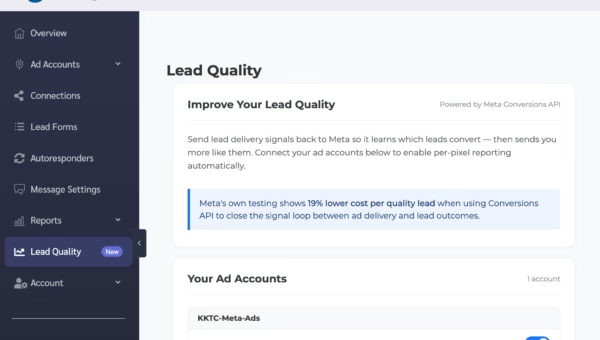
Fewer leads, lower cost per customer, and your sales team isn’t burning out on dead-end calls. Meta’s own data backs this up: advertisers using Conversions API for lead quality see an average 19% reduction in cost per quality lead.
Meta Pixel vs Conversions API: What’s the Difference?
If you’re already using the Meta Pixel on your website, you might be wondering why you need CAPI at all. The short answer: the Pixel tracks website behaviour, but it can’t track what happens after a lead enters your CRM.
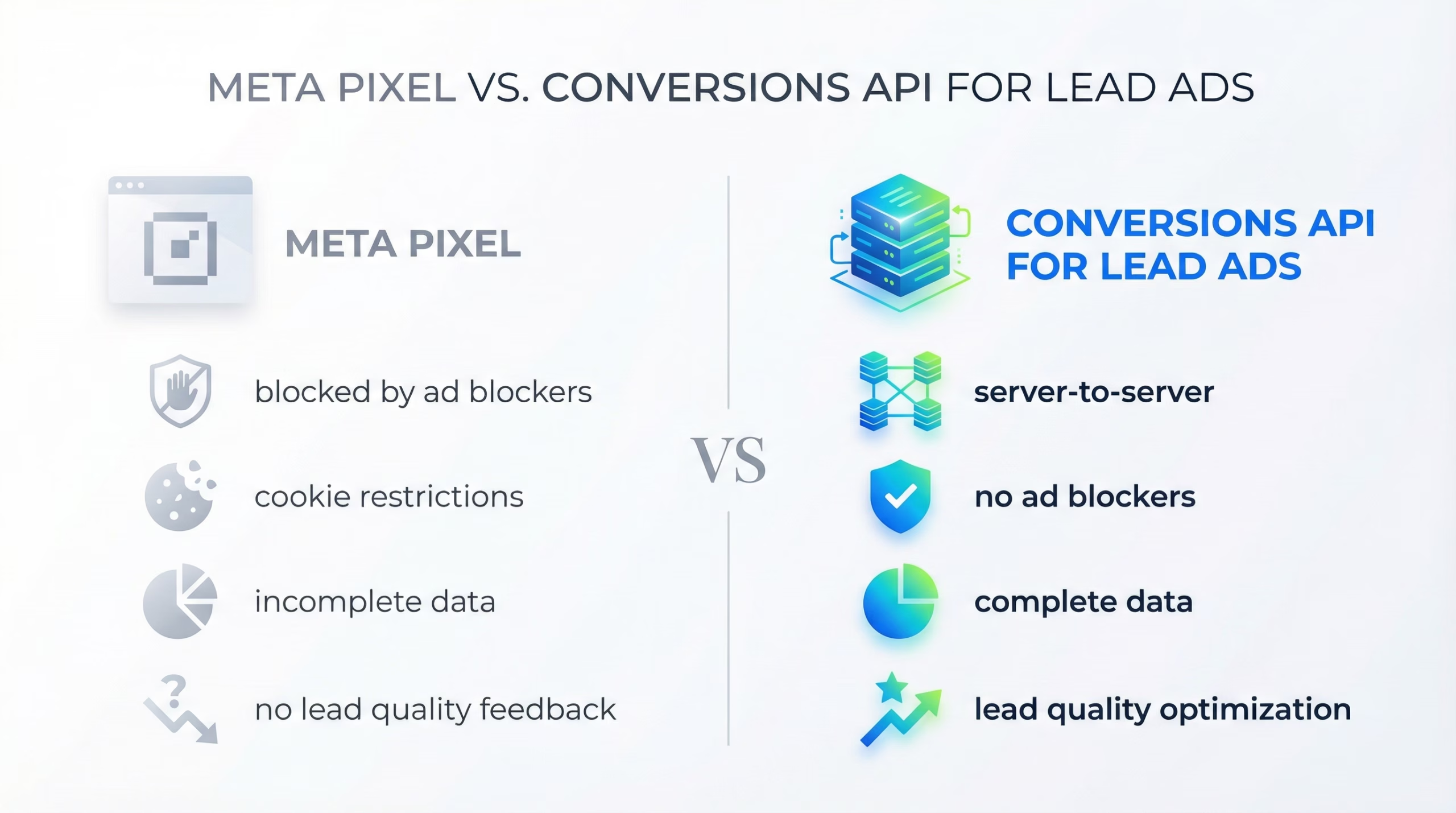
The Meta Pixel
- Runs in the user’s browser
- Blocked by ad blockers (up to 40% of users)
- Affected by iOS privacy changes and cookie restrictions
- Can only track page views and on-site actions
- Cannot send lead quality data back to Meta
The Conversions API
- Server-to-server — no browser involved
- Not affected by ad blockers or cookie policies
- Works with any downstream data (CRM status, sales outcomes)
- Can send lead quality events back to Meta
- Enables Meta to optimise for conversions, not just form fills
For lead ads, the Pixel is essentially useless for quality optimisation because the conversion (a form fill) happens inside Meta’s own platform. The real value comes after the lead reaches your CRM — and that’s where CAPI shines.
How the CAPI Lead Quality Feedback Loop Works
The power of CAPI for lead ads is the feedback loop it creates. Here’s how it works step by step:
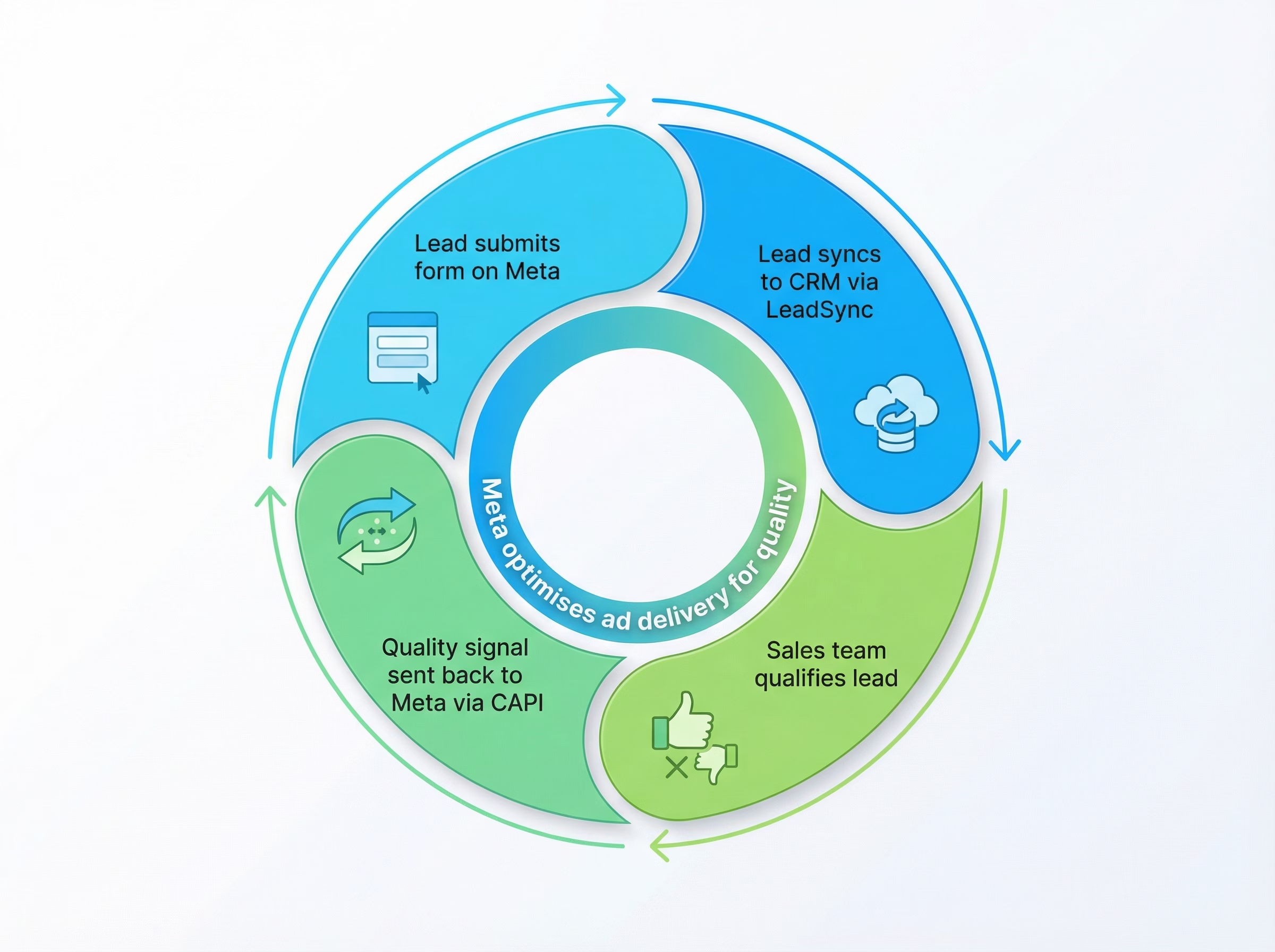
- A prospect fills out your lead form on Facebook or Instagram.
- LeadSync delivers the lead to your CRM in under 60 seconds — with all form fields intact.
- Your sales team works the lead and marks it as qualified or unqualified in your CRM.
- LeadSync sends a quality event back to Meta via CAPI — telling the algorithm this was a good (or bad) lead.
- Meta’s algorithm learns and starts showing your ads to more people who match the profile of your qualified leads.
Over time, this loop gets smarter. The more quality signals you send, the better Meta gets at finding people who are genuinely interested in your business — not just willing to tap a form.
Setting Up CAPI with LeadSync (No Developer Required)
Traditionally, setting up the Conversions API required a developer to build a server-side integration with Meta’s API. You’d need to handle authentication, event formatting, deduplication, and error handling.
LeadSync’s CAPI integration removes all of that complexity. Here’s how it works:
- Enable CAPI in your LeadSync dashboard (it’s a toggle in your account settings).
- Connect your Meta Pixel ID — this links your CAPI events to the right ad account.
- Map your quality signal — tell LeadSync which CRM field or status indicates a qualified lead.
- Done. LeadSync automatically sends quality events to Meta whenever a lead is marked as qualified.
The whole setup takes about 2 minutes. No API keys, no webhooks to configure, no code to write.
What Types of Events Can You Send?
CAPI supports several event types for lead ads. The most impactful ones are:
- Lead (quality tier): Signals that a lead met your basic qualification criteria — correct contact info, within your service area, etc.
- Contact: The lead responded to outreach (answered a call, replied to an email).
- Schedule: The lead booked an appointment or consultation.
- Application: The lead submitted a formal application or detailed enquiry.
- Purchase: The lead became a paying customer.
You don’t need to use all of these. Even sending a single “qualified lead” event gives Meta significantly more signal to work with than sending nothing at all.
Who Should Use CAPI for Lead Ads?
CAPI is especially valuable if you:
- Get a lot of low-quality leads — fake emails, wrong numbers, no-shows
- Spend $1,000+/month on lead ads — the optimisation impact scales with spend
- Have a sales team working leads — you need someone marking leads as good/bad to feed the loop
- Run lead ads for clients — agencies can demonstrate measurable quality improvement
- Operate in high-value niches — real estate, automotive, home services, financial services
If you’re running lead ads at any meaningful scale, CAPI isn’t optional anymore — it’s the difference between paying for form fills and paying for actual customers.
Results: What to Expect
CAPI isn’t instant magic. Meta’s algorithm needs data to learn from, so expect a ramp-up period:
- Week 1-2: You’re feeding initial quality signals. Meta is learning. Lead quality may not change noticeably yet.
- Week 3-4: The algorithm starts adjusting delivery. You should begin seeing fewer junk leads.
- Month 2+: Full optimisation kicks in. Meta’s own benchmarks show a 19% average reduction in cost per quality lead at this stage.
The key is consistency. Send quality signals for every lead — good and bad — so Meta has the complete picture.
Frequently Asked Questions
Do I need a developer to set up CAPI?
Not if you use LeadSync. Our CAPI integration is a no-code setup that takes about 2 minutes. If you’re building a custom integration directly with Meta’s API, then yes — you’ll need a developer.
Does CAPI replace the Meta Pixel?
No. Meta recommends using both together for website tracking (this is called “redundant event setup”). For lead ads specifically, CAPI handles the quality feedback that the Pixel cannot.
How many leads do I need before CAPI makes a difference?
Meta recommends at least 50 conversion events per week per ad set for optimal delivery optimisation. For most businesses running lead ads, this means you should be generating at least 50 leads per week to see the full benefit of CAPI.
Is CAPI free?
The Conversions API itself is free from Meta. You just need a way to send the data — either through a custom server-side integration or through a tool like LeadSync that handles it for you.
Does CAPI work with TikTok and Google Ads too?
The Conversions API is Meta-specific (Facebook and Instagram). TikTok has a similar feature called TikTok Events API, and Google has Enhanced Conversions. LeadSync currently supports Meta CAPI with plans to add other platforms.
What’s the difference between CAPI and CRM integration?
CRM integration sends leads from Meta to your CRM. CAPI sends quality data from your CRM back to Meta. LeadSync does both — it syncs leads to your CRM in real time, and sends quality events back to Meta via CAPI.
Start Improving Your Lead Quality Today
If you’re tired of paying for junk leads, LeadSync’s CAPI integration is the fastest way to start sending quality signals back to Meta. No developer, no complex setup — just better leads.
Start your free 14-day trial and enable CAPI in your dashboard. Most users see measurable quality improvement within 3-4 weeks.
Already using LeadSync? Follow the CAPI setup guide to enable it on your account.