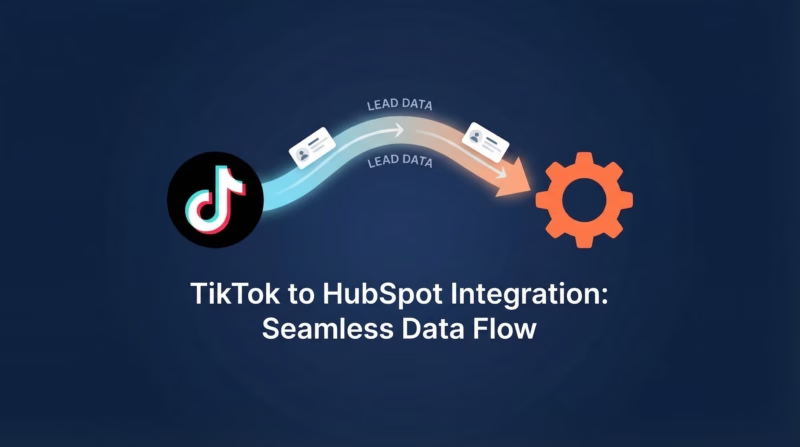
TikTok Lead Generation forms are one of the most effective ways to capture leads directly within the TikTok app experience. When combined with HubSpot, a powerful and versatile CRM platform, you can automate your entire lead management workflow. HubSpot makes it easy to organize, track, and nurture your leads and customers all in one place. Some of the standout features include:
• Comprehensive CRM: HubSpot’s CRM allows you to organize, track, and nurture your leads and customers.
• Marketing Automation: Create automated marketing campaigns to engage your audience and drive conversions.
• Sales Tools: Equip your sales team with the tools they need to close deals faster.
• Analytics and Reporting: Get detailed insights into your marketing and sales performance.
By integrating TikTok Lead Generation forms with HubSpot, you can streamline your lead management process, ensuring that no potential customer slips through the cracks.
Why Connect TikTok Lead Forms to HubSpot?
If you’re running TikTok campaigns with lead generation forms, connecting them to HubSpot can significantly enhance your marketing and sales processes. Here’s why:
1. Automated Lead Capture: Automatically capture leads from TikTok Lead Generation forms and send them directly to HubSpot, reducing manual data entry and errors.
2. Immediate Follow-Up: Trigger automated workflows in HubSpot to engage new leads instantly, improving your chances of conversion.
3. Enhanced Segmentation: Use HubSpot’s powerful segmentation tools to categorize and nurture leads based on their interests and behaviors.
4. Comprehensive Analytics: Track the performance of your TikTok campaigns and see how they contribute to your overall sales funnel within HubSpot.
How to Synchronize TikTok Leads with HubSpot
Step 1: Connect Your TikTok Account to LeadSync
Before you can sync leads from TikTok to HubSpot, you’ll need to connect your TikTok Ads Manager account to LeadSync. This process authorizes LeadSync to access your TikTok Lead Generation form data.
Log in to your LeadSync account and navigate to the Ad Accounts section from the left menu. Click on Google to access your TikTok configuration. Next, click the Add TikTok Account button. You’ll be prompted to sign in to your Google account and authorize LeadSync for access to your TikTok data. Once authorized, your TikTok Ads Manager account will appear in the accounts table, confirming the connection is active.
Step 2: Set Up a HubSpot Connection in LeadSync
Now that your TikTok Ads Manager account is connected, you’ll need to create a HubSpot connection in LeadSync. This connection tells LeadSync where to send your TikTok leads.
Go to the Connections section in LeadSync and click Add Connection. From the connection type dropdown, select HubSpot. You’ll be automatically prompted to log in to HubSpot and approve LeadSync for access to your HubSpot account. After granting access, you’ll return to LeadSync’s connection setup page. Give your connection a descriptive name (for example, “TikTok to HubSpot”) in the Connection Name field and click Update Connection.
Once you’ve updated the connection, a new dropdown field will appear allowing you to select the HubSpot form where leads should be sent. Select the appropriate form from the list and click Update Connection again to confirm your selection.
Step 3: Pair Your TikTok Lead Form with Your HubSpot Connection
The final step is to connect your specific TikTok Lead Generation form to your HubSpot connection. This creates the actual sync between your lead source and your CRM.
Navigate to the Lead Forms section in LeadSync and click the Add TikTok Lead Form button. You’ll see a form with several dropdown fields to configure. First, select your Ad Account from the dropdown—this should be the TikTok Ads Manager account you connected in Step 1. Next, select your Lead Generation Form from the available forms in your account. Then, select the HubSpot Connection you created in Step 2.
The most important part of this process is the field mapping. This is where you match the fields in your TikTok lead form to the corresponding fields in HubSpot. For example, if your Google form collects an “Email” field, map it to the “Email” field in HubSpot. Common fields to map include email address (required), first name, last name, and phone number. Take time to ensure each field is correctly mapped, as this determines what information gets sent to HubSpot for each lead.
Once you’ve completed the field mapping, click Update Notification to save your configuration and activate the sync.
Testing Your TikTok to HubSpot Connection
We recommend you test your new connection before relying on it for production leads. You can do this by submitting a test lead through your TikTok campaign. Fill out your TikTok lead form with test information and submit it. Within 1-2 minutes, the contact should appear in your HubSpot account. Check that all the field data has been correctly transferred and matches the mapping you configured. This ensures everything is working as expected before your real customers start submitting leads.
Frequently Asked Questions
How often does LeadSync synchronize leads from TikTok to HubSpot?
LeadSync typically sends leads from TikTok Lead Generation forms to HubSpot in under 60 seconds, ensuring your sales team can follow up with prospects quickly.
Can I sync multiple Google lead generation forms to HubSpot?
Yes, you can create multiple syncs in LeadSync to connect different Google lead generation forms to HubSpot. This is useful if you’re running multiple campaigns or have different forms for different products or services.
What if I encounter an issue with the sync?
Check our common lead syncing issues FAQ which usually covers most issues. If that doesn’t solve the problem, contact LeadSync support.
Is there a limit to the number of leads I can sync?
The limit depends on your LeadSync subscription plan. Check the plan details for specific limits on the number of leads you can sync per month.
Can I use LeadSync to sync leads from other sources?
Yes, LeadSync works with Google, Facebook, LinkedIn, and TikTok lead sources. You can also sync leads to various CRMs and email marketing platforms. Visit the LeadSync home page for a full list of supported integrations.
What happens if a contact already exists in HubSpot?
HubSpot automatically deduplicates contacts by email address. If a lead submits your form and they already exist as a contact in HubSpot, HubSpot will update their existing record rather than creating a duplicate.
Go Beyond: Connect Multiple Lead Sources to HubSpot
TikTok is powerful, but why stop there? LeadSync allows you to consolidate leads from multiple channels into HubSpot, creating a unified lead management system. Here are some additional integrations you can set up:
Email Integration: Forward leads captured through email campaigns directly to HubSpot. Every subscriber becomes a trackable contact in your CRM, making it easy to nurture them through automated workflows.
Slack Integration: Get real-time notifications in Slack whenever a new lead comes in from TikTok or other sources. Your team stays informed instantly, enabling faster response times and better customer service.
Google Sheets Integration: Automatically log all incoming leads in a shared Google Sheet for team visibility and analysis. This creates a transparent record of lead volume and quality across all your campaigns.
SMS Integration: Send automated SMS messages to new leads immediately after they submit your form. A quick text message can set expectations and increase engagement before your sales team reaches out.
Start Syncing TikTok Leads Today
Connecting your TikTok Lead Generation forms to HubSpot eliminates manual data entry, accelerates your sales cycle, and ensures no lead falls through the cracks. With LeadSync, the entire setup takes just minutes.
Ready to get started? Try LeadSync free for 14 days and see how easily you can sync TikTok leads directly to HubSpot. No credit card required.