Facebook Lead Ads vs Landing Pages — which generates better leads? Lead ads are 30-50% cheaper per lead and convert better on mobile, but landing pages produce higher-quality leads that are 2-8x more likely to become customers. The real answer: response speed matters more than channel choice — leads contacted within 5 minutes convert 9x better regardless of source. This guide breaks down the data, costs, and when to use each.
If you’re running Facebook ads for lead generation, you’ve probably wondered: should I use Facebook’s built-in lead forms (Lead Ads) or send people to a landing page on my website?
It’s not a simple answer. Both have real advantages, and the “right” choice depends on your budget, industry, and — critically — how fast you follow up.
In this guide, we’ll compare real data from thousands of campaigns, break down the costs by industry, and give you a concrete framework for deciding which to use (or how to use both together).
What Are Facebook Lead Ads?
Facebook Lead Ads use an instant form that opens directly inside Facebook or Instagram. When someone taps your ad, a form pops up pre-filled with their name, email, and phone number from their Facebook profile. They submit without ever leaving the app.
Key characteristics:
- Form opens natively inside Facebook/Instagram — no page load
- Fields are pre-populated from the user’s profile
- Works on mobile without any landing page or website
- Leads are stored in Facebook for up to 90 days (or synced instantly via tools like LeadSync)
What Are Landing Page Campaigns?
Landing page campaigns (also called conversion campaigns) use a Facebook ad to drive traffic to a dedicated page on your website. The user clicks the ad, leaves Facebook, waits for your page to load, then fills out a form on your site.
Key characteristics:
- User leaves Facebook and visits your website
- You control the entire experience — design, copy, trust signals
- Form fields must be filled in manually (no pre-population)
- Requires a fast, mobile-optimized landing page
- Leads go directly into your CRM or email platform
The Data: Lead Ads vs Landing Pages
Let’s cut through the opinions and look at what the data actually shows.
Conversion Rate
A WordStream study analyzing 3,000+ campaigns and $9.5 million in ad spend found:
- Lead Ads conversion rate: 12.54%
- Landing page conversion rate: 10.47%
Lead ads win on raw conversion rate — but that’s only half the story.
Lead Quality
Here’s where landing pages fight back. The same WordStream study found that conversion campaigns produced:
- 5.7% higher quality lead conversion (leads that actually engaged)
- 1.4% higher demo request rate (leads that took a meaningful next step)
A real-world case study from a Singapore-based clinic put it more starkly:
- Lead Ads: $6 per lead, but only 2% converted to appointments
- Landing Pages: $18 per lead, but 17% converted to appointments
That means each appointment from lead ads actually cost $300, while each appointment from landing pages cost $106. The “cheaper” option was 3x more expensive when you measured what actually matters.
Cost Per Lead
On average, Facebook Lead Ads produce leads at 30-50% lower cost than landing page campaigns. Here’s what to expect by industry:
| Industry | Lead Ads CPL | Landing Page CPL | Lead Ads Advantage |
|---|---|---|---|
| E-commerce | $8 – $15 | $15 – $30 | ~50% cheaper |
| Real Estate | $12 – $30 | $25 – $55 | ~45% cheaper |
| Home Services | $15 – $35 | $30 – $60 | ~40% cheaper |
| Education | $10 – $25 | $20 – $45 | ~45% cheaper |
| Health & Fitness | $20 – $40 | $35 – $70 | ~40% cheaper |
| Automotive | $20 – $45 | $40 – $80 | ~45% cheaper |
| B2B / SaaS | $30 – $65 | $50 – $120 | ~35% cheaper |
| Insurance | $25 – $55 | $45 – $100 | ~40% cheaper |
Important: These are cost-per-lead numbers, not cost-per-customer. A $10 lead that never converts is infinitely more expensive than a $50 lead that becomes a $5,000 customer.
Side-by-Side Comparison
| Facebook Lead Ads | Landing Pages | |
|---|---|---|
| Cost per lead | 30-50% cheaper | Higher, but often better ROI |
| Conversion rate | 12.54% average | 10.47% average |
| Lead quality | Lower — pre-filled forms = accidental submissions | Higher — user actively types info |
| Mobile experience | Excellent — native to the app | Depends on page speed and design |
| Desktop experience | Good | Better — more screen space for persuasion |
| Setup time | 10 minutes — no website needed | Hours to days — needs design, hosting, testing |
| A/B testing | Limited to form fields and ad creative | Full control — layout, copy, CTAs, social proof |
| Brand experience | Minimal — Facebook’s UI, not yours | Full brand immersion — your design, your story |
| Retargeting pixel | No pixel fires (no website visit) | Pixel fires — build retargeting audiences |
| Data ownership | Facebook stores leads for 90 days then deletes | You own the data immediately |
| CRM integration | Requires a tool like LeadSync or Zapier | Direct — form submits to your CRM |
| Follow-up speed | Instant with LeadSync (under 60 seconds) | Instant if CRM is connected |
| Best for | Volume, mobile audiences, simple offers, testing | High-value offers, complex sales, brand building |
The Factor Nobody Talks About: Response Speed
Here’s what most “lead ads vs landing pages” articles miss: how fast you respond to the lead matters more than which channel generated it.
The data is overwhelming:
- Leads contacted within 5 minutes are 9x more likely to convert into customers (Harvard Business Review)
- After 30 minutes, conversion rates drop by 80%
- The average business takes 47 hours to respond to a lead
- After 24 hours, most leads have forgotten they filled out your form
This is where lead ads have a hidden disadvantage that few people discuss. When someone submits a Facebook Lead Ad form, the lead data sits inside Facebook’s system. If you’re downloading leads manually, you might not see it for hours or days. By then, the lead is dead.
Landing pages with a connected CRM typically deliver leads instantly. But lead ads can match this speed — if you connect a real-time syncing tool.
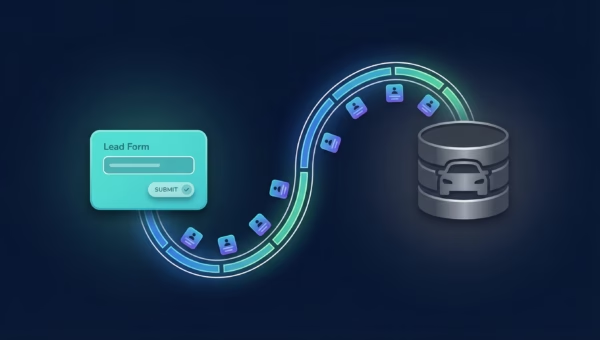
With LeadSync, Facebook lead ad data is delivered to your email, CRM, or phone via SMS in under 60 seconds. That eliminates the speed disadvantage entirely and lets you capitalize on lead ads’ lower costs without sacrificing follow-up timing.
When to Use Facebook Lead Ads
Lead ads are the better choice when:
- You don’t have a website — Lead ads work without any external pages
- Your audience is primarily mobile — 98.5% of Facebook users access via mobile; lead ads are frictionless on small screens
- You’re testing a new offer — Lower cost means faster, cheaper validation
- Your offer is simple — “Get a free quote,” “Download our guide,” “Book a consultation”
- You need volume fast — Lead ads generate more leads per dollar
- You have instant lead delivery set up — Tools like LeadSync eliminate the data delay problem
When to Use Landing Pages
Landing pages are the better choice when:
- Lead quality matters more than volume — The extra friction of typing information filters out low-intent submissions
- Your product or service is complex — You need space to explain, show testimonials, and build trust
- You want to build retargeting audiences — Landing page visitors fire your Facebook pixel; lead ad submissions don’t
- You’re in a high-value industry — Insurance, B2B, legal, and financial services benefit from the qualification that landing pages provide
- You want A/B testing control — Landing pages let you test headlines, layouts, social proof, and CTAs independently
- Brand experience matters — Your landing page is your brand; a Facebook form is Facebook’s
The Hybrid Strategy: Using Both Together
The best advertisers don’t choose one or the other — they use both strategically at different stages of the funnel.
Here’s a proven hybrid playbook:
Stage 1: Lead Ads for Top-of-Funnel
Use lead ads to capture a large volume of interested people at low cost. Offer something low-commitment: a free guide, a discount code, a webinar registration. Sync these leads to your CRM instantly.
Stage 2: Retarget with Landing Pages
Take the leads who engaged but didn’t convert (opened your email but didn’t buy, for example) and retarget them with a conversion campaign to a landing page. This page can include testimonials, case studies, pricing details, and a stronger call to action.
Stage 3: Lookalike Audiences from Customers
Upload your paying customers (not just leads) as a custom audience, then create a lookalike audience. Run lead ads to this lookalike — you’ll get the cost advantage of lead ads combined with higher quality from the audience seed.
Budget split recommendation: Start with 60% on lead ads (volume/testing) and 40% on landing pages (quality/retargeting). Adjust based on your downstream conversion data.
Common Mistakes That Skew the Comparison
Before you decide based on someone else’s data, watch out for these pitfalls:
- Measuring CPL instead of cost-per-customer. A $5 lead that never buys is infinitely more expensive than a $50 lead that becomes a $5,000 customer. Always track downstream conversions.
- Comparing lead ads with slow follow-up to landing pages with instant follow-up. If your lead ads go unresponded for 24 hours while your landing page leads hit a CRM instantly, you’re not comparing channels — you’re comparing response speeds.
- Using too many form fields on lead ads. AdEspresso’s data shows cost per lead spikes dramatically after 5 form questions. Keep lead ad forms short (3-4 fields) and use landing pages when you need more qualification.
- Not testing “Higher Intent” forms. Meta offers a “Higher Intent” form type that adds a review screen before submission. This single setting can dramatically improve lead quality while keeping the cost advantage.
- Ignoring mobile vs desktop performance. Lead ads dominate on mobile; landing pages often perform better on desktop. Check your audience’s device split before deciding.
How to Improve Lead Quality from Facebook Lead Ads
If you want the cost advantages of lead ads but need better quality, try these tactics:
- Switch to Higher Intent forms — Adds a confirmation screen that filters out accidental submissions
- Add a custom qualifying question — Force users to type an answer (not just tap a pre-filled field). Example: “What’s your monthly budget for this project?”
- Use Conversion Leads optimization — Tell Meta’s algorithm to optimize for leads that actually convert into customers, not just form submissions
- Build lookalike audiences from customers — Not from website visitors or leads. Use your actual paying customer list as the seed.
- Respond within 5 minutes — Set up instant notifications via email, SMS, or CRM sync so your team can call while the lead is still warm
Frequently Asked Questions
Are Facebook Lead Ads better than landing pages?
Neither is universally better. Lead ads generate more leads at lower cost, especially on mobile. Landing pages produce fewer but higher-quality leads that convert to customers at a higher rate. The best strategy is often to use both — lead ads for volume and testing, landing pages for high-value conversions.
Why are my Facebook Lead Ads producing low-quality leads?
The most common reason is pre-filled forms. Facebook auto-populates fields with profile data, making it easy for people to submit accidentally. Fix this by switching to Higher Intent form type, adding custom questions that require typing, and using Conversion Leads optimization to train Meta’s algorithm on your actual customers.
How much cheaper are Lead Ads vs landing pages?
On average, lead ads produce leads at 30-50% lower cost per lead. However, when you factor in lead-to-customer conversion rates, landing pages often deliver a lower cost per customer. A $6 lead that converts at 2% costs $300 per customer, while an $18 lead that converts at 17% costs $106 per customer.
Can I use both Lead Ads and landing pages at the same time?
Yes, and you should. Use lead ads for top-of-funnel capture (free guides, quotes, webinar registrations) and landing pages for retargeting warm audiences with higher-commitment offers. Start with a 60/40 budget split and adjust based on your downstream data.
Do I need a website to run Facebook Lead Ads?
No. That’s one of lead ads’ biggest advantages — the form is built into Facebook, so you don’t need a website, hosting, or a landing page builder. You do need a privacy policy URL, but you can use a free privacy policy generator if you don’t have one.
How do I get Facebook Lead Ad data into my CRM?
Facebook stores lead data in Ads Manager for 90 days, but manual downloads are slow and unreliable. Use a real-time integration tool like LeadSync to automatically sync leads to your CRM, email platform, or SMS in under 60 seconds. This is critical for maintaining the response speed that drives conversions.