Updated March 2026 — We tested Zapier and LeadSync side-by-side with real Facebook Lead Ad forms, measuring sync speed, setup time, and true monthly cost. Here’s what we found.
Zapier is a great tool — with 7,000+ integrations, it connects almost anything to anything. But most businesses running Facebook lead ads don’t need 7,000 integrations. They need one thing: leads in their CRM fast.
That’s exactly what we built LeadSync to do. We’ve been syncing Facebook leads since 2017, and we’ll be upfront about where we win — and where Zapier still makes sense.
LeadSync vs Zapier: Quick Comparison
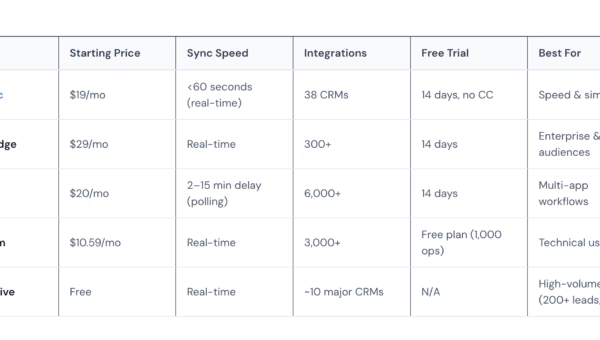
| Feature | LeadSync | Zapier |
|---|---|---|
| Starting price | $19/mo ($16.58/mo annual) | $29.99/mo ($19.99/mo annual) |
| Sync speed | <60 seconds (real-time webhook) | 2–15 minute delay (polling) |
| Pricing model | Flat monthly fee, unlimited leads | Per-task billing (each step counts) |
| Facebook Lead Ads | ✅ Purpose-built | ✅ One of 7,000+ integrations |
| Instagram Lead Ads | ✅ | ✅ |
| Google Lead Forms | ✅ | ✅ |
| LinkedIn Lead Gen | ✅ | ✅ |
| TikTok Lead Gen | ✅ | ✅ |
| CRM integrations | 30+ | 7,000+ |
| Email notifications | ✅ Built-in, instant | Requires extra Zap step (+1 task) |
| SMS notifications | ✅ Built-in | Requires extra Zap step (+1 task) |
| Email autoresponders | ✅ Built-in | ❌ Requires separate tool |
| Setup time | ~5 minutes | ~10–20 minutes |
| Free trial | 14 days, no credit card | 14 days |
Why Businesses Switch from Zapier to LeadSync
We surveyed LeadSync customers who previously used Zapier for Facebook leads. The three most common reasons they switched:
1. Zapier’s Polling Delay Costs Leads
This is the biggest issue. Zapier doesn’t sync leads in real-time — it polls Facebook for new leads on a schedule:
- Free plan: checks every 15 minutes
- Professional plan ($19.99/mo): checks every 2 minutes
- Team plan ($69/mo): checks every 1 minute
That means on Zapier’s most popular plan, a new lead could wait up to 15 minutes before anyone on your team even knows they exist.
Why does this matter? Harvard Business Review research shows that contacting a lead within 5 minutes makes you 100x more likely to connect compared to waiting 30 minutes. Every minute of delay reduces your chance of converting that lead.
LeadSync uses real-time webhooks — not polling. Leads arrive in your CRM or inbox in under 60 seconds, typically within 5–15 seconds.
2. Zapier’s Task-Based Pricing Adds Up Fast
Zapier charges per “task” — and every step in your workflow counts as one task. Here’s what a typical Facebook lead workflow looks like:
- Step 1: New lead from Facebook (1 task)
- Step 2: Format/clean the data (1 task)
- Step 3: Send to CRM (1 task)
- Step 4: Send email notification (1 task)
That’s 4 tasks per lead. At 200 leads per month, you’re burning 800 tasks — already over the Professional plan’s 750-task limit. You’d need the Team plan at $69/month to handle it.
The same scenario on LeadSync costs $19/month (Business plan). One flat fee. No task counting. No surprise bills.
Cost Comparison: 200 Leads/Month
| LeadSync | Zapier | |
|---|---|---|
| What you get | CRM sync + email notification + autoresponder | CRM sync + email notification (4 tasks/lead) |
| Monthly cost | $19 | $69 (Team plan for 2,000 tasks) |
| Annual cost | $199 | $828 |
| Sync speed | <60 seconds | 2–15 minute delay |
| Annual savings with LeadSync | $629/year | |
3. Zapier’s Facebook Integration Has Reliability Issues
Zapier’s community forums document recurring problems with their Facebook Lead Ads integration:
- Missed leads. Multiple threads report the Facebook Lead Ads trigger “intermittently misses leads” — meaning some leads never arrive at all.
- Zaps not triggering. Users report their Facebook lead Zaps stop firing without warning, requiring manual reconnection.
- API deprecations break workflows. In May 2025, Facebook deprecated their Offline Conversions API. Zapier users with existing workflows saw them stop working overnight and had to rebuild using the new Conversions API.
- Permission complexity. Facebook’s permission system is notoriously tricky. Zapier users frequently report connection failures due to incorrect page/form permissions.
LeadSync is purpose-built for lead ad platforms. When Facebook changes their API, we update our integration — you don’t have to rebuild anything.
Where Zapier Still Makes Sense
We’re not going to pretend LeadSync replaces Zapier for everything. Here’s where Zapier is the better choice:
- Complex multi-app workflows. If you need “new lead → format data → add to CRM → create Slack notification → update Google Sheet → trigger email sequence” all in one flow, Zapier’s multi-step Zaps handle this. LeadSync syncs leads to one destination at a time.
- Non-CRM integrations. Need to connect Facebook leads to Slack, Trello, Airtable, or a niche industry tool? Zapier’s 7,000+ integrations have you covered. LeadSync focuses on 30+ CRMs and marketing platforms.
- Non-lead-ad automation. Zapier automates everything — form submissions, e-commerce orders, support tickets, file management. LeadSync only handles lead ads.
Bottom line: If you need a general automation tool, use Zapier. If you need leads from ad platforms in your CRM fast, LeadSync is purpose-built for that job.
Setup Comparison: LeadSync vs Zapier
Setting Up Facebook Leads in LeadSync (~5 Minutes)
- Create a LeadSync account (no credit card required)
- Connect your Facebook page
- Select your lead form
- Choose your CRM and map fields
- Done — leads start syncing immediately
Setting Up Facebook Leads in Zapier (~15 Minutes)
- Create a Zapier account
- Create a new Zap
- Set trigger: Facebook Lead Ads → New Lead
- Authenticate and grant permissions (may require Business Manager admin access)
- Select your page and form
- Add action step: choose your CRM app
- Map each field manually
- Test the Zap (requires waiting for a polling cycle)
- Want email notifications? Add another step (extra task cost)
- Turn on the Zap
LeadSync’s setup is simpler because it’s designed for one job. Zapier’s flexibility comes with more configuration steps.
Pricing Breakdown
LeadSync Pricing
| Plan | Monthly | Annual (per month) | Leads/Month | Ad Accounts |
|---|---|---|---|---|
| Business | $19/mo | $16.58/mo | 1,500 | 3 per platform |
| Marketer | $49/mo | $33.25/mo | 50,000 | 15 per platform |
| Agency | $99/mo | $74.92/mo | Unlimited | Unlimited |
All plans include: Meta, Google, LinkedIn, and TikTok lead ads. 30+ CRM integrations. Real-time sync. Email and SMS notifications. No per-lead charges.
Zapier Pricing
| Plan | Monthly | Annual (per month) | Tasks/Month | Polling Speed |
|---|---|---|---|---|
| Free | $0 | $0 | 100 | 15 minutes |
| Professional | $29.99/mo | $19.99/mo | 750 | 2 minutes |
| Team | $103.50/mo | $69/mo | 2,000 | 1 minute |
| Enterprise | Custom | Custom | Custom | 1 minute |
Remember: each step in a Zapier workflow counts as a task. A 3-step lead sync workflow uses 3 tasks per lead.
Features You Get with LeadSync (That Cost Extra on Zapier)
LeadSync includes several features as standard that require additional Zap steps (and tasks) on Zapier:
- Instant email notifications. Get an email the moment a lead comes in — with all their form data plus ad campaign details. On Zapier, this requires an extra action step (+1 task per lead).
- SMS notifications. Get a text message when high-value leads arrive. Built into LeadSync. On Zapier, you’d need a Twilio integration (+1 task per lead + Twilio costs).
- Email autoresponders. Automatically reply to new leads with a confirmation or next steps. Built into LeadSync at no extra cost. On Zapier, you’d need to add a SendGrid or Mailchimp step (+1 task per lead).
- Lead ad field normalization. Facebook lead forms sometimes return inconsistent data formatting. LeadSync normalizes fields automatically. Zapier passes raw data through — you’d need a Formatter step (+1 task) to clean it.
What Users Say
“Never had any tech issues in 2+ years. The setup is straightforward and leads sync instantly.”
— LeadSync user, Capterra (4.7/5 rating)
LeadSync is rated 4.7 out of 5 on Capterra with users consistently citing speed, simplicity, and reliability as top strengths. We’ve processed over 10 million leads since 2017.
Related Resources
More guides to help you get the most from your lead ads:
- Best LeadsBridge Alternatives — Pricing & Feature Comparison
- The Ultimate Facebook Lead Ads Integration Guide
- Why Speed to Lead Matters
- Best CRM for Facebook Leads
- How to Test Your Facebook Lead Ads
- Improve Lead Quality with Conversions API
Try LeadSync Free for 14 Days
If you’re using Zapier for Facebook lead ads and frustrated by delays, task limits, or surprise costs — give LeadSync a try. Most users are fully set up in under 5 minutes.
- ✅ Real-time sync (under 60 seconds)
- ✅ 30+ CRM integrations
- ✅ Email + SMS notifications included — set up in under 30 seconds
- ✅ No credit card required
- ✅ 30-day money-back guarantee
Already using Zapier? You can run LeadSync alongside your existing Zaps during the trial. When you’re ready, just turn off the Zapier workflow — no leads lost in the transition.
Frequently Asked Questions
Is LeadSync faster than Zapier for Facebook lead ads?
Yes. LeadSync uses real-time webhooks to deliver leads in under 60 seconds. Zapier uses polling, which checks for new leads every 2–15 minutes depending on your plan. On Zapier’s Professional plan ($19.99/month), the polling interval is 2 minutes. On the Free plan, it’s 15 minutes.
How much does Zapier cost for Facebook lead ads?
Zapier’s Professional plan starts at $19.99/month (annual billing) with 750 tasks per month. But each step in your workflow counts as a task. A typical lead sync with email notification uses 3–4 tasks per lead, so 200 leads/month would require the Team plan at $69/month. LeadSync handles the same volume for $19/month with no task limits.
Can LeadSync replace Zapier completely?
For lead ad syncing — yes. LeadSync handles Facebook, Instagram, Google, LinkedIn, and TikTok lead ads syncing to 30+ CRMs. But if you use Zapier for other automations (e-commerce, support tickets, file management), you’ll still need Zapier for those. Many users run both — LeadSync for leads, Zapier for everything else.
Does Zapier miss Facebook leads?
Zapier’s community forums document cases where the Facebook Lead Ads trigger intermittently misses leads or stops firing without warning. This is a known issue related to polling-based sync and Facebook API permissions. LeadSync uses real-time webhooks, so every lead is delivered as soon as it’s submitted.
What CRMs does LeadSync integrate with?
LeadSync integrates with 30+ CRMs and marketing platforms including HubSpot, Salesforce, Zoho CRM, Mailchimp, ActiveCampaign, Google Sheets, Monday.com, Jobber, Follow Up Boss, and more. See the full integrations list.
Can I switch from Zapier to LeadSync without losing leads?
Yes. Set up LeadSync alongside your existing Zapier workflow during the 14-day free trial. Once you’ve confirmed leads are syncing correctly, turn off your Zapier Zap. There’s no gap in delivery if you set up LeadSync first.
Does LeadSync work with Instagram lead ads?
Yes. LeadSync supports both Facebook and Instagram lead ads through Meta’s unified API. Any lead form you create in Meta Ads Manager — whether it runs on Facebook, Instagram, or both — will sync automatically.
What happens when Facebook changes their API?
LeadSync is purpose-built for lead ad platforms, so we update our integration when APIs change — you don’t have to rebuild anything. Zapier users, by contrast, may need to reconfigure their Zaps when Facebook deprecates or changes API versions (as happened with the Offline Conversions API in May 2025).