One of the essential steps in digital marketing is ensuring that your lead generation channels are in sync with your email marketing platform. For those looking to connect TikTok Lead Generation forms to Mailchimp, this guide provides a seamless way to get started using LeadSync.me.
By integrating TikTok Lead Generation Forms with Mailchimp, you can instantly transfer leads and begin sending them targeted email autoresponders or even add them to specific newsletter lists. This enhances lead nurturing and potentially increases conversion rates.
Steps to Integrate TikTok Lead Generation Forms with Mailchimp via LeadSync
First, log in to LeadSync.me and navigate to the ‘Ad Accounts’ section in the left menu.
Connect Your TikTok Account: Click on ‘Google’ to view your TikTok Ads Manager account connections. Click the ‘Add TikTok Account’ button to authorize LeadSync to access your TikTok data.
You will be redirected to sign in with your Google account. Follow the authorization prompts and grant LeadSync permission to access your TikTok Ads Manager account information. Once authorized, your account will appear in the Ad Accounts table.
Set Up Your Mailchimp Connection: Next, navigate to the ‘Connections’ section and click on the ‘Add Connection’ button.
Choose Mailchimp: From the available options, select ‘Mailchimp’ in the dropdown menu.
In your Mailchimp account, find your MailChimp API Key, by clicking your profile in the Account Panel, and choose Account. Click the Extras drop-down menu and choose API keys.
Click the Create A Key button. Name your key descriptively, so you know what application uses that key. Copy the API key and return to LeadSync.
Add Your Mailchimp API Key to LeadSync: Paste your Mailchimp API key into LeadSync, add a Connection name, select your audience (mailing list), and click Update Connection.
Connect Your TikTok Lead Form: Click on the ‘Lead Forms’ menu, then click the Add TikTok Lead Form button.
From the dropdowns, select your Google Ad Account, your Lead Generation Form, and the Mailchimp Connection you just set up.
Map the contact details from your TikTok lead form to the corresponding Mailchimp list fields. At minimum, you’ll need to map the email field. Common fields include:
- Email (required)
- First Name to FNAME
- Last Name to LNAME
- Phone to PHONE (if available)
Once you’ve completed the field mapping, click Update Notification to finish the setup.
Now test your Mailchimp connection by submitting a test lead through your TikTok campaign. The contact should appear in your Mailchimp audience within 1-2 minutes. You can also sync TikTok leads with Mailchimp to automatically send new leads within minutes of form submission.
How to nurture TikTok leads with Mailchimp Customer Journeys
Enhance your lead nurturing tactics by incorporating TikTok leads into a Mailchimp Customer Journey. This allows for a more personalized and targeted approach, ensuring leads are not just captured but effectively converted. Additionally, you can automate the process of adding new leads from Google Lead Generation Forms to Mailchimp.
Mailchimp Customer Journeys is a feature that allows users to design personalized paths for their subscribers based on their behavior, preferences, and previous interactions. It’s a powerful tool particularly when it comes to nurturing leads via email. You can also automate the transfer of new subscribers to Mailchimp from TikTok, making the integration seamless and efficient.
Tailored Experiences: Instead of sending the same content to your entire email list, Customer Journeys lets you customize the messaging based on subscriber actions. For example, if a lead specifies they are interested in a particular service or product category from your TikTok campaign, you could customize the email journey based on their stated interests.
Automated Touchpoints: The automation capabilities mean you can set specific triggers (like a form submission or a link click) to send out personalized emails. This ensures timely interactions without manual intervention, which can be a boon when managing large lists or tight schedules.
Improved Conversion Rates: By targeting Mailchimp subscribers with content that aligns with their interest and stage in the buying process, there’s a higher likelihood of them taking the desired action, be it a purchase, sign-up, or another conversion metric.
Engagement Analytics: Mailchimp provides in-depth insights on how your TikTok leads are interacting with the customer journey. This allows for regular tweaking and optimization based on real-time data, ensuring your strategies remain effective.
Reduced Lead Attrition: Regular, relevant touchpoints ensure leads stay warm and engaged. A well-constructed customer journey can reduce the number of leads who go cold or unsubscribe due to irrelevance.
Versatility in Campaigns: Whether you’re running a seasonal promotion, launching a new product, or simply sharing an informational piece, Mailchimp’s Customer Journeys can be tailored to fit any campaign goal. Mailchimp supports various marketing channels, including email, landing pages, digital advertising, and forms of subscription on the website.
Resource Efficiency: Automated customer journeys mean less time spent on manual email sends and more time for strategy and content creation. This efficiency can be a significant advantage for businesses with limited marketing resources.
In essence, Mailchimp Customer Journeys offer a sophisticated yet user-friendly platform to guide TikTok leads through a tailored experience, enhancing their relationship with the brand and increasing the likelihood of successful conversions.
How to Add Leads to Mailchimp Customer Journeys
Adding TikTok leads to a Mailchimp Customer Journey is straightforward once your integration is set up. Once leads from your TikTok campaigns are automatically synced to Mailchimp, they’ll be available to add to any Customer Journey you’ve created. You can set up the journey to trigger automatically when a new lead subscribes to your audience, or you can manually add segments of leads to a journey. Check out our full guide on lead nurturing.
For a simple autoresponder, you can use the LeadSync autoresponder feature.
Frequently Asked Questions
What does the LeadSync integration with Mailchimp and TikTok Lead Forms do?
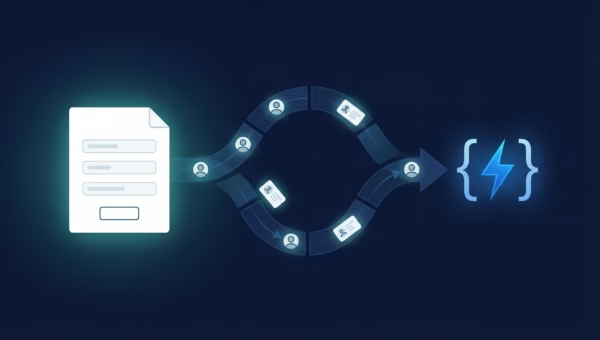
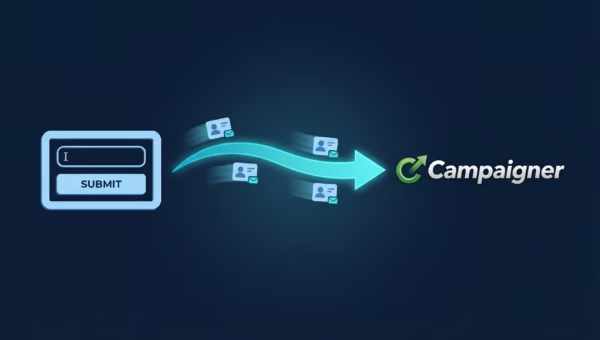
LeadSync’s integration with Mailchimp and TikTok Lead Generation Forms allows you to automatically sync leads generated from TikTok directly into your Mailchimp email lists. When someone fills out a lead form in your TikTok campaign, their information is instantly added to a specified audience in Mailchimp, facilitating immediate and targeted email marketing efforts.
How can I set up LeadSync to connect my TikTok Lead Forms with Mailchimp?
To set up the integration, you first need to connect your TikTok Ads Manager account with LeadSync through the Ad Accounts section. Then, create a Mailchimp connection by authenticating with your Mailchimp account. Finally, go to Lead Forms, select your Google Lead Generation Form, and map the form fields to your Mailchimp merge fields. This setup will ensure that leads from your TikTok campaigns are automatically added to your Mailchimp audience.
Can I segment my TikTok leads into different Mailchimp audience lists using LeadSync?
Yes, with LeadSync, you can create multiple Mailchimp connections, each pointing to a different audience. This means you can direct leads from specific TikTok campaigns or lead forms to different Mailchimp audiences, enabling more personalized and relevant email marketing campaigns. You can also add tags to leads to further segment and organize them.
What is the frequency of syncing leads from TikTok to Mailchimp using LeadSync?
LeadSync strives to sync your leads in near real-time. Generally, as soon as a lead submits their information through a Google Lead Generation Form, it will be transferred to your chosen Mailchimp audience within 1-2 minutes. This ensures that you can engage with your leads promptly.
What if my leads aren’t appearing in Mailchimp?
If leads aren’t appearing in your Mailchimp audience, check the following: First, verify that your TikTok Ads Manager account is properly connected in the Ad Accounts section. Second, ensure that the email field is correctly mapped to Mailchimp’s email merge field—this is required for all leads. Third, confirm that your lead form is part of an active or paused TikTok campaign. Finally, make sure you’ve selected the correct Mailchimp audience in your connection settings.
How does LeadSync ensure the privacy and security of data in the Mailchimp integration?
LeadSync adheres to strict data privacy and security protocols. We comply with relevant data protection regulations, such as GDPR, to ensure the safe handling of your lead data. The data transfer from TikTok Lead Forms to Mailchimp is secured through encryption, and LeadSync does not retain lead data beyond the necessary processing time, ensuring the privacy and security of your information.
Is LeadSync an Alternative to Zapier?
Yes LeadSync is an alternative to Zapier! LeadSync is similar to Zapier in that it connects data from TikTok to other email marketing platforms, such as MailChimp, as well as other CRMs and directly to your email inbox. LeadSync is typically a cheaper option with dedicated support for lead integrations and offers faster sync times.
Go Beyond Email: Connect TikTok Leads to Your Entire Marketing Stack
Once you’ve mastered syncing TikTok leads to Mailchimp, you can expand your integration ecosystem to create a more comprehensive lead management system. LeadSync works with TikTok, Facebook, LinkedIn, and TikTok, allowing you to centralize leads from multiple advertising platforms into a single workflow.
Consider connecting your TikTok leads to these complementary platforms alongside Mailchimp:
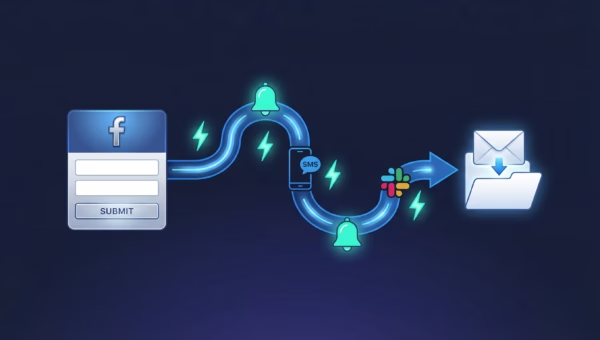
- Send TikTok leads to Slack for instant team notifications
- Store TikTok leads in Google Sheets for easy analysis and reporting
- Combine TikTok with SMS marketing to reach leads across channels
- Forward TikTok leads to your email inbox for immediate action
By building a multi-channel lead management system, you ensure no leads fall through the cracks and every prospect receives timely, relevant communication across their preferred channels.
Start Syncing TikTok Leads to Mailchimp Today
Connecting your TikTok Lead Generation Forms to Mailchimp with LeadSync takes just minutes and dramatically improves your lead management efficiency. By automating the transfer of leads from your TikTok campaigns to Mailchimp, you can focus on crafting compelling email campaigns and nurturing relationships rather than manually managing data.
Ready to streamline your lead flow? Start your free 14-day trial at LeadSync.me and discover how easy it is to connect your TikTok campaigns to Mailchimp. No credit card required.